

Adding general internal notes to a supplier
If you want to add general notes to only be viewed internally (not by your guests/ travellers), follow the steps below:
Click on the 'Supplier' database.
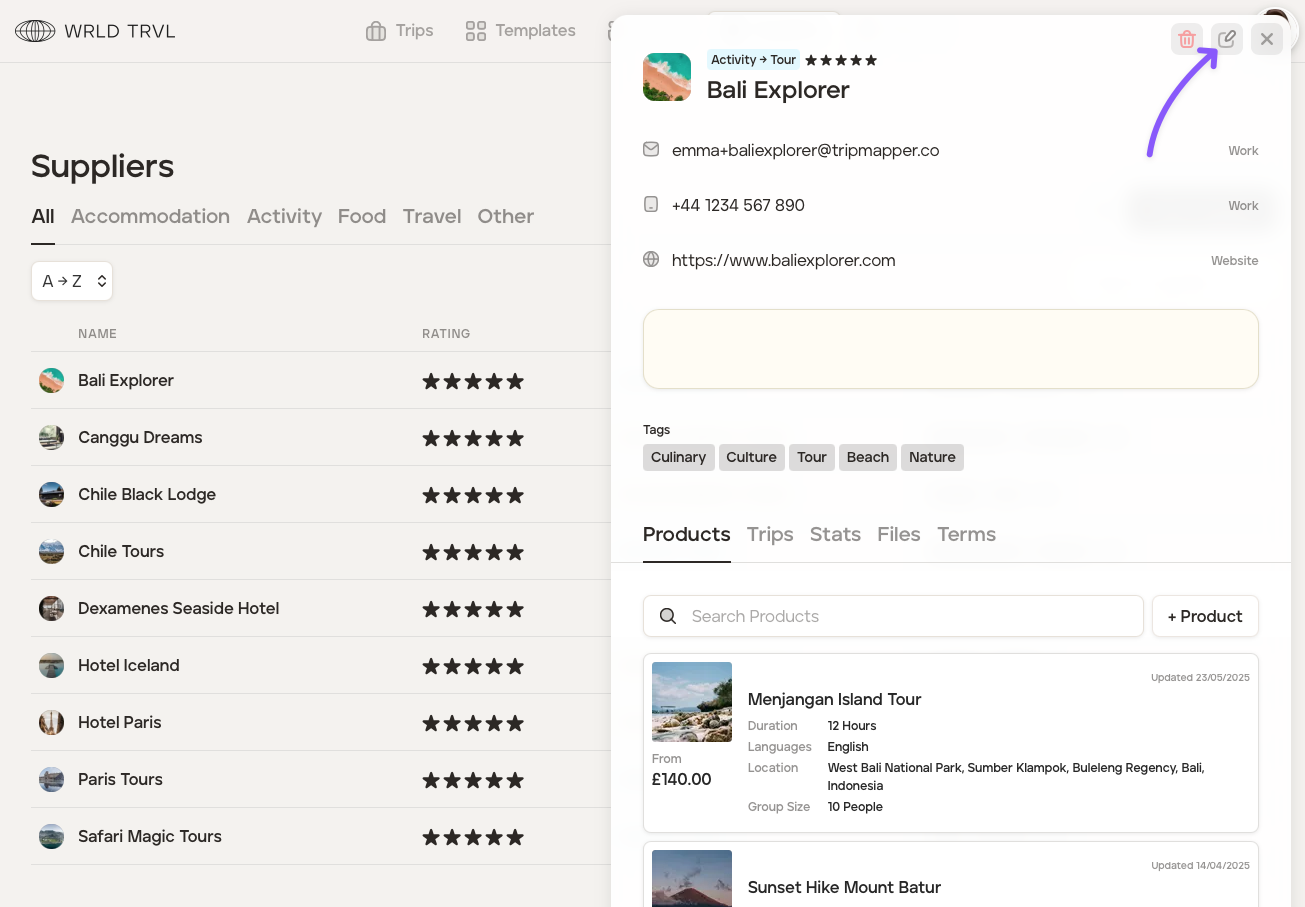
Click on the relevant supplier and then click the 'Edit' icon.
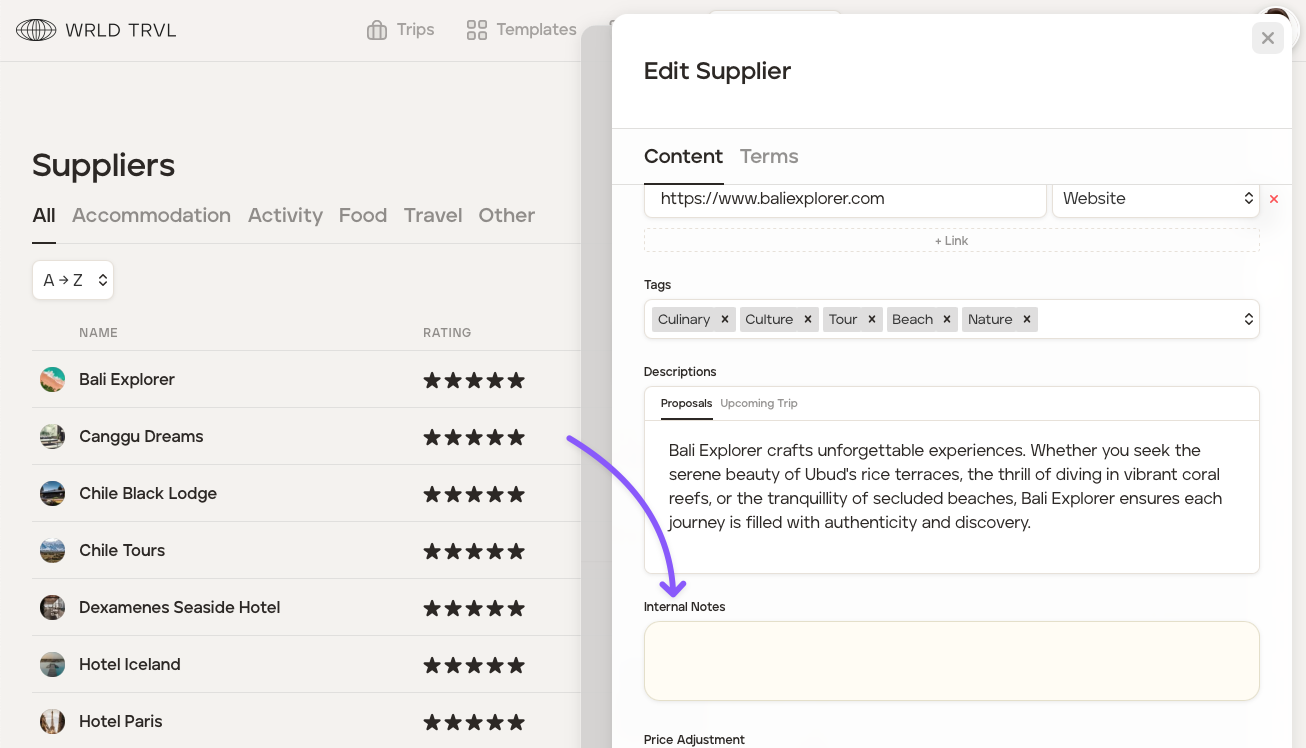
Scroll down until you reach the pale yellow 'Internal Notes' box. Any information you type in this box will not be seen by your guests/ travellers.
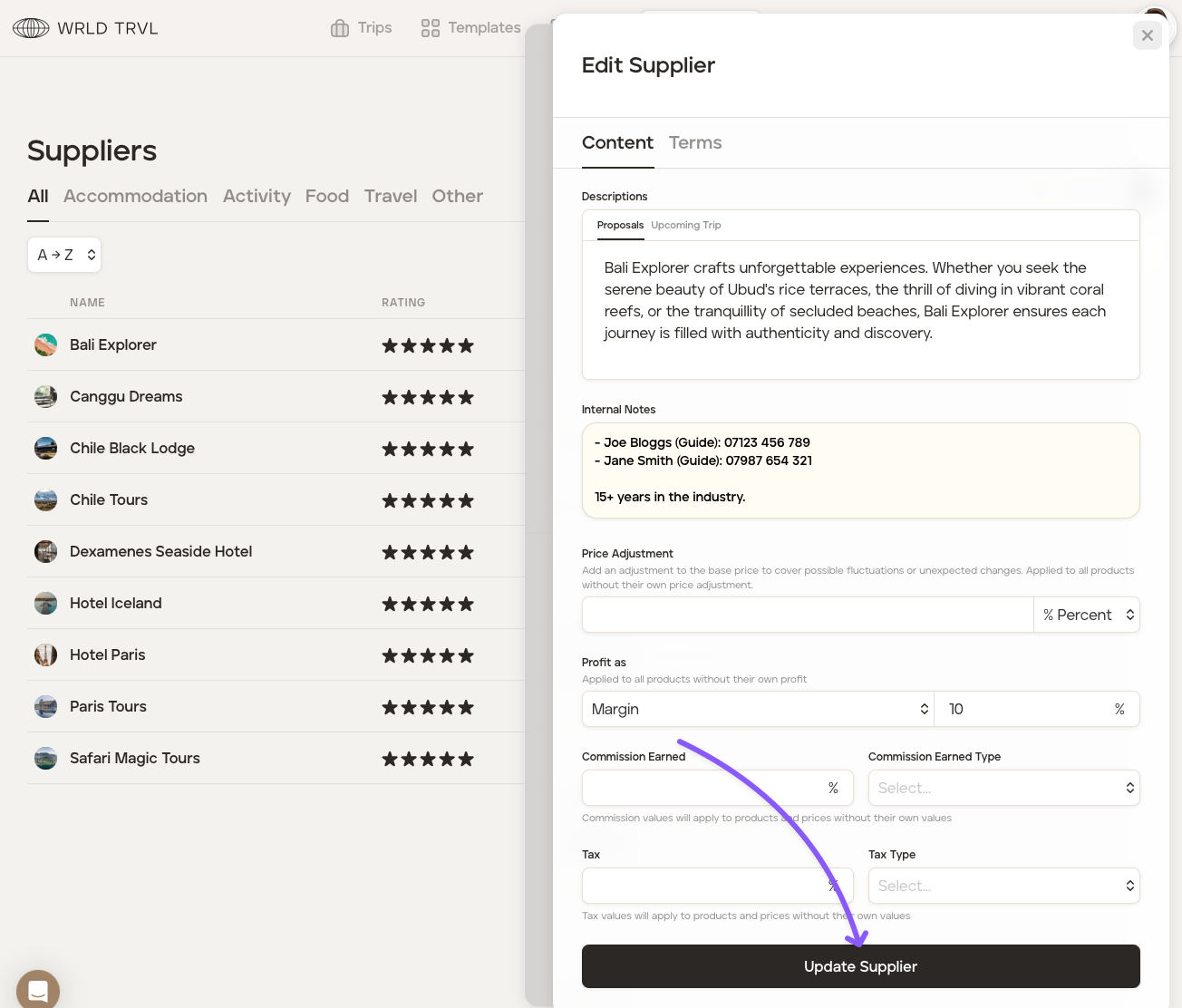
Once you have added the content to the 'Internal Notes' box, scroll down and click the 'Update Supplier' button. Your internal note will now be saved.
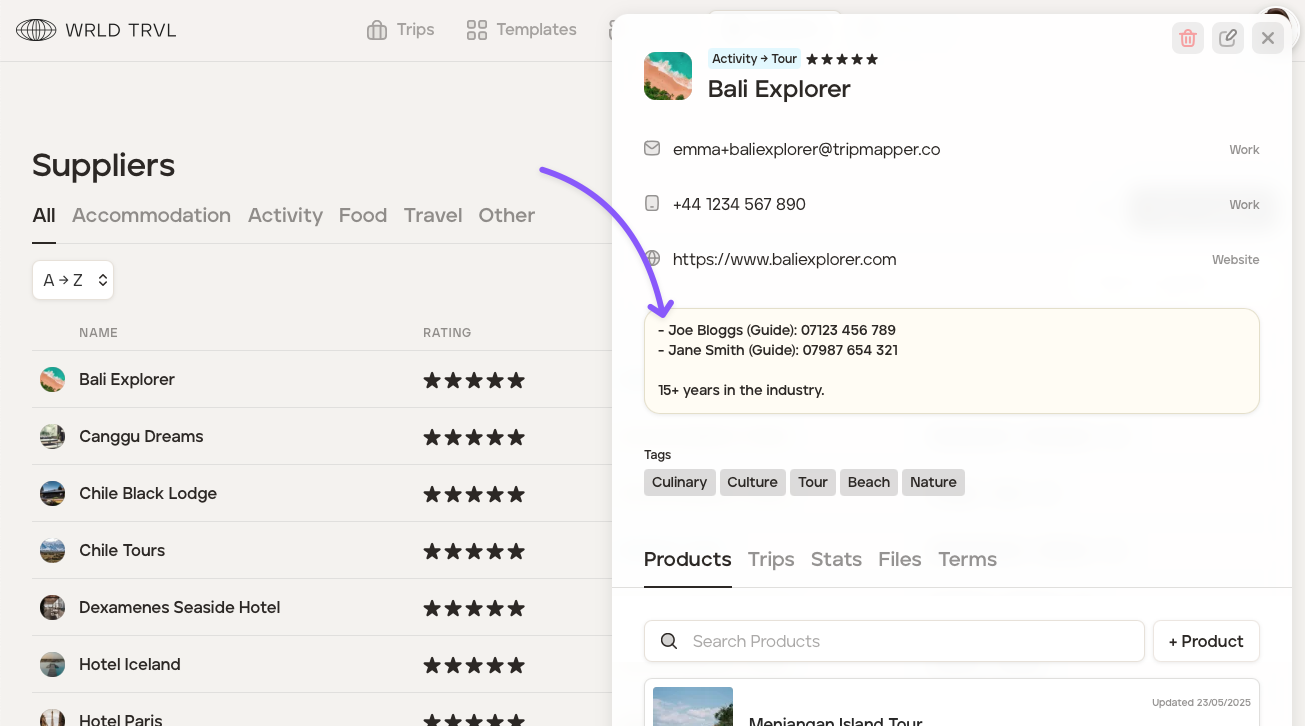
Close the supplier edit section by clicking the 'X' in the top right.
You will now see the internal notes on the supplier overview.
You can edit the internal notes by repeating steps 2-4.
Was this helpful?