

Add a new client
To add a new client to your client database:
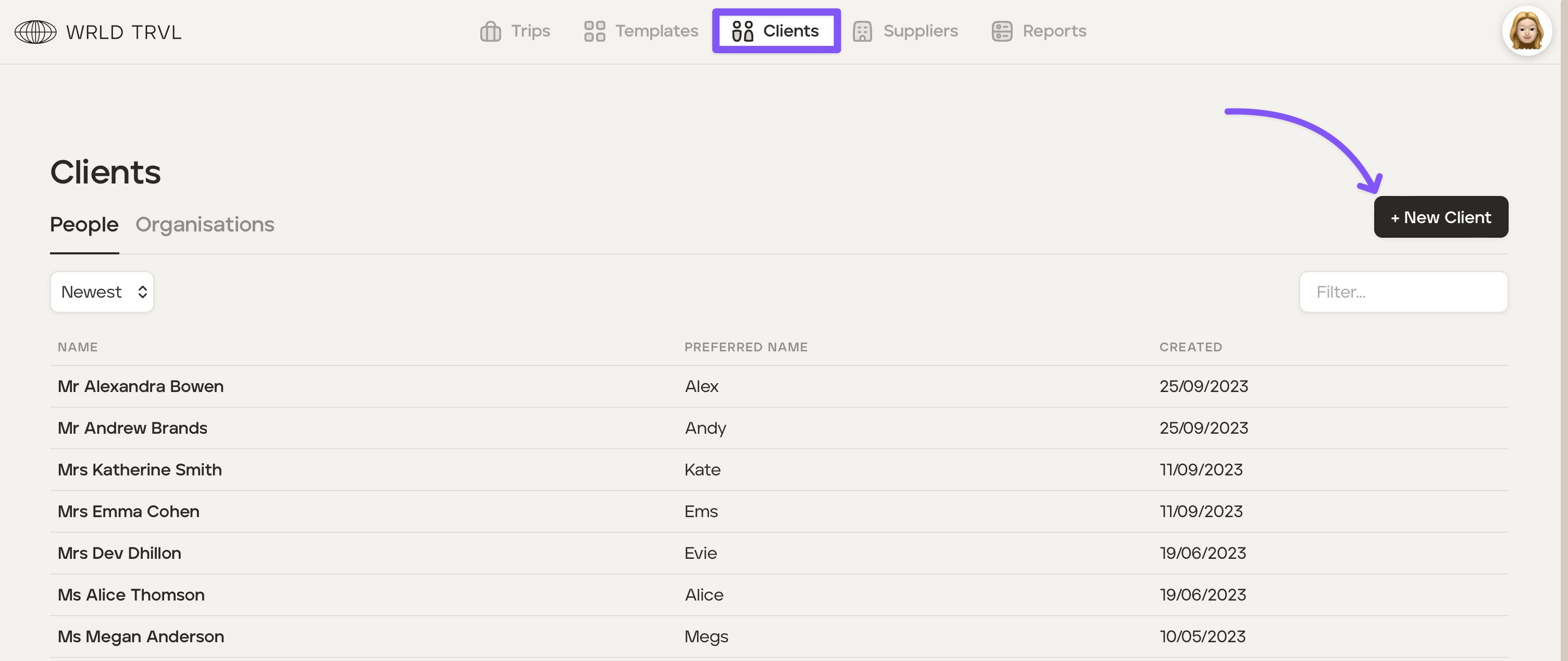
Click the ‘Clients’ section at the top of your screen and then click ‘+ New Client.’
Click either the ‘People’ or ‘Organisations’ tab and then input the client’s details.
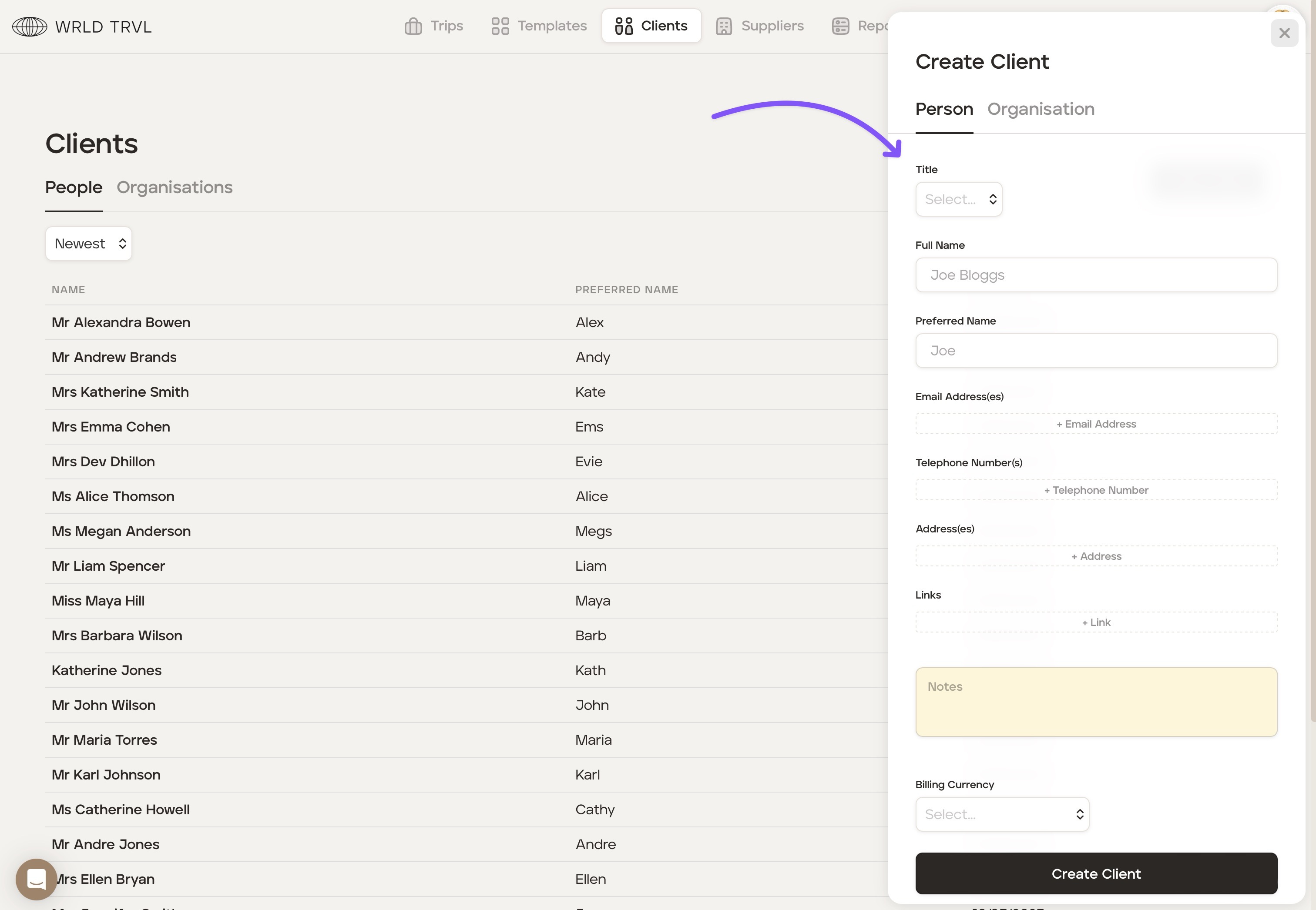
Click the ‘Create Client’ button for the client to be added to the client database. Once clients are added to your client database you can quickly add clients to any proposals and/or upcoming trips.
Was this helpful?