

Zapier Tables for mapping data
You may need to maintain data mappings to utilise the power of TripMapper and Zapier fully. In this guide, we'll step through the different areas we've established as good candidates for Zapier Tables.
Card Types
TripMapper maintains its own list of Card Types and Subtypes to express the nature of the card and enable additional functionality. However, the items in whatever platform you're connecting to may not always align exactly with our workflow. To avoid this, we recommend setting up a Zapier Table with mappings so that you can send and receive data on your terms.
Card Types
Our card types are defined as follows:
ACCOMMODATIONACTIVITYFOODOTHERTRAVEL
We then have subtypes that belong to some of those types. They are:
ACCOMMODATIONACCOMMODATION_ALL_INCLUSIVEACCOMMODATION_BED_AND_BREAKFASTACCOMMODATION_BED_ONLYACCOMMODATION_FULL_BOARDACCOMMODATION_HALF_BOARD
TRAVELTRAVEL_BOATTRAVEL_BUSTRAVEL_COACHTRAVEL_CYCLETRAVEL_DRIVETRAVEL_FLIGHTTRAVEL_MOTORCYCLETRAVEL_PRIVATE_TRANSFERTRAVEL_SCOOTERTRAVEL_SHARED_TRANSFERTRAVEL_TAXITRAVEL_TRAINTRAVEL_TRAMTRAVEL_TUBETRAVEL_WALK
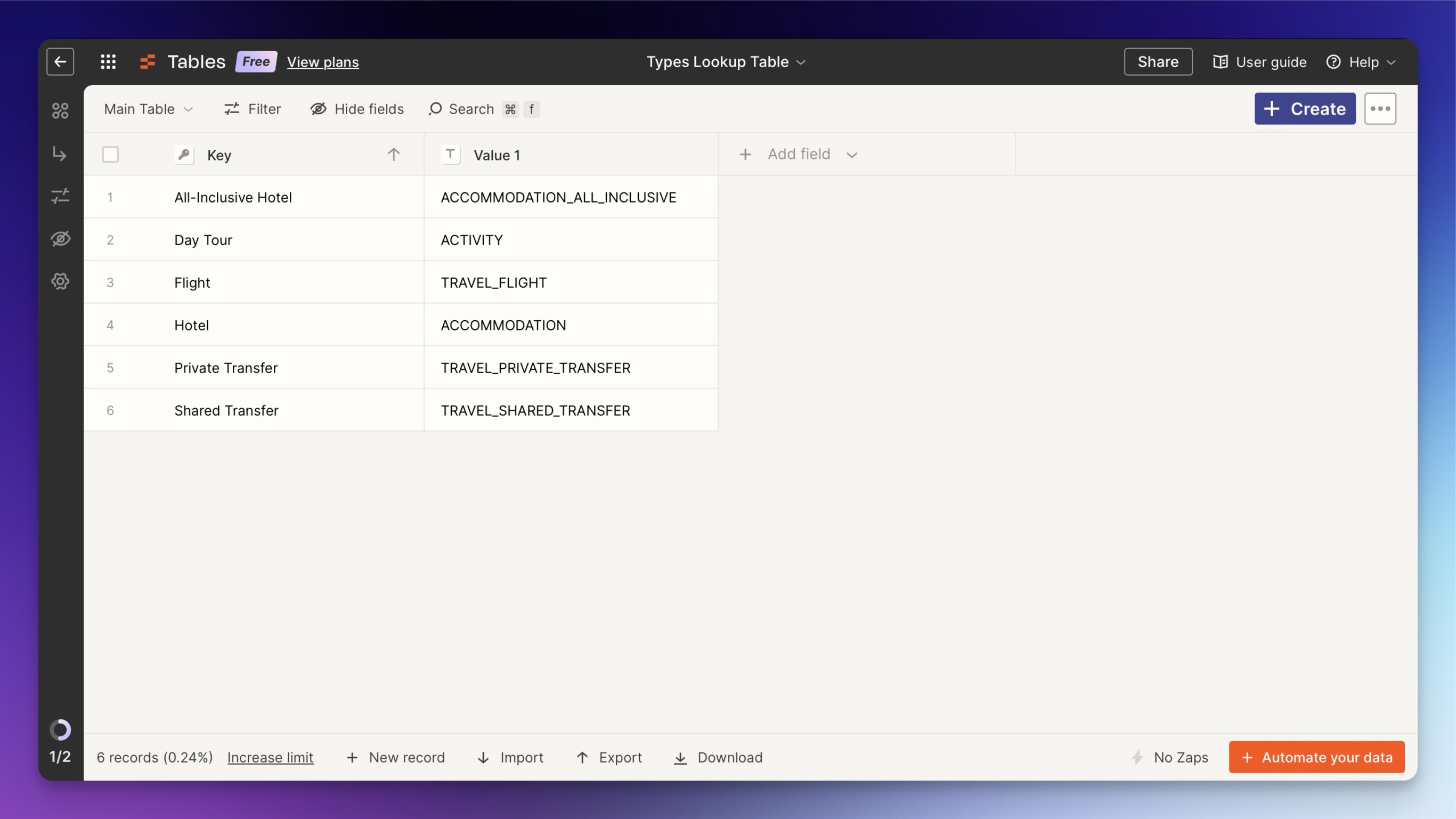
For the purposes of this example, let's say you plan to create trips in your CRM and have them sync to TripMapper. To do this, we'd define the different types you want to map in the 'Key' column of the Zapier table, and then the corresponding TripMapper types in the second column.
Countries
For consistency and predictability, we send and require country information on a Trip to be formatted as the two-character ISO code for the country. For example, the United Kingdom is GB, Spain is ES, Australia is AU etc. You can find a full list of these ISO codes here.