Adding a selectable option to a proposal
When sending a proposal, you can include one or more selectable options for your client to approve at their discretion.
For example, your proposal price may be £8,000.00, but you'd like to offer an optional flight upgrade on top of that. Rather than building it into the base client price, you can present it as a separate, selectable add-on — allowing the client to choose whether they'd like to include it when they approve their proposal.
To add a selectable option, follow the steps below:
Example:
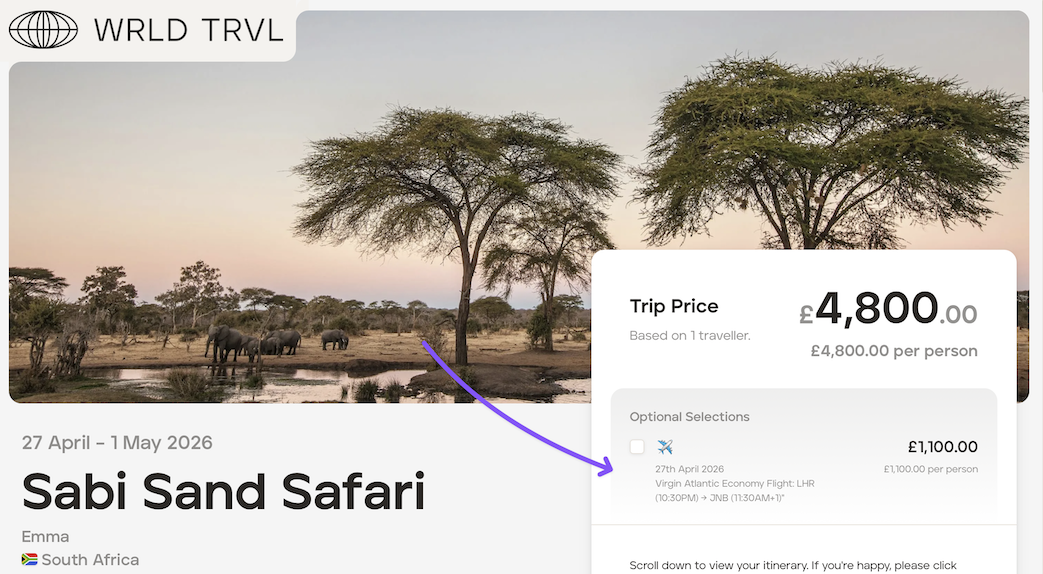
Your proposal price is £4,800.00, but you'd like to offer an optional outbound flight (£1,000.00 plus a 10% markup) for your client as an add-on for the client to include at their discretion.
To add an optional extra:
Open the relevant proposal.
Click 'Manage'.
Navigate to the 'Costs' tab and click 'Add Charge Group'.
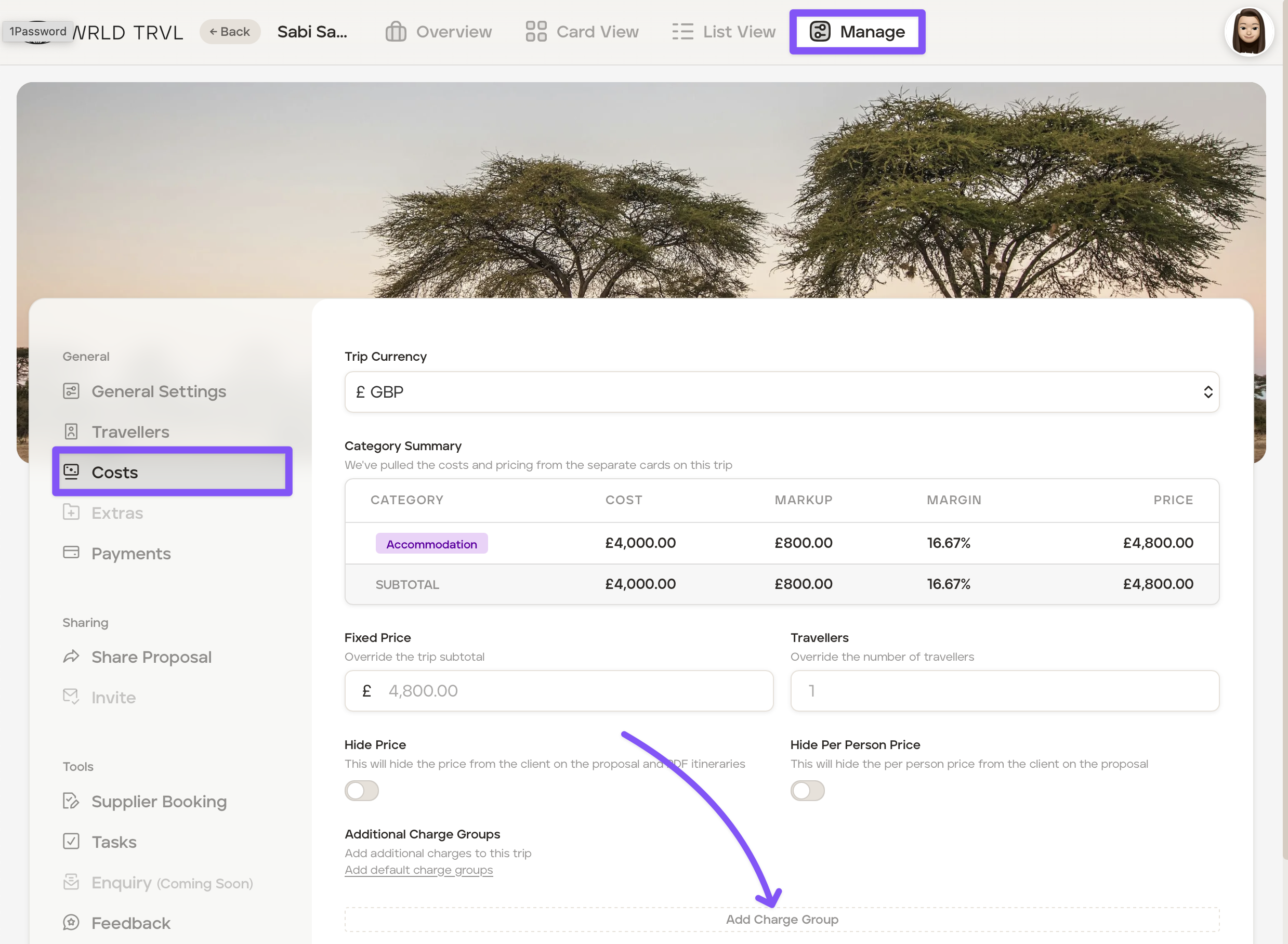
In the 'Addtional Charge Group' add the following:
In the 'Charge Group Name' field, add the name of the selectable option, for example, 'Flight'.
Click the icon to select an icon applicable to the option. In this example, the plane icon.
Switch on 'Selectable Option.'
Add a short description of the selectable option which will be seen by your client when you share the proposal link. In this example: "27th April 2026 Virgin Atlantic Economy Flight: LHR (10:30PM) → JNB (11:30AM+1)"
Click 'Add Additional Charge'
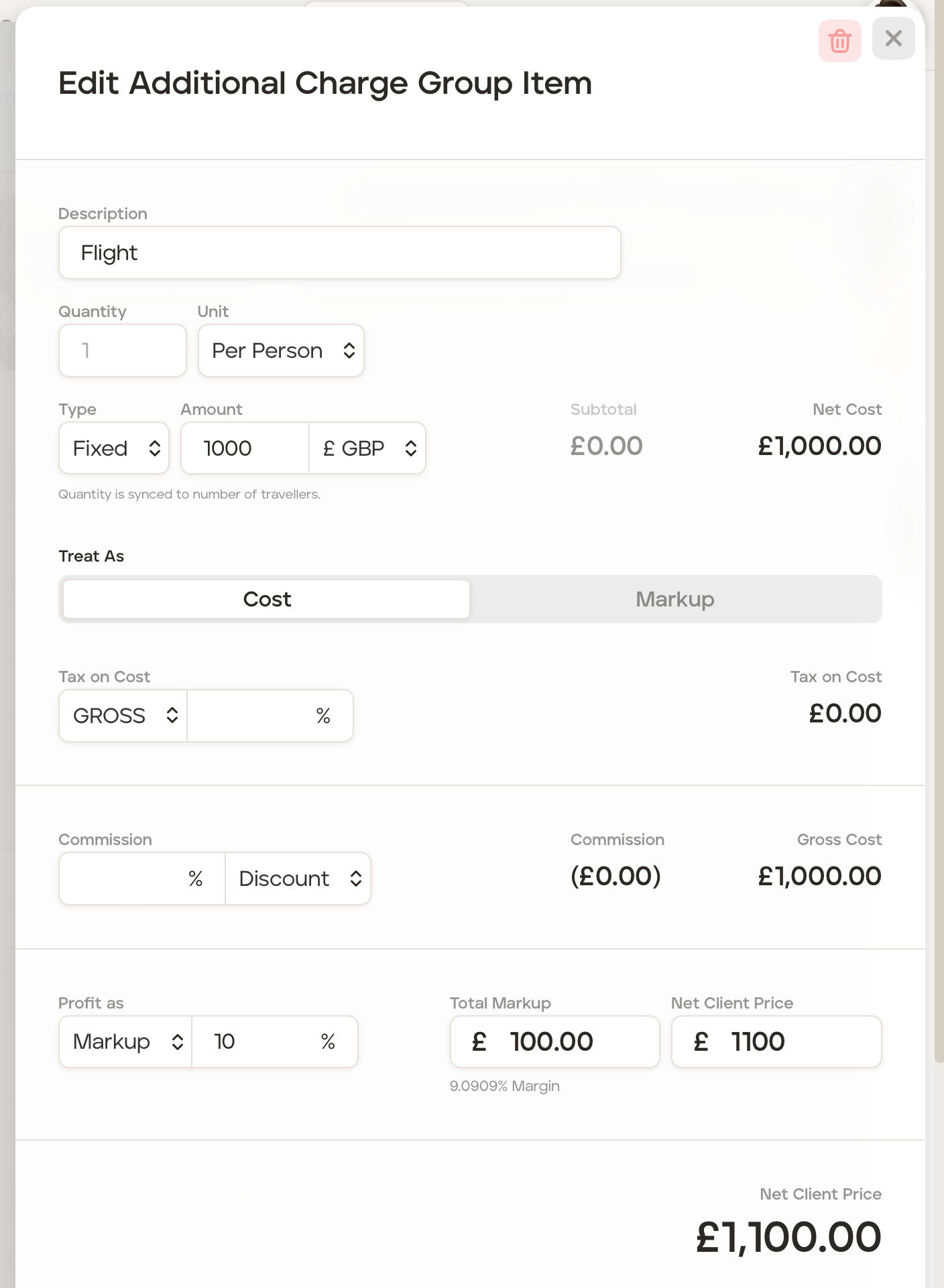
In the 'Edit Additional Charge Group Item' section, add the following information:
Add a description in the 'Description' field. In this example, 'Flight'.
In the 'Quantity' field, select the quantity. In this example, add '1'.
In the 'Unit' field, select the unit. In this example, add 'Per Person'.
In the 'Type' field select whether it is a percentage, or a fixed amount. In this example, select 'Fixed'.
Add the cost in the 'Amount' field. In this example, add '£1,000'.
In this example, a 10% markup will be added, so in the 'Profit as' field ensure 'Markup' is selected and add '10' in the '%' field.
Close 'Edit Addtional Charge Group Item' section by clicking the 'X'.
Close the 'Charge Group' by clicking the 'X'.
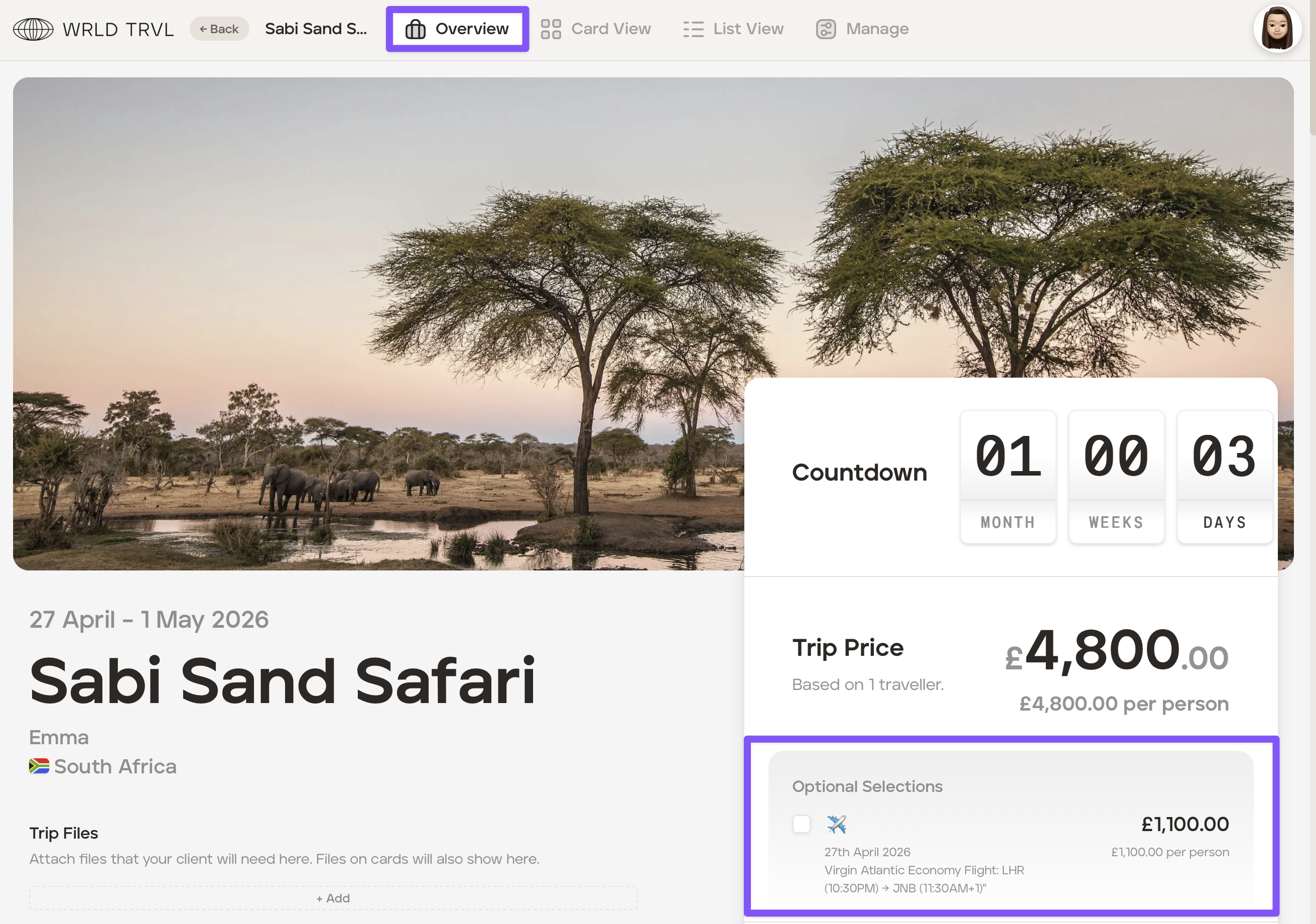
The selectable option can now be viewed on the 'Overview' screen:
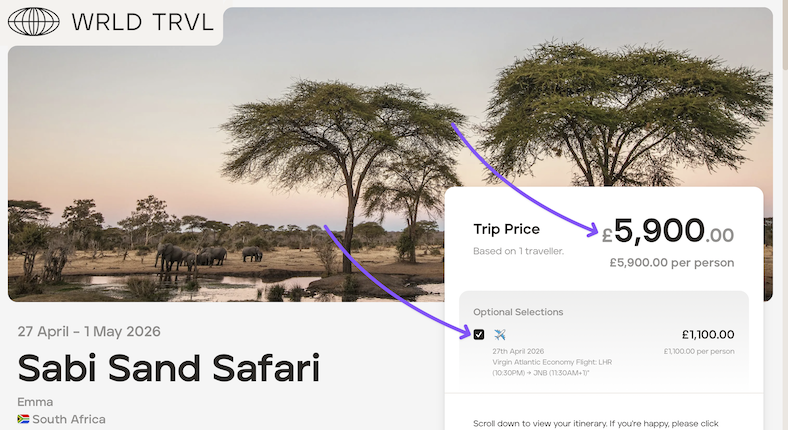
When you are ready to send the proposal (in the 'Share Proposal' section), the selectable option will be displayed when your client opens the link:
If your client selects the option, the trip price will update: