

Adding 'extra' itinerary items to an Upcoming itinerary
'Extras' are itinerary cards (with costs) that were added to the upcoming itinerary (ie. after the proposal was approved).
The feature is designed to help make it clearer which costs were added after the proposal was approved so you can:
get additional approval from your client for these extra costs (optional); and
have a clear place to see these extra costs.
Card Status
When adding a card to an itinerary with costs, after it was approved by the client (or approved on behalf of the client), will now show a 'status'. The statuses will show as follows:
Draft: the default status when adding a new card
In Review: the status assigned when you're ready to share with a client for approval
Declined: shows if you shared the extra with a client and they elected to decline it
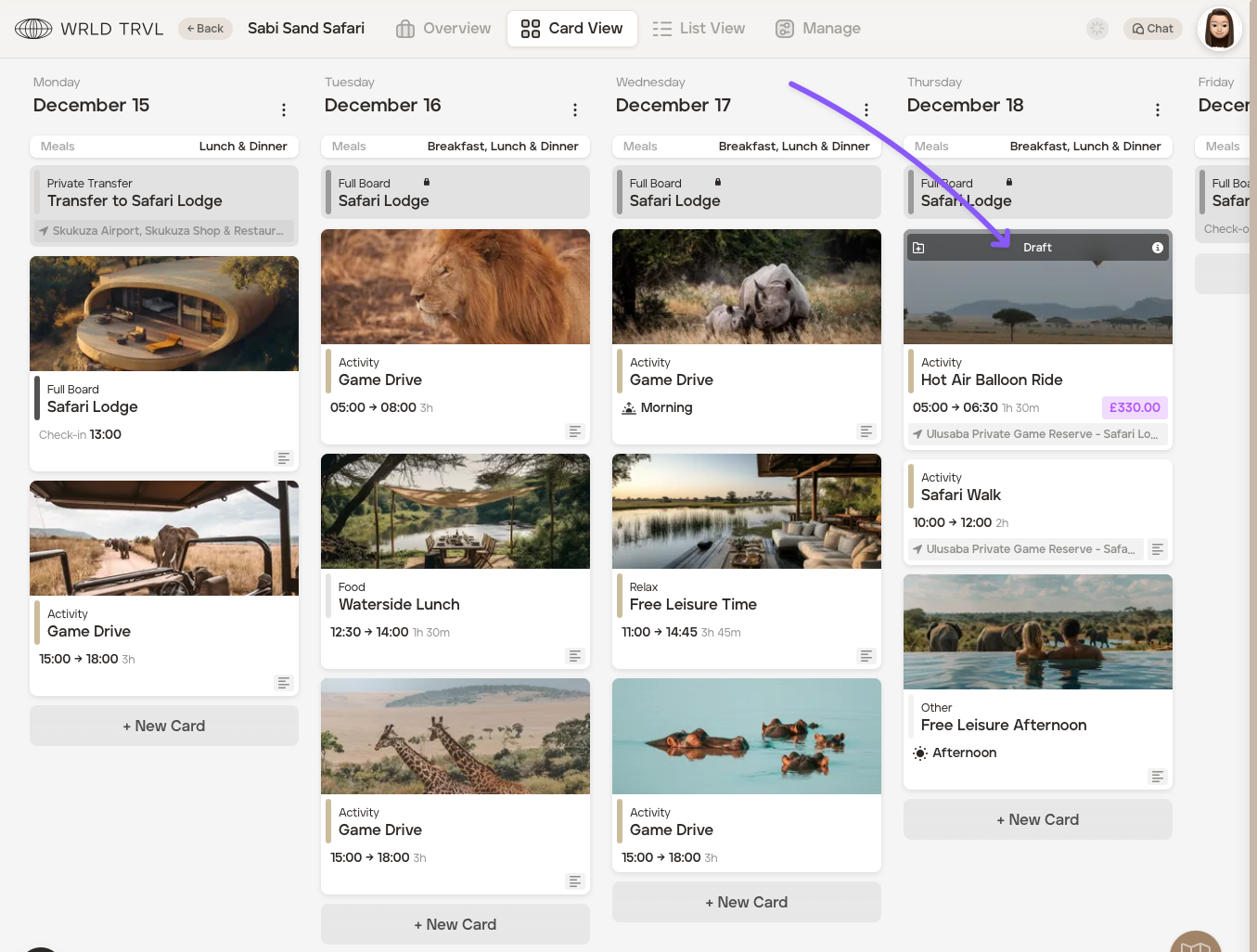
Extras Summary
The 'Extras' summary is available from within the 'Manage' section of an 'Upcoming' trip.
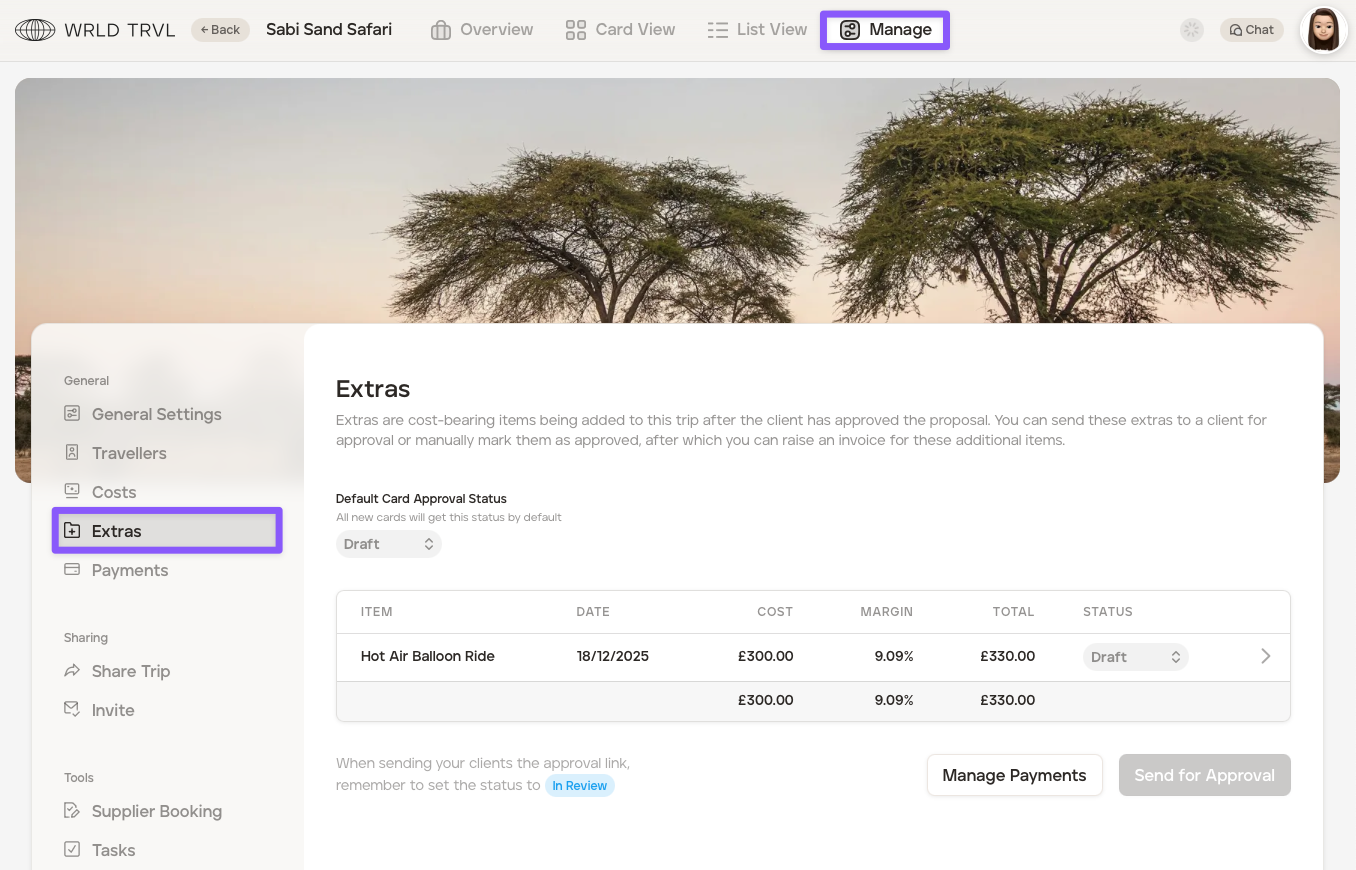
Client Approval of Extras
From within the 'Extras' section, you're able to approve an extra(s) on your clients behalf by selecting 'Approved' in the 'Status' dropdown menu or you can send your client a link to review the extra(s). To send a client the link to review, follow the steps below:
Click the 'Status' dropdown menu for the applicable extra item(s) and select 'In Review.'
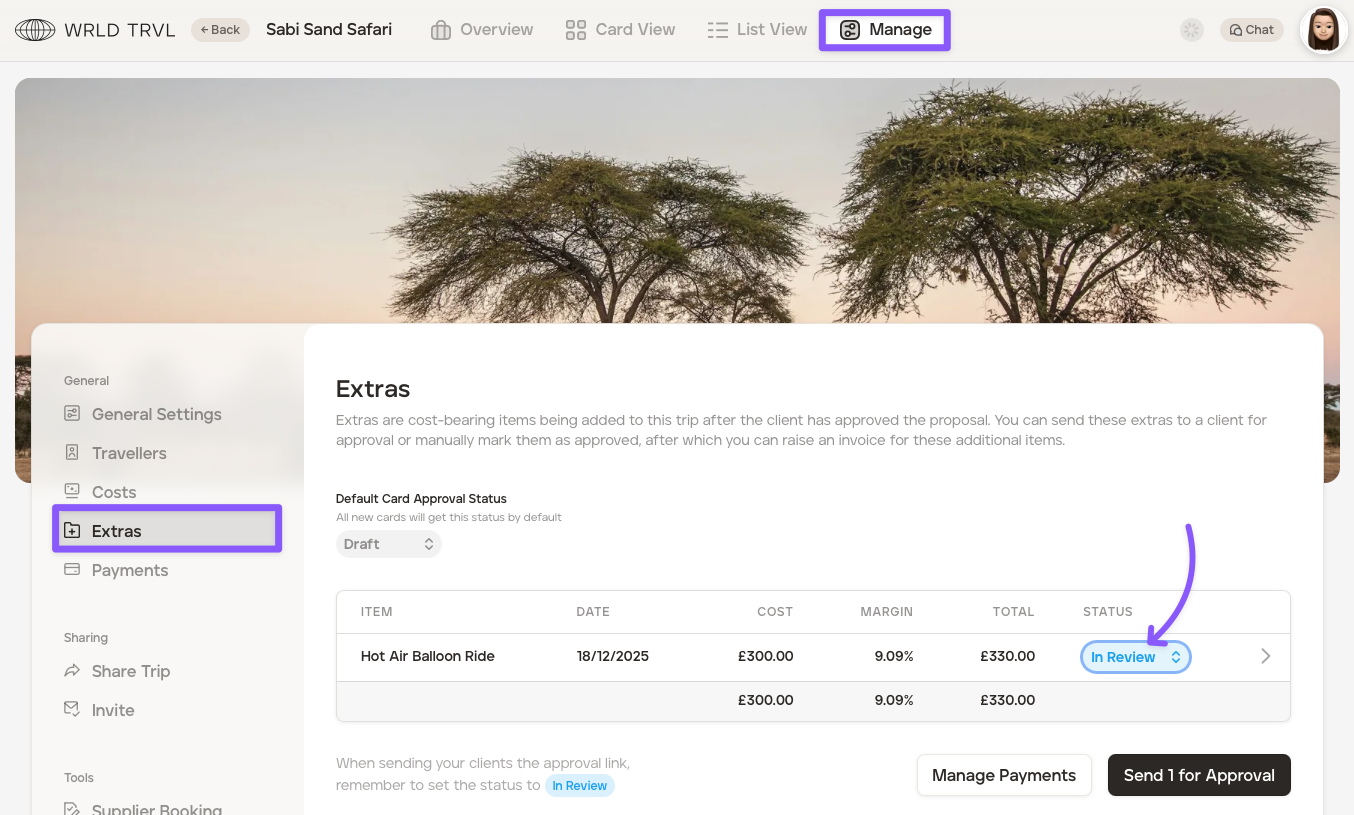
Click the 'Send for Approval' button to generate a custom URL that will allow your clients to view the extra(s) you selected and approve (you can use the same URL to preview the page before sending). Click the copy icon to copy the link and then share with your client:
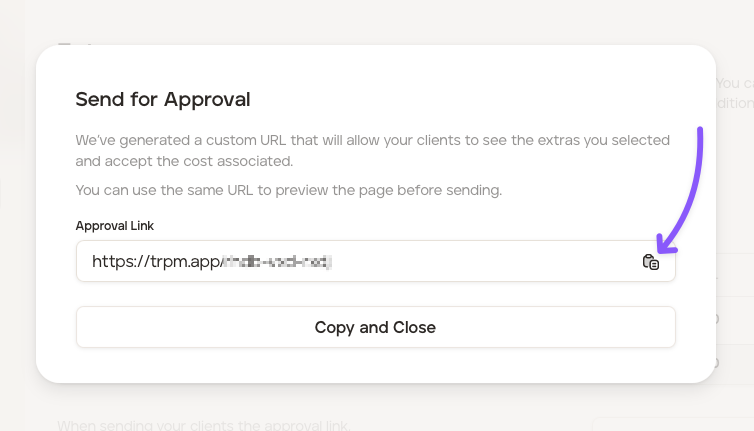
3. When the client clicks the link, they can view the extra(s) and approve or decline.
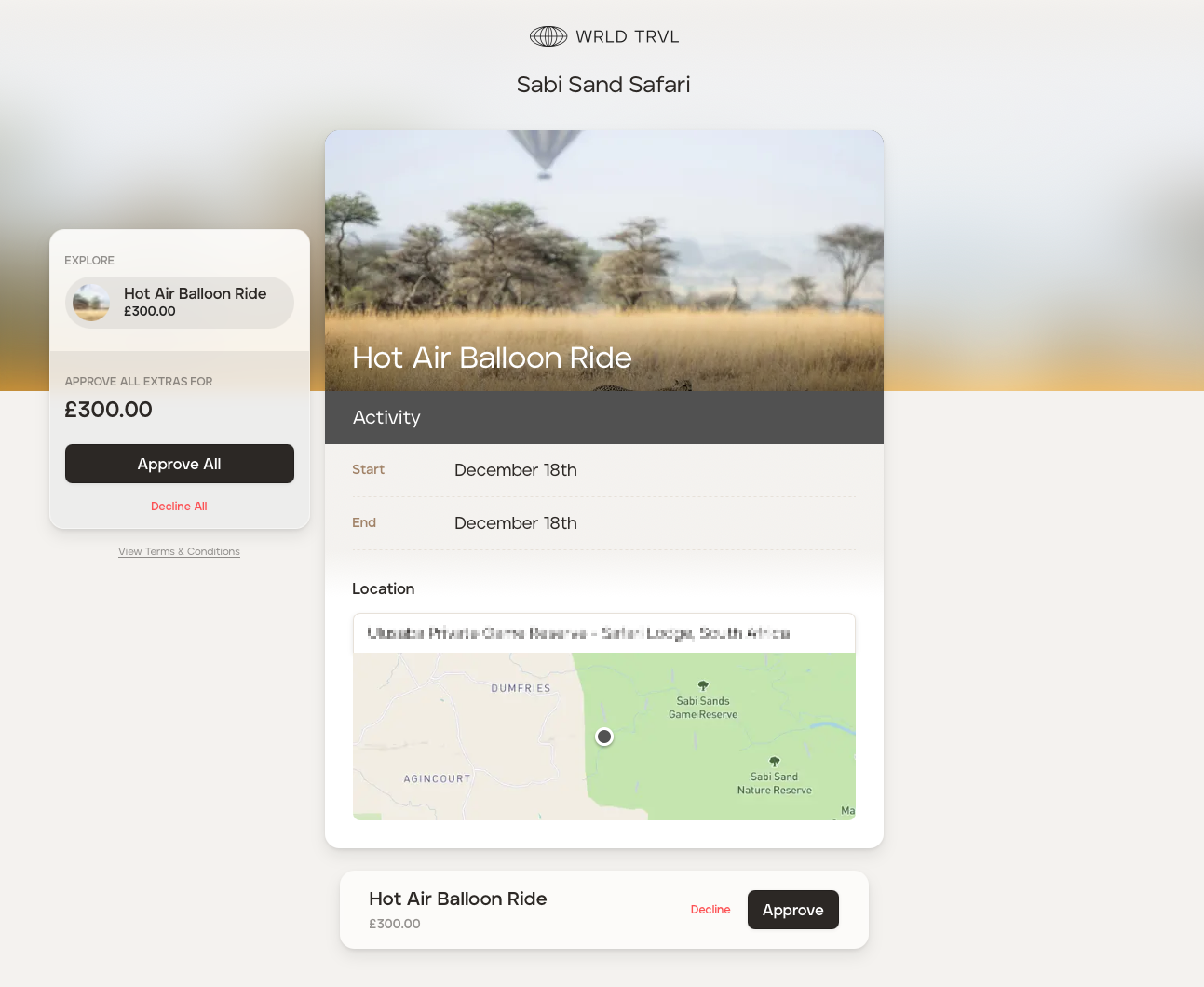
Once approved or declined by the client, it will automatically update on the applicable itinerary.
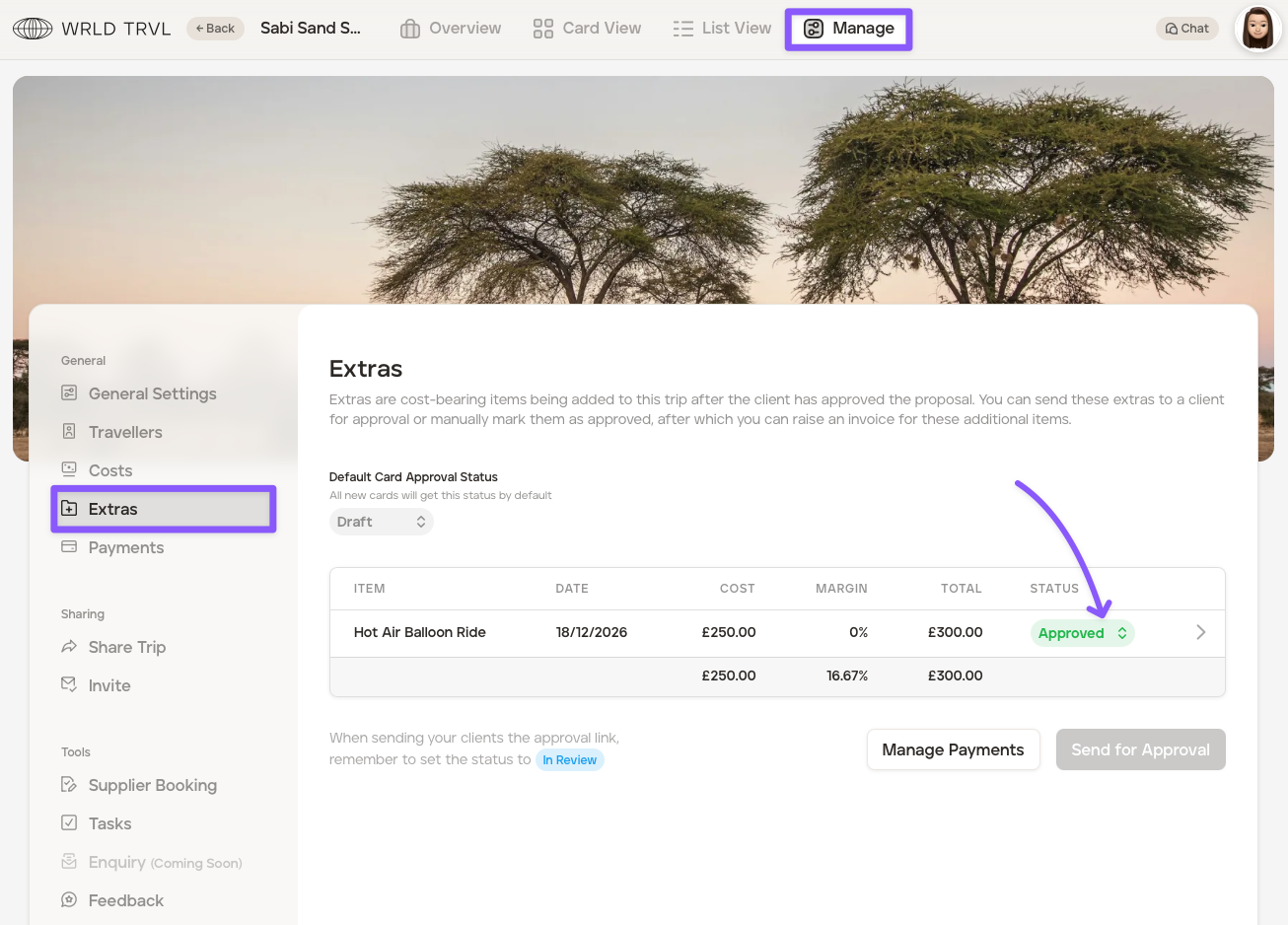
Automatically setting a default 'Extras' status which will apply to new 'Extras' cards on that upcoming itinerary
The default card status for 'Extras' is 'Draft', however, you have the option to set the default status to automaticaly be 'In Review' or 'Approved.' After a new default status has been chosen and set, all new 'Extras' cards added to that upcoming itinerary will get that new chosen default status automatically:
