

Add supplier products to a template itinerary or trip itinerary
To add a supplier product to a template or trip itinerary:
Click the relevant template itinerary or trip itinerary.
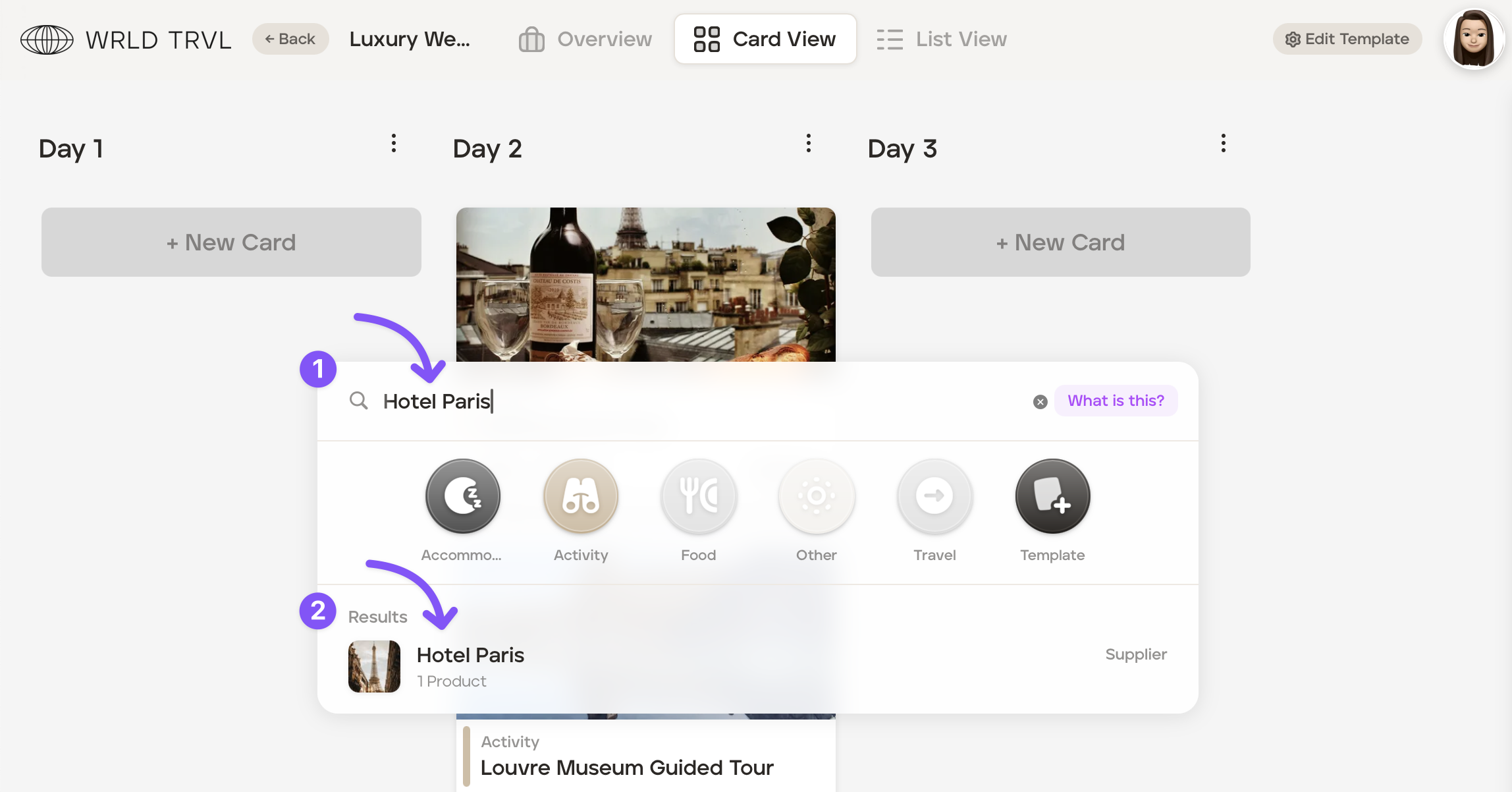
Click '+ New Card' on the day you want to add the product on either card view or list view.
Search for your product in the launcher search bar.
Click the relevant result.
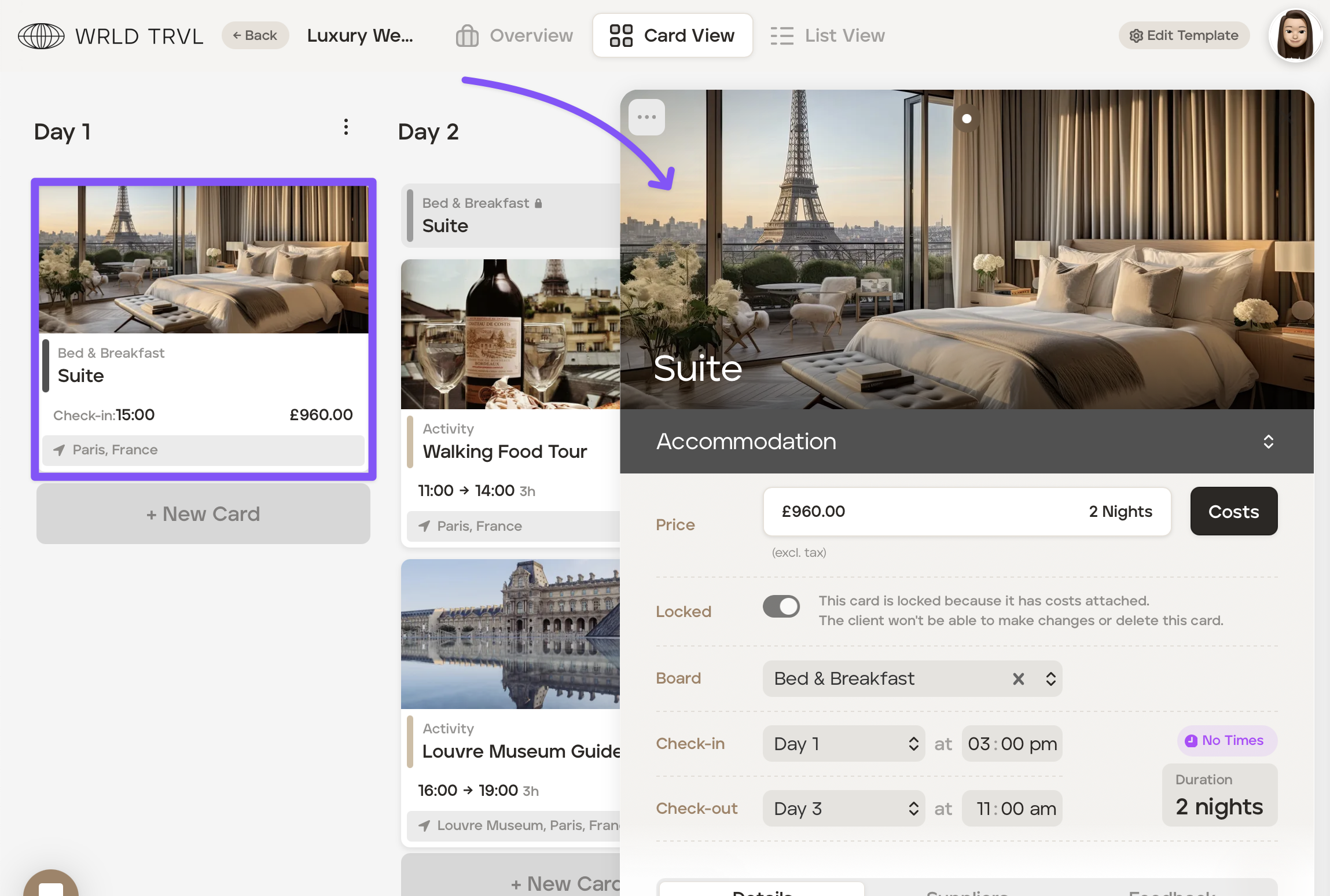
By clicking the relevant result, it will add it to the template itinerary or trip itinerary. The card will also slide in from the right, and you add any further detail.
Was this helpful?