

Locking and unlocking itinerary cards
Itinerary cards are all locked by default. This means if you give your client 'Editor' permission when inviting them to view an upcoming itinerary, they will not be able to edit or delete any of your itinerary cards unless you have specifically allowed them to by 'unlocking' the card.
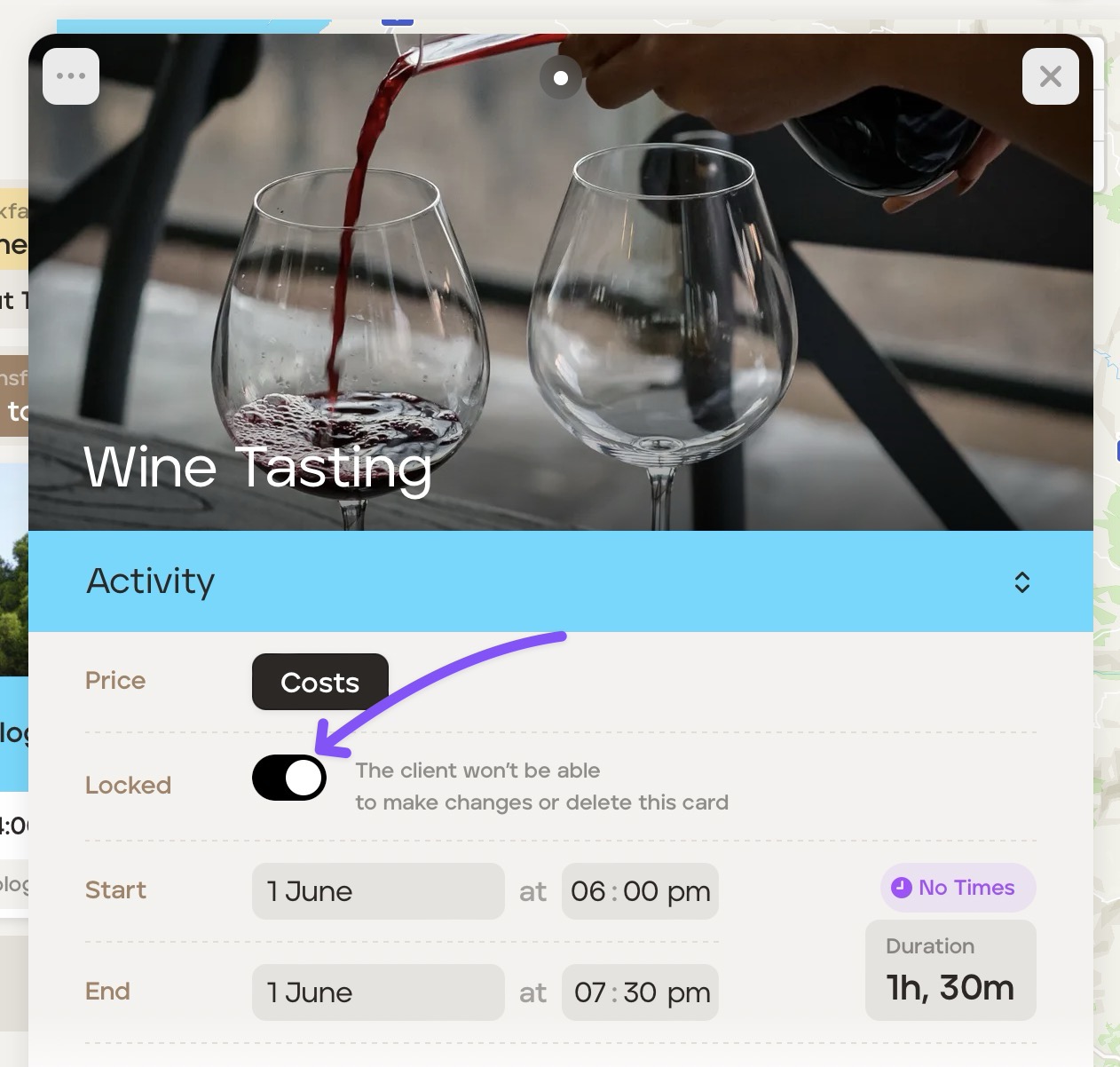
To lock or unlock cards, open the applicable itinerary card and switch to lock or unlock.
Was this helpful?