

Create an itinerary by describing it
Create itineraries just by describing them. The tool looks at the itinerary and card templates in your TripMapper for Business account, and where it can't find suitable existing content, it draws on its own knowledge to fill in the gaps.
Please note, this all data will be processed by our AI partner OpenAI and this feature is currently in beta. Therefore, please note:
How to create an itinerary by describing it
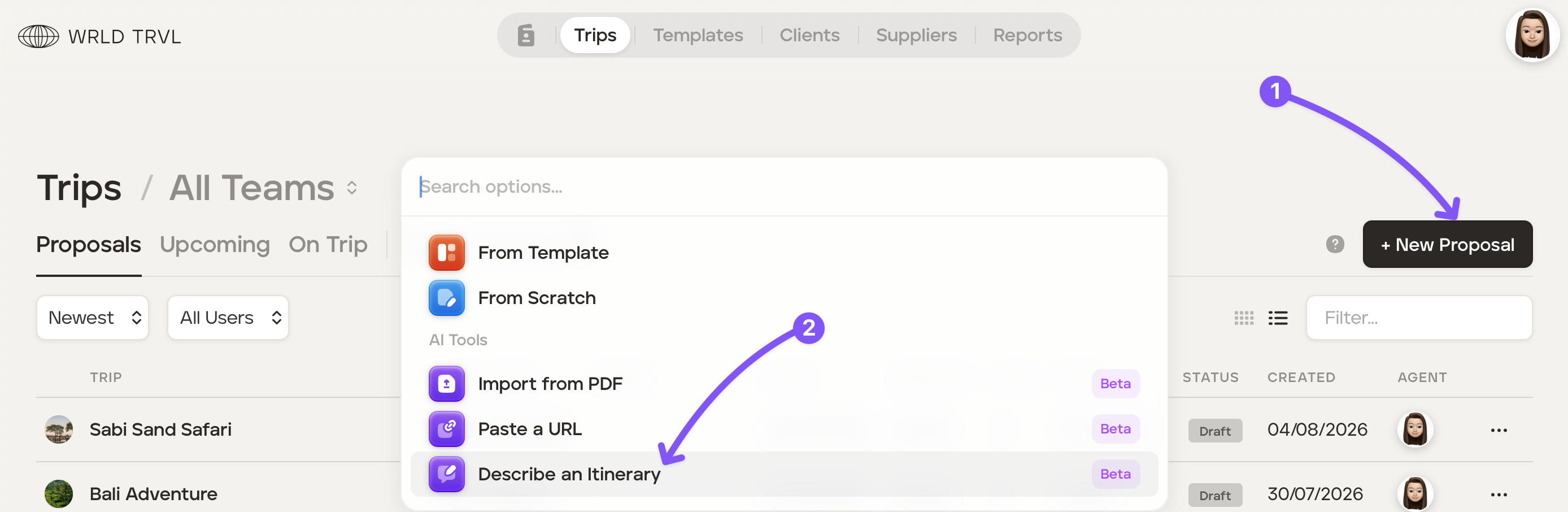
Click '+ New Proposal' and then 'Describe an itinerary'.
In the box describe the itinerary, type your description of the itinerary. For example:
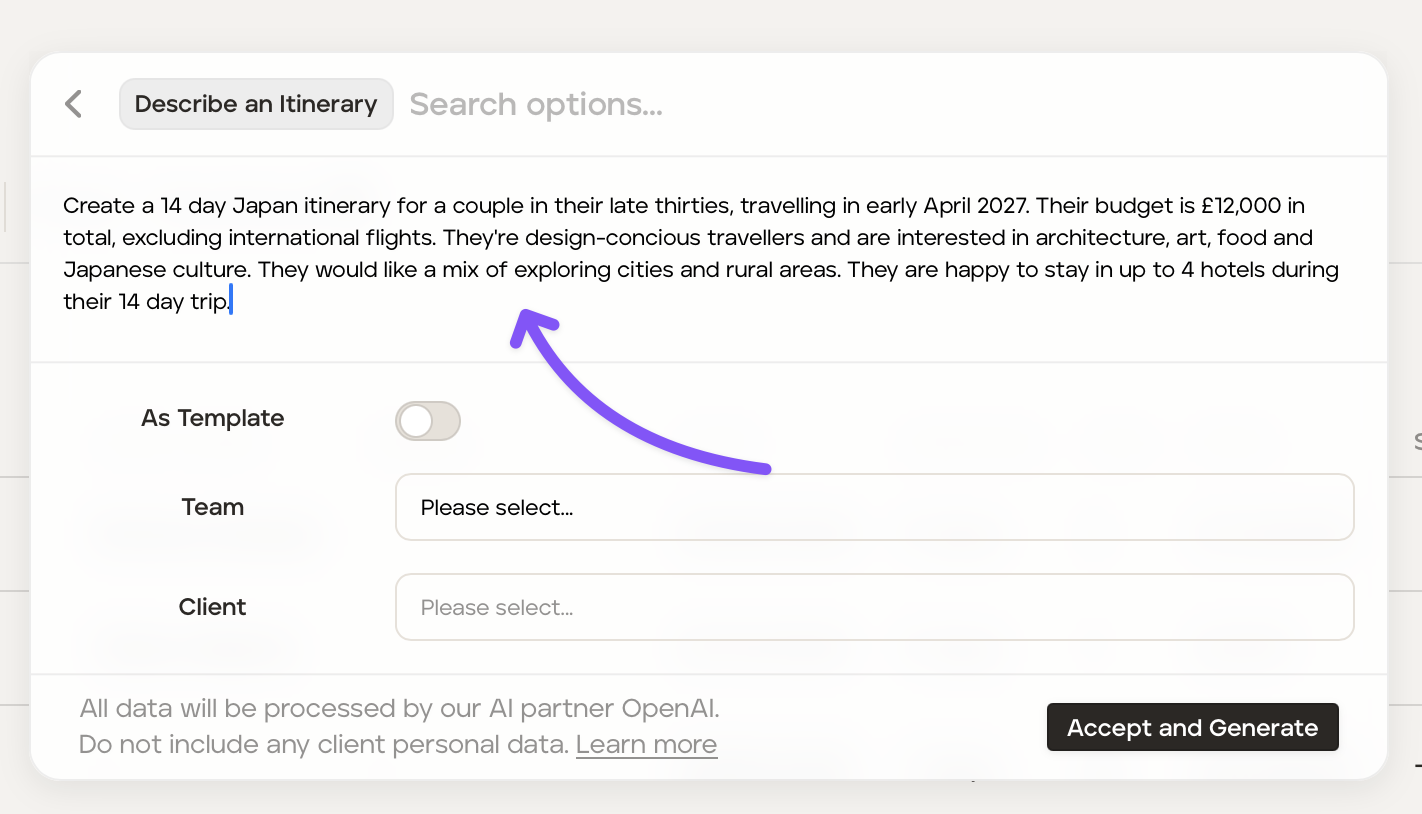
If you would like for this itinerary to be added as a template itinerary turn the 'As Template' switch on.
Select the applicable team (optional) if creating a template from the PDF, or select the applicable team (optional) and client (mandatory) if creating a proposal from the PDF.
Click 'Accept and Generate' after reading the notes to the left of the button.
Once an itinerary has been created:
Review the itinerary carefully
Edit any incorrect and/or incomplete information
Add more content and/or images.