

Delete a template document in your template document database
To delete a template document, follow the steps below:
Head to the 'Templates' section and then click the 'Documents' tab.
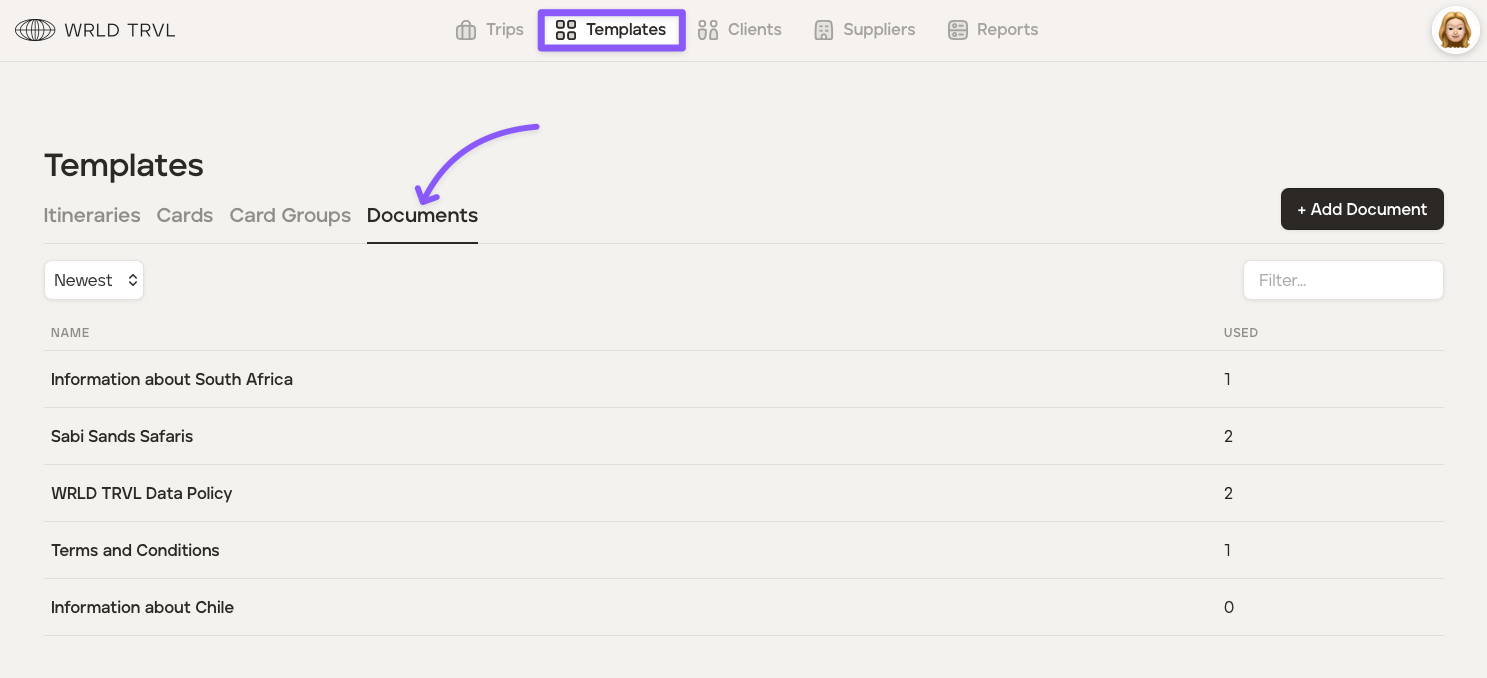
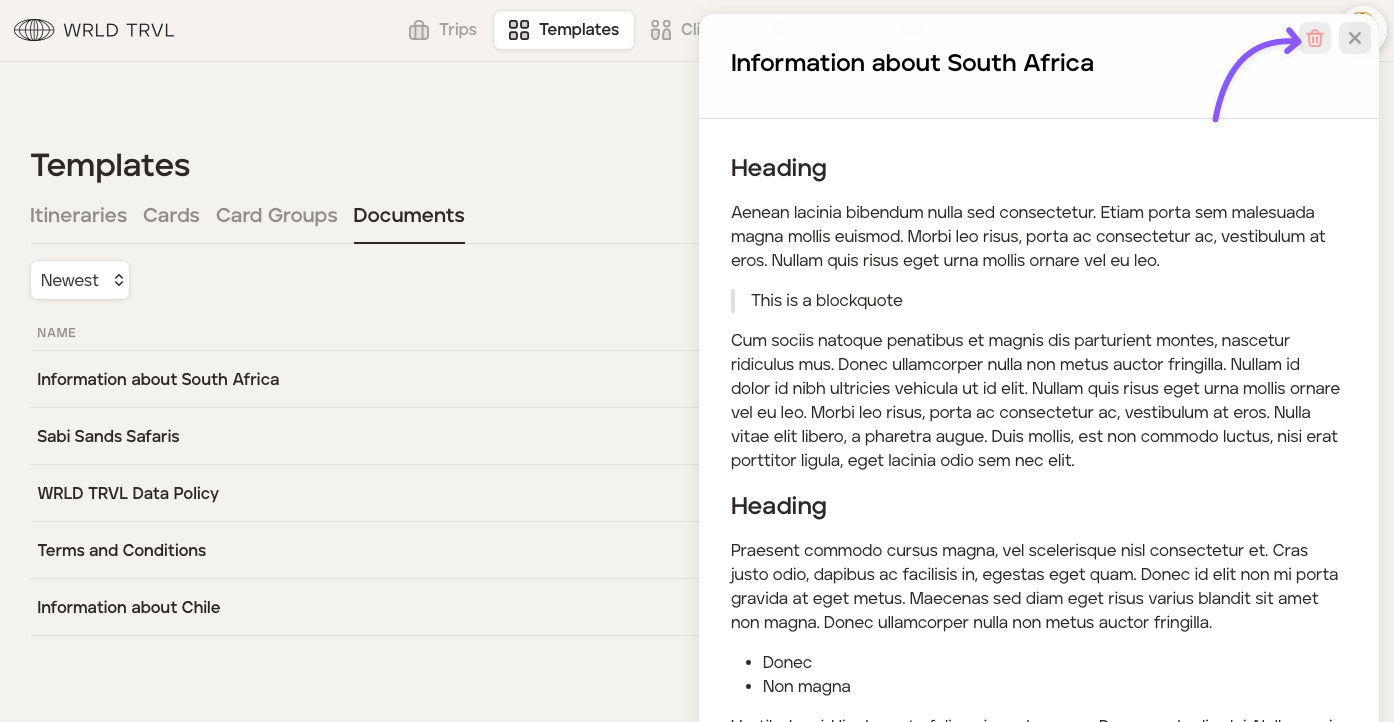
Select the applicable template document to open the document.
Click the trashcan icon to delete the document from your template document database.
Was this helpful?