

Remove a team Member's access to seeing client prices and company mark-up/ margin
An 'Owner' or an 'Admin' may restrict a 'Member' from seeing client prices and company mark-up/ margin by following the steps below:
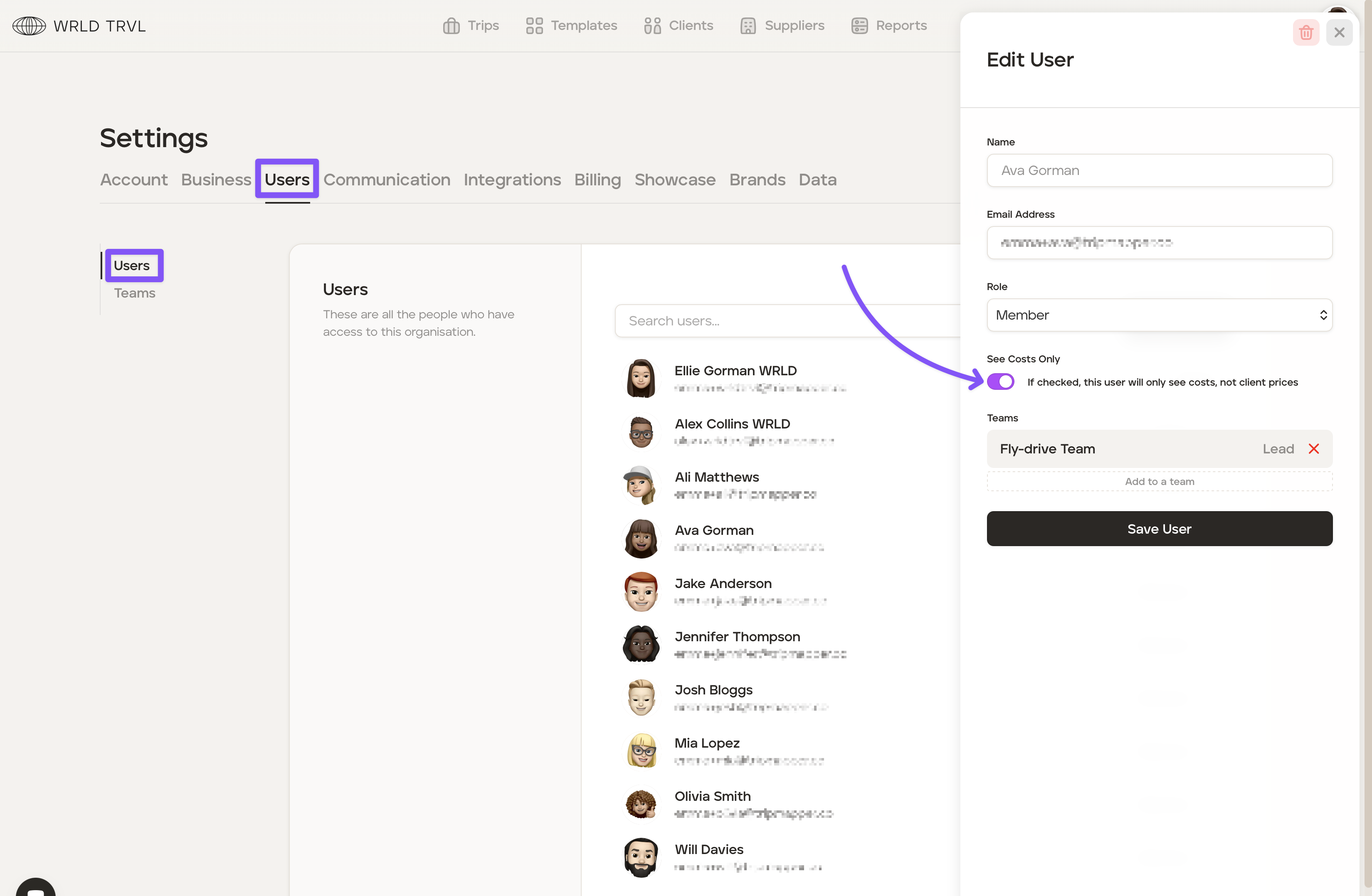
Click the avatar in the top right corner of your screen. Then click 'Settings.'
Click the 'Users' tab.
Click the 'Users' sub-tab.
Click the '...' next to the applicable 'Member' and turn on the 'See Costs Only' toggle switch (the toggle switch will be coloured purple when switched on). Now that user will see only business costs, not client prices.
Click 'Save User' to save the changes.
Was this helpful?