

Send a ‘proposal’ to a client
When you are ready to share a proposal with a client you have a few options options:
Click ‘Trips’ on your home screen.
Click ‘Proposals’.
Select the proposal you wish to send.
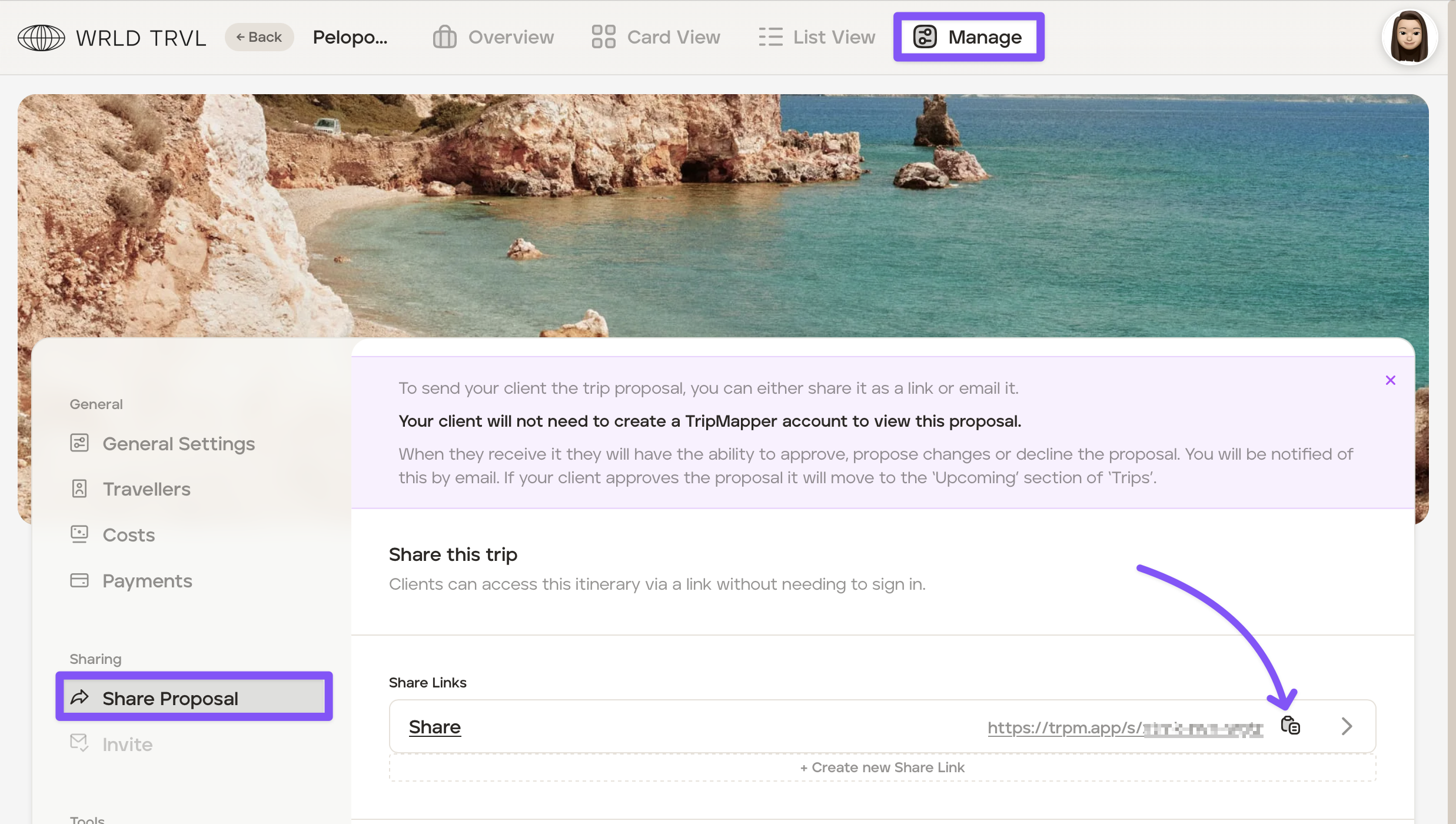
Click 'Manage'.
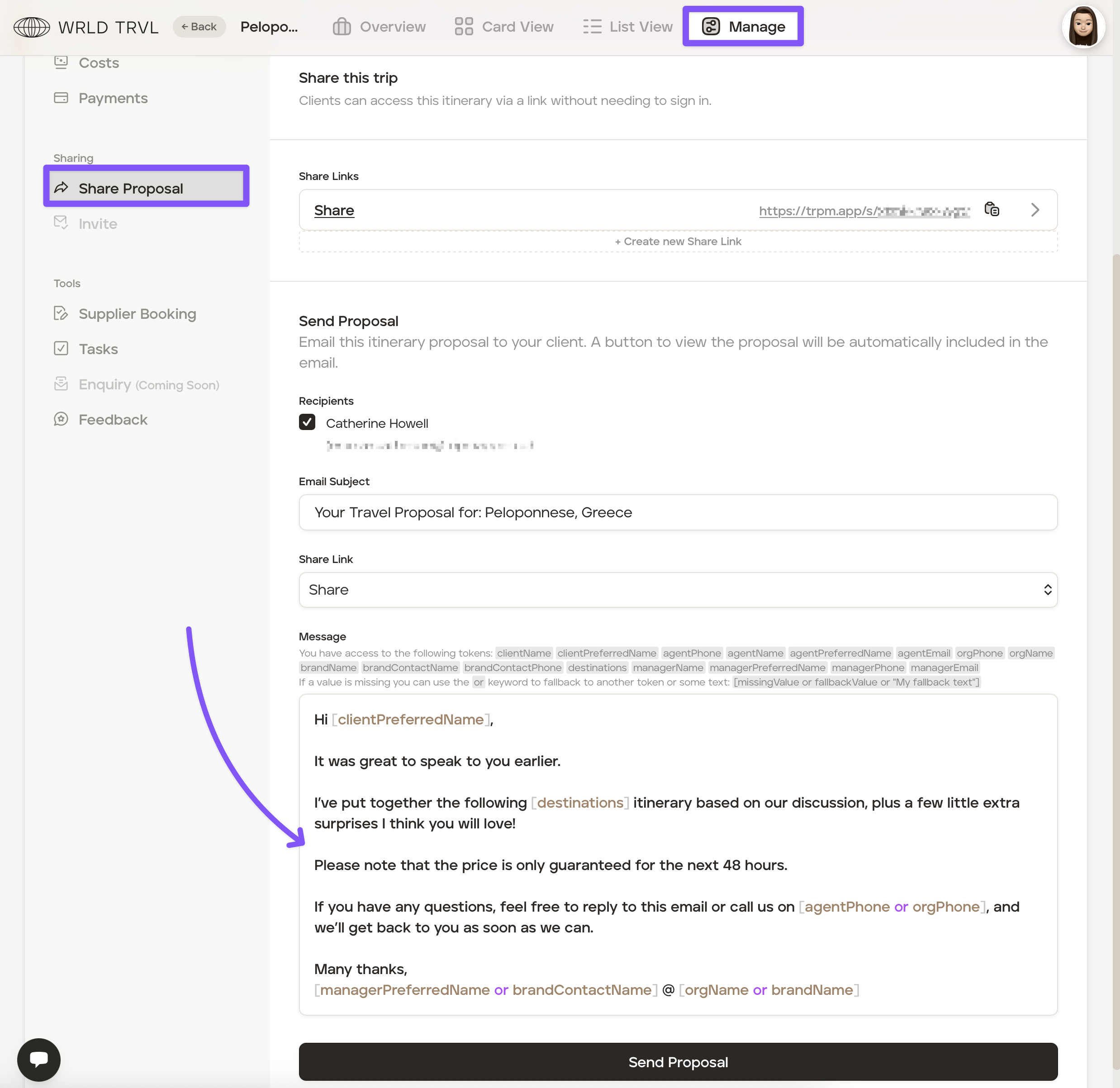
In the ‘Share Proposal’ tab, you can either:
share the proposal as a link which you can paste in an email or messaging app (WhatsApp);
email the proposal to your client. The email wording will be the default 'proposal' email template wording which you can set in the account 'Settings'; or
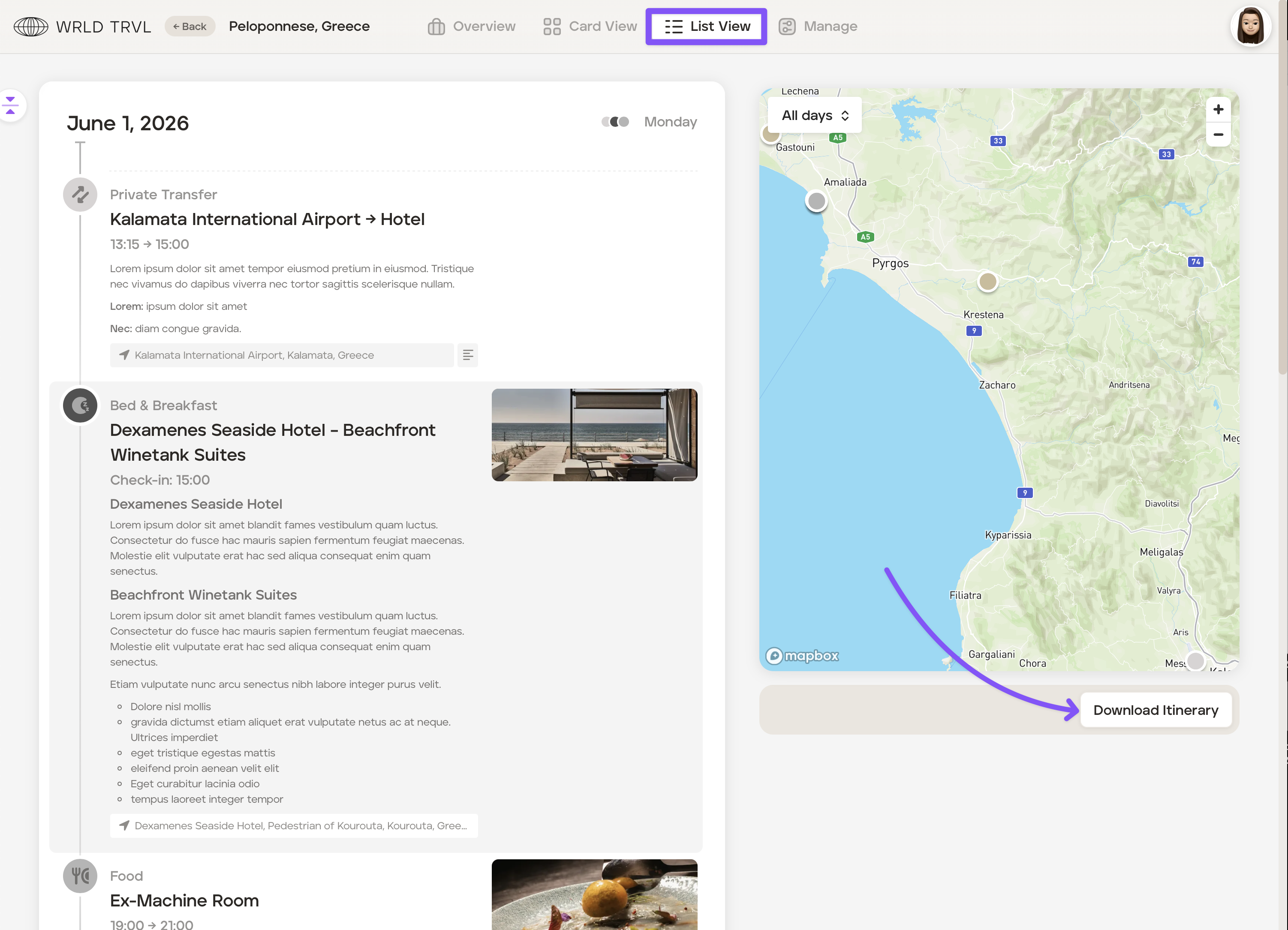
download a PDF itinerary by going to ‘List View’ and clicking the ‘Download Itinerary’ button.
Was this helpful?