

Remove the 'Trip Ideas' column in the card view layout of the itinerary
To remove the 'Trip Ideas' column in the card view layout of a template itinerary or trip itinerary, follow the steps below:
Click the applicable template itinerary or trip itinerary.
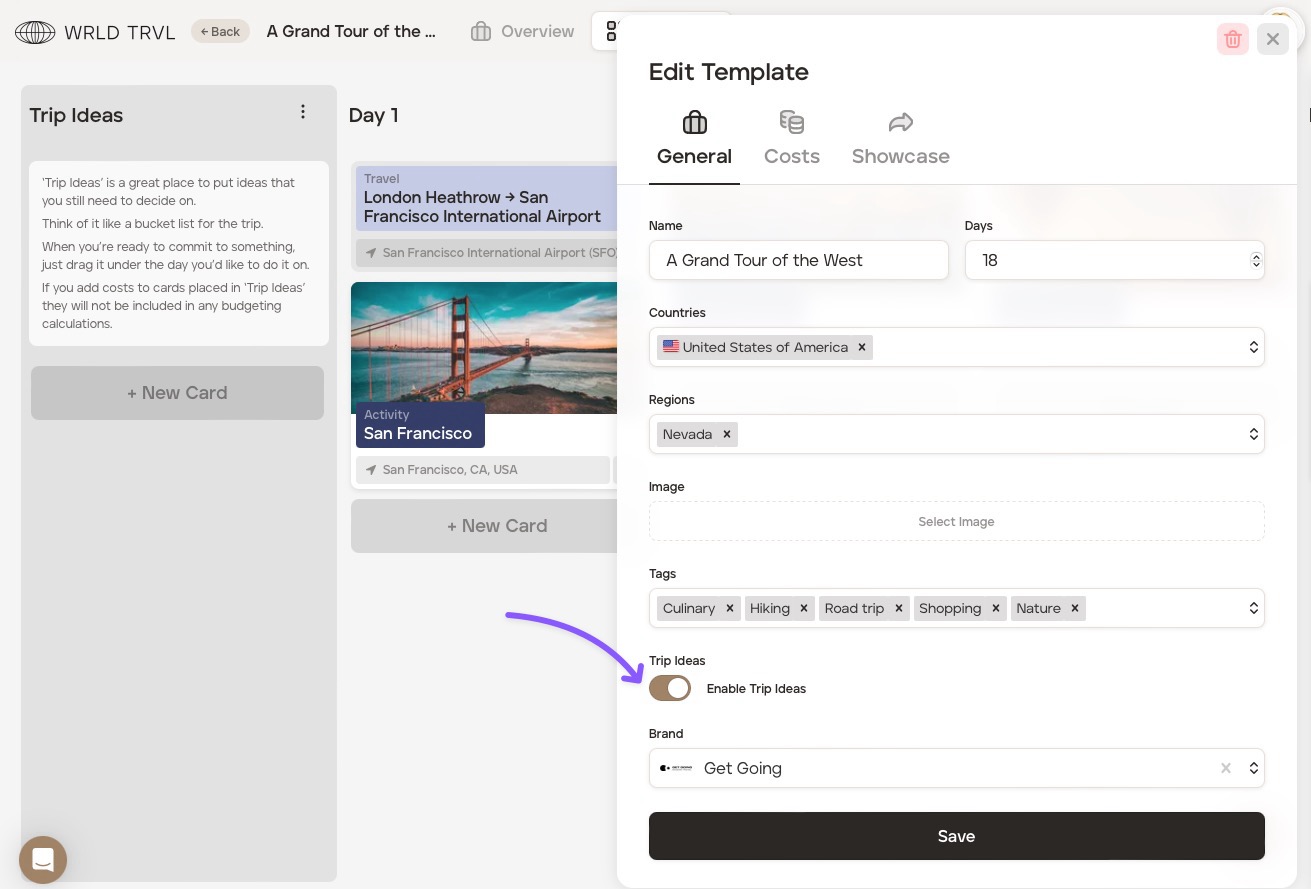
Click 'Edit Template' if it is a template itinerary or 'Edit Trip' if it is a trip itinerary.
Click the 'General' tab.
Turn off the 'Enable Trip Ideas' switch.
Click the 'Save' button. The 'Trip Ideas' column will now disappear from view.
Was this helpful?