

Add your company terms and conditions
You may want your client to review and accept your company’s terms and conditions in order to approve a proposal you have sent them. To set this up, follow the steps below:
Remain in 'Settings' (or click the avatar in the top right corner of your screen and then click 'Settings').
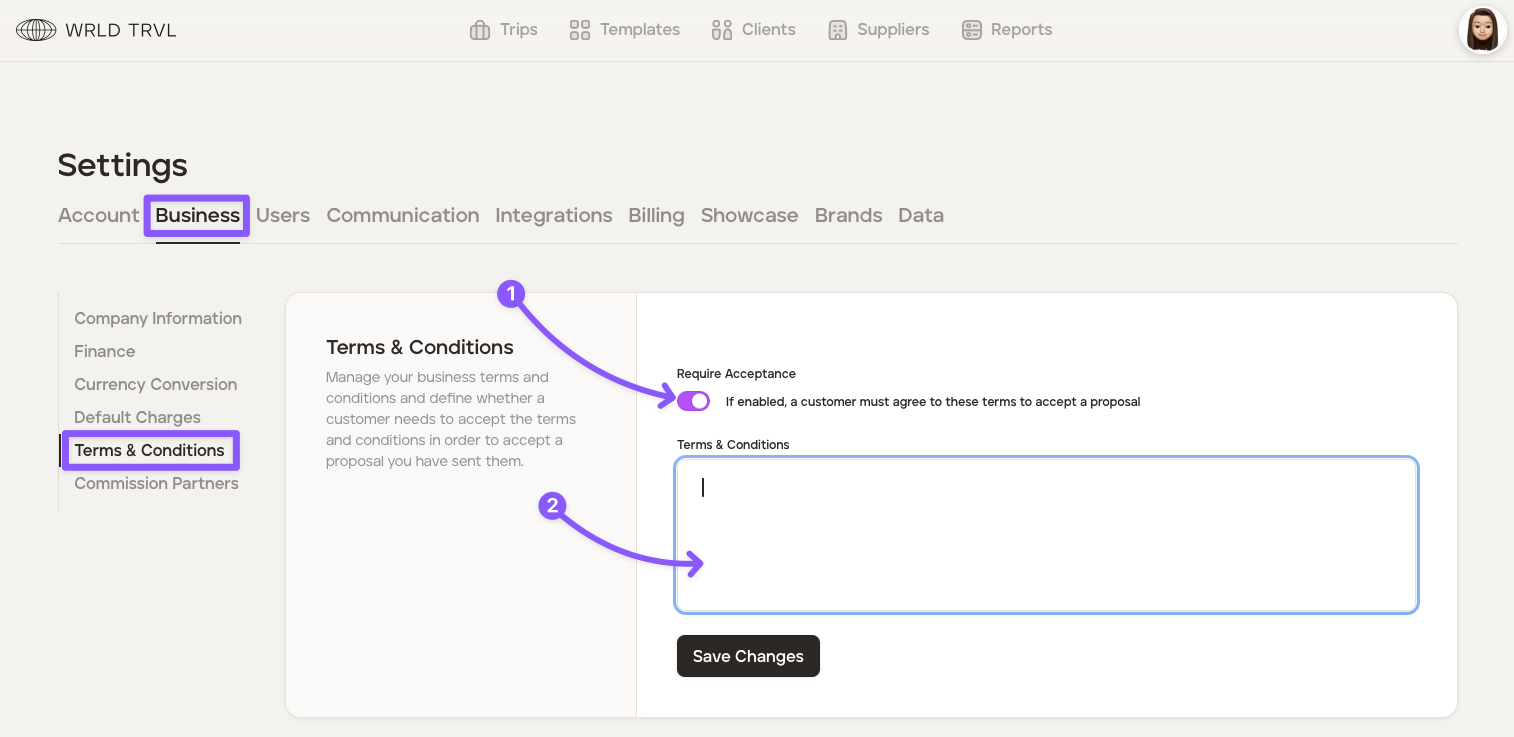
Click the 'Business' tab.
Click the ‘Terms & Conditions’ section.
Enable the 'Require Acceptance' switch, which will mean your client must agree to your terms and conditions in order to accept the proposal.
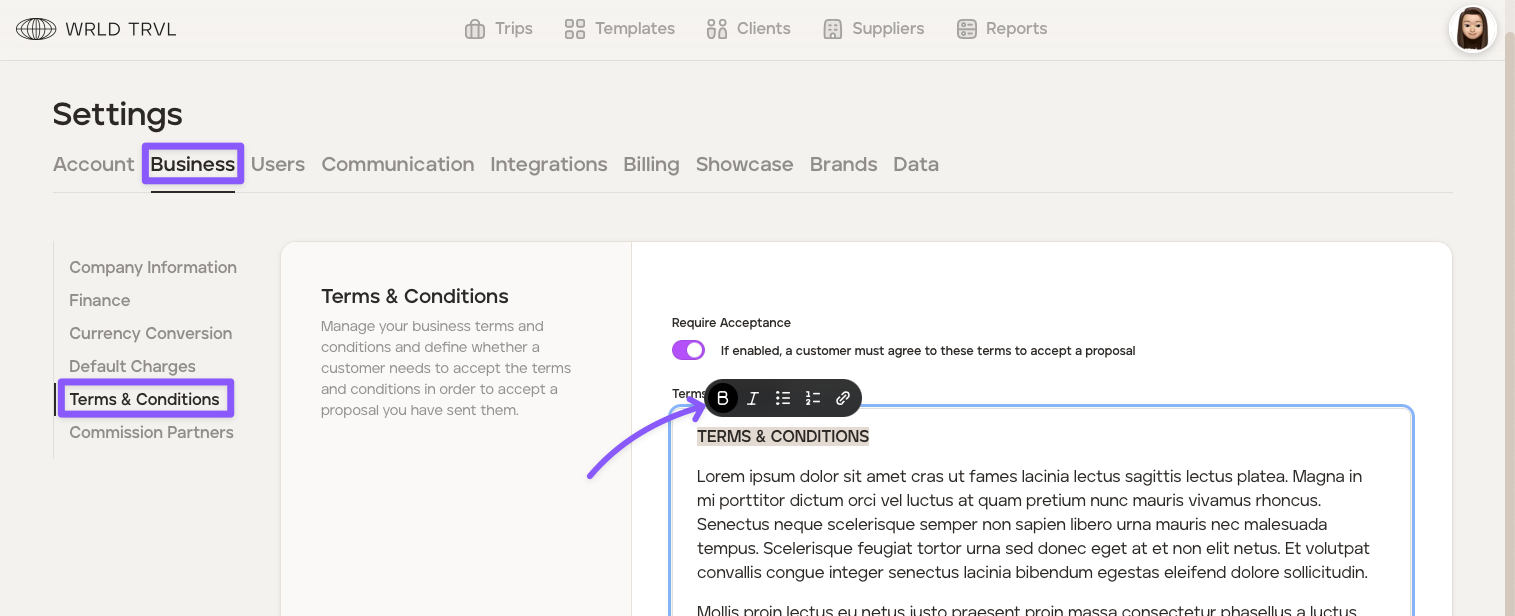
Add your terms and conditions into the 'Terms and Conditions' box. Highlight the text to enable markdown (bold, italics, bullets, etc.).
Click the 'Save Changes' button.
Was this helpful?