

Will changing itinerary dates change the client prices of supplier products?
Changing itinerary dates may change the client prices of supplier products if the date change moves the supplier product into a different supplier product price bracket.
Example:
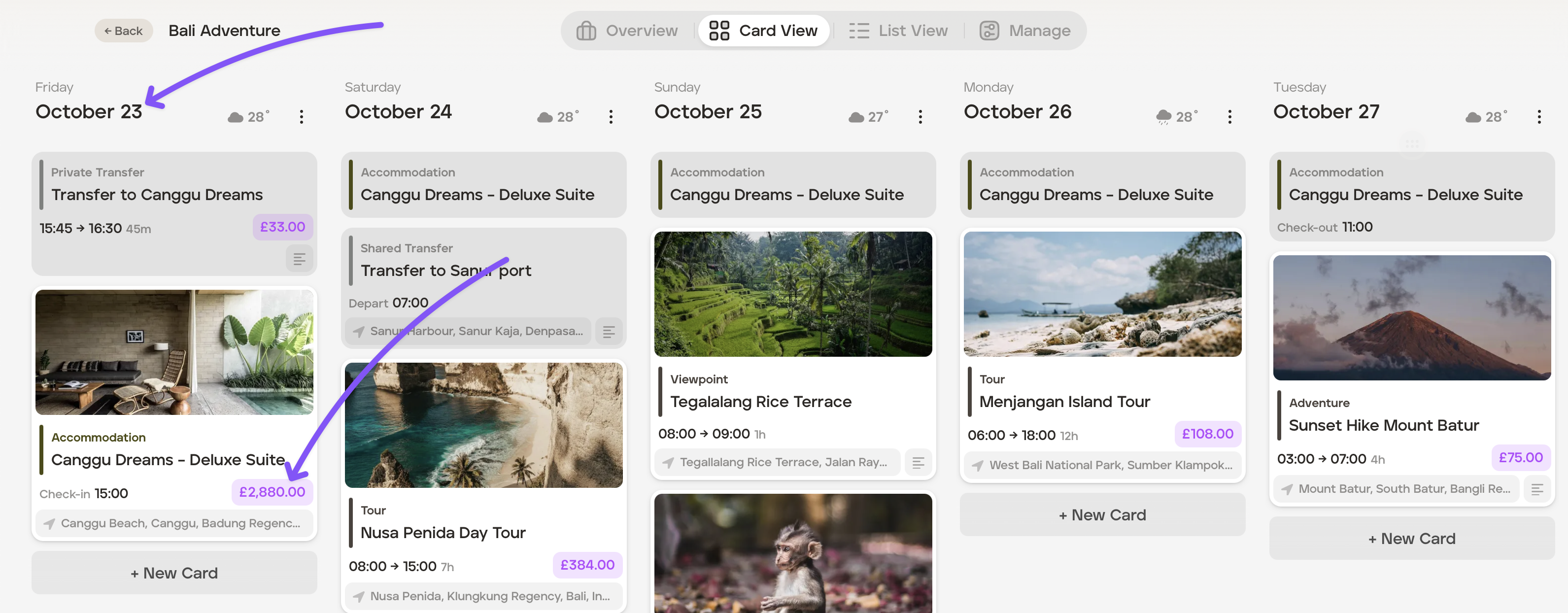
Itinerary commencing 23rd October using the supplier product pricing 1st Apr- 31st Oct price bracket, with the client price highlighted in purple:
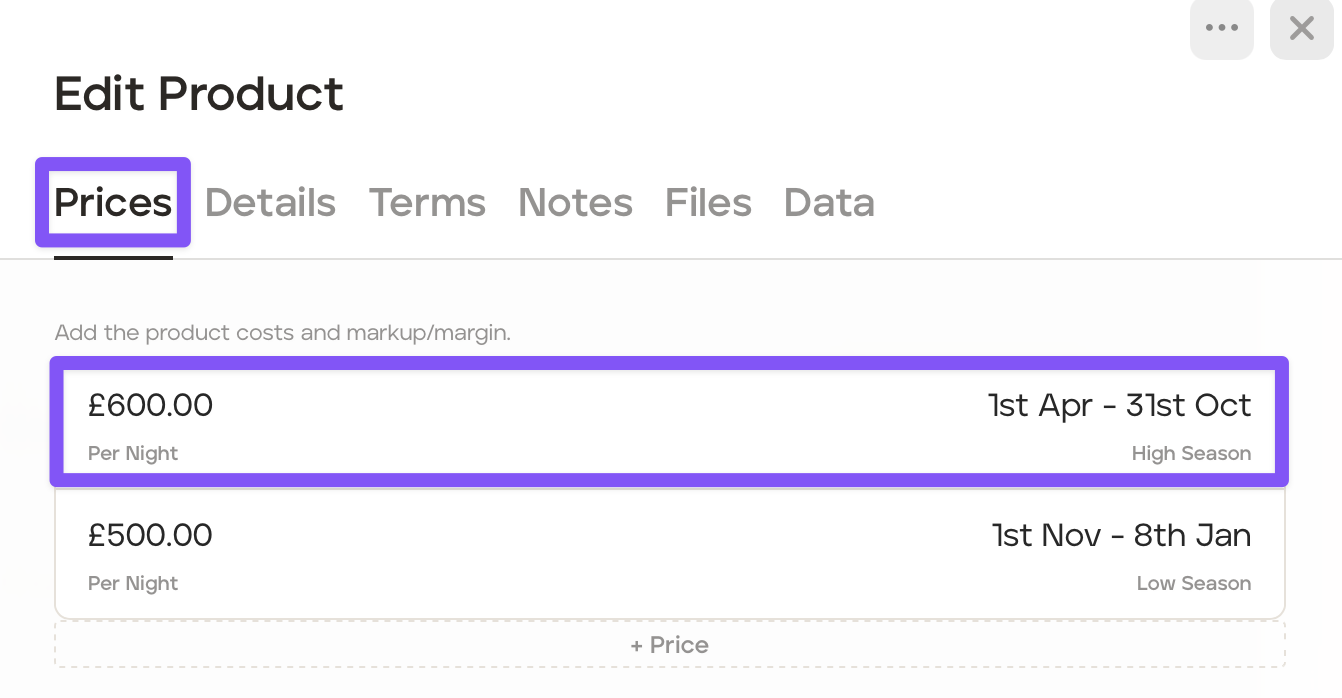
Supplier product price bracket:
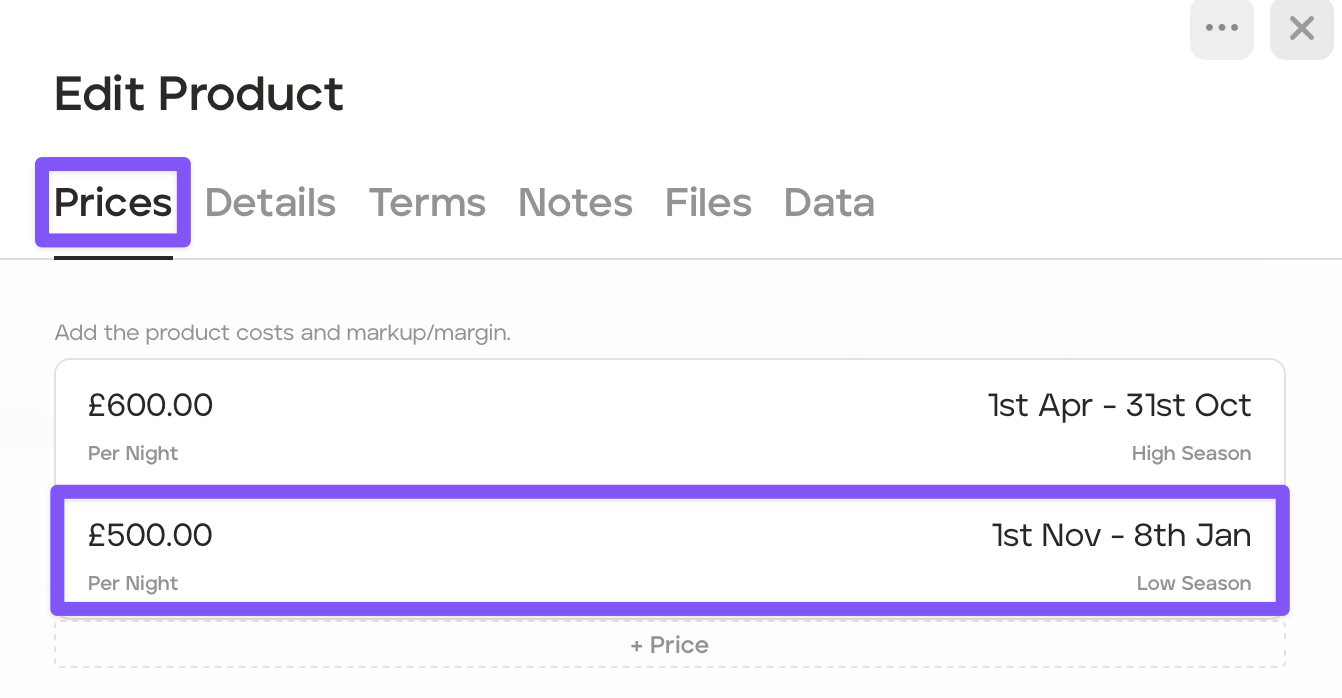
The itinerary date is changed to commence on 23rd November. The supplier product client price now falls into the 1st Nov - 8th Jan price bracket:
The itinerary retains the supplier product pricing, but it is now highlighted in red. When you hover over the red client price, it informs you that the supplier product price and the itinerary date conflicts.
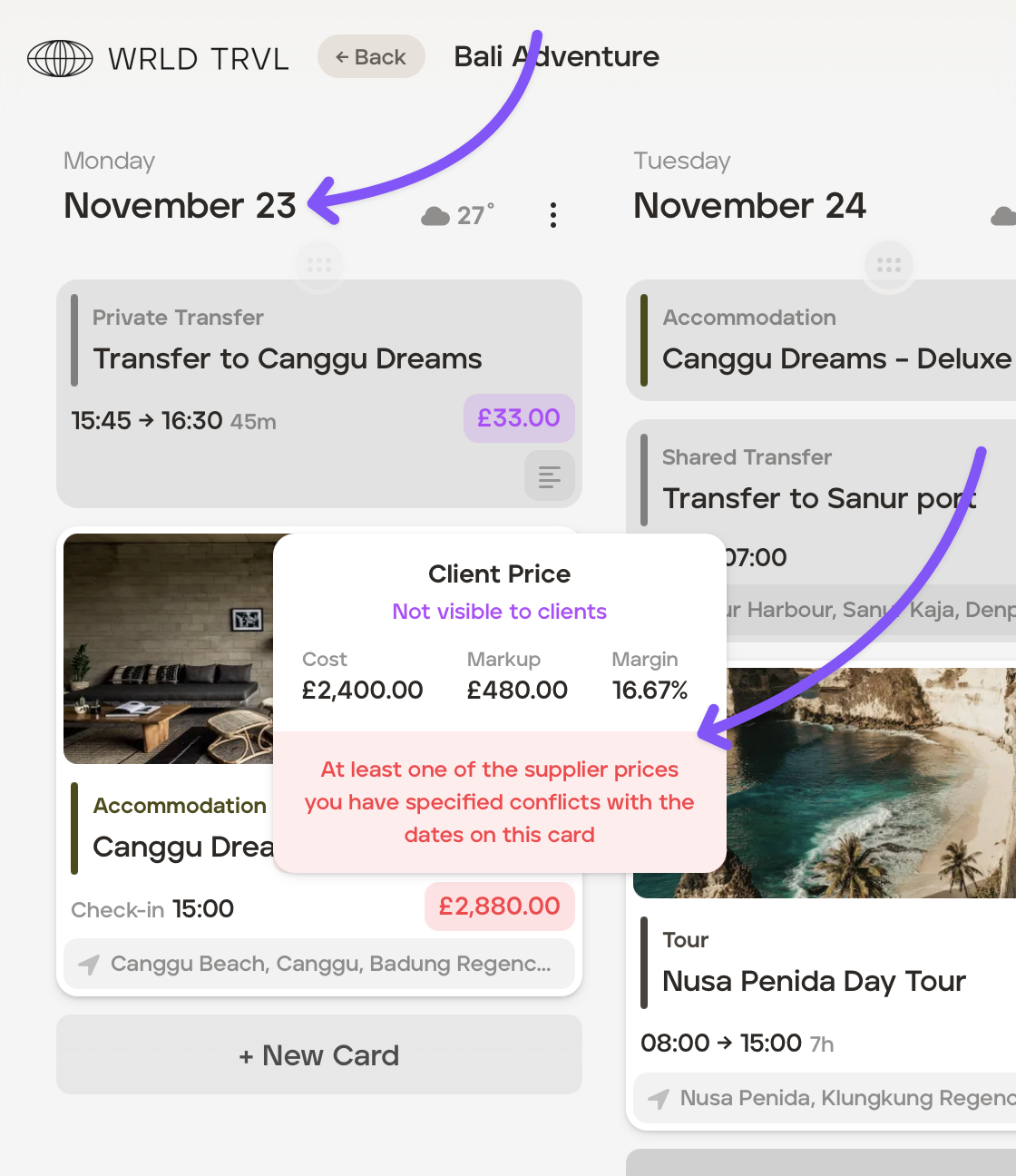
After being seeing the conflict warning, you can either ignore it, and the client price remains as it is, or you chose to update the supplier product price, as required.
If you want to update the supplier product price:
Click the black 'Costs' button the supplier product card.
In the light blue box which shows the supplier product, click the '...' in the top right had corner of the box and click 'Delete.'
Click 'Add Ticket' or 'Add Room' (as applicable), and then click 'Link a supplier price.'
Search for the supplier product you wish to add in the search bar, and click the applicable product.
The supplier product will be added to the itinerary. The client price will now no longer be highlighted in red, but be highlighted in purple.