

When you share a proposal with a client what do they see?
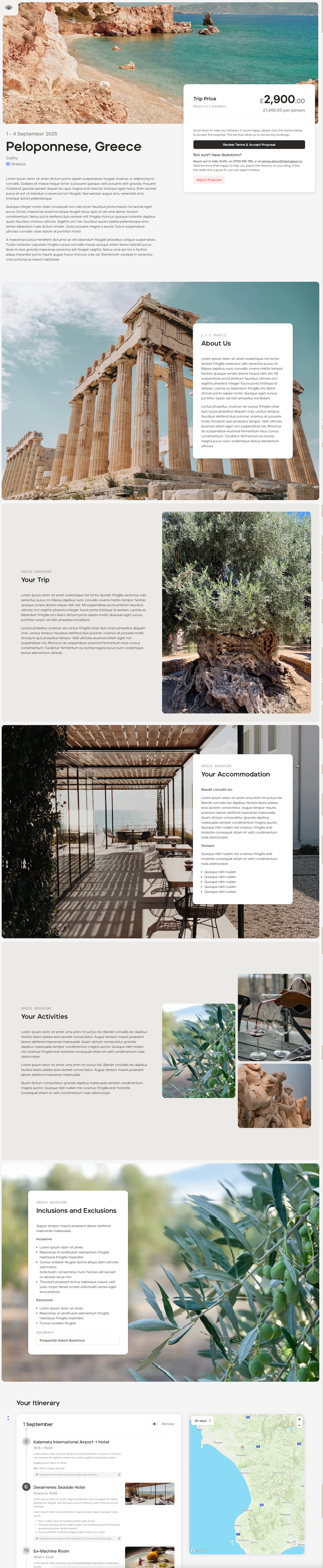
When you share the proposal link your client simply needs to click that link to view the proposal. The proposal can be viewed by your client on a laptop, desktop or a mobile phone (the proposal is mobile friendly).
Your clients will see:
the itinerary ‘Overview’;
the trip price (if added)and
the beautiful itinerary proposal you’ve created in ‘List View.’
Client price
Your clients will only be able to see the overall client price on the ‘Overview’ screen (if you have decided to add or show a client price). If you have added costs to individual cards, your client will not be able to see those costs.
Example below:
Approve proposal
Your client will be able to read your terms and conditions (if you added these to your account settings) and approve the proposal digitally by clicking ‘Review Terms and Accept Proposal.’
You will receive an email informing you of their approval and the platform will automatically update, meaning the ‘Proposal’ will move to being an ‘Upcoming’ trip.