

Reduce the duration of an itinerary
To reduce the duration of an itinerary, follow the steps below:
Select the applicable proposal.
If the proposal contains an accommodation card, update the check-out day/time to the ‘new' correct check-out day/time.
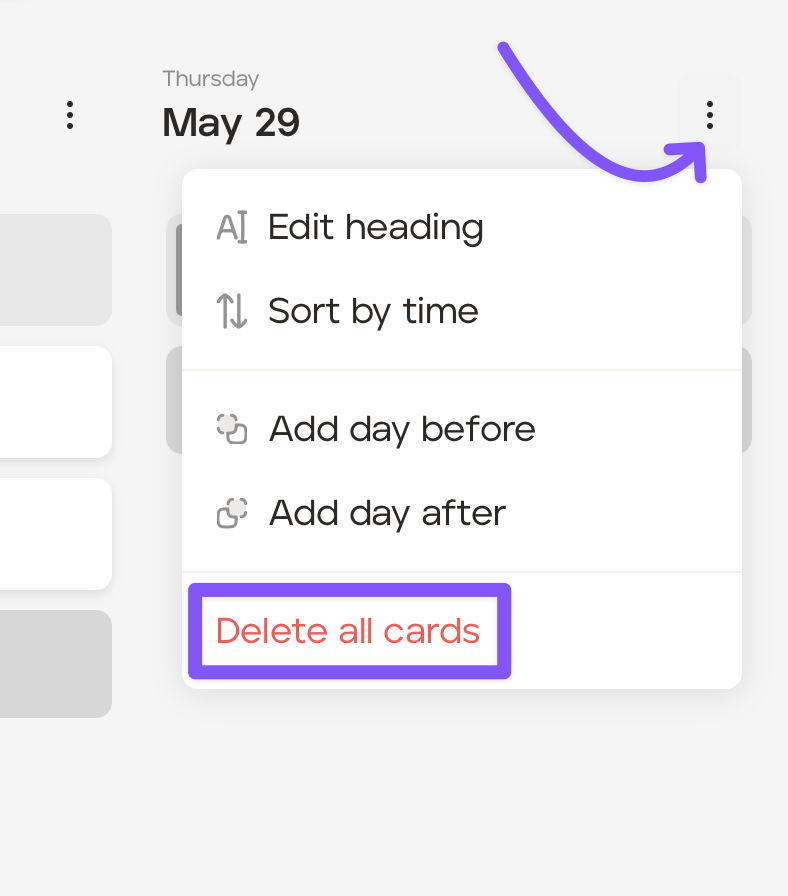
Delete any other cards on those final days when the guest will not be on the trip. You can do that by deleting each card individually, or do it quickly by clicking the three dots on the applicable day on 'Card View' and clicking ‘Delete all cards.’
Click the ‘Manage’ button at the top of the screen.
In the ‘General Settings’ tab, go to the ‘Days’ field and reduce the number of days of the trip to the correct number of days for the guest. For example, if it currently says 5 days in the ‘Days’ field and the trip is now only 4 days, you would change this from 5 days to 4 days. This will remove the 5th day from the itinerary.
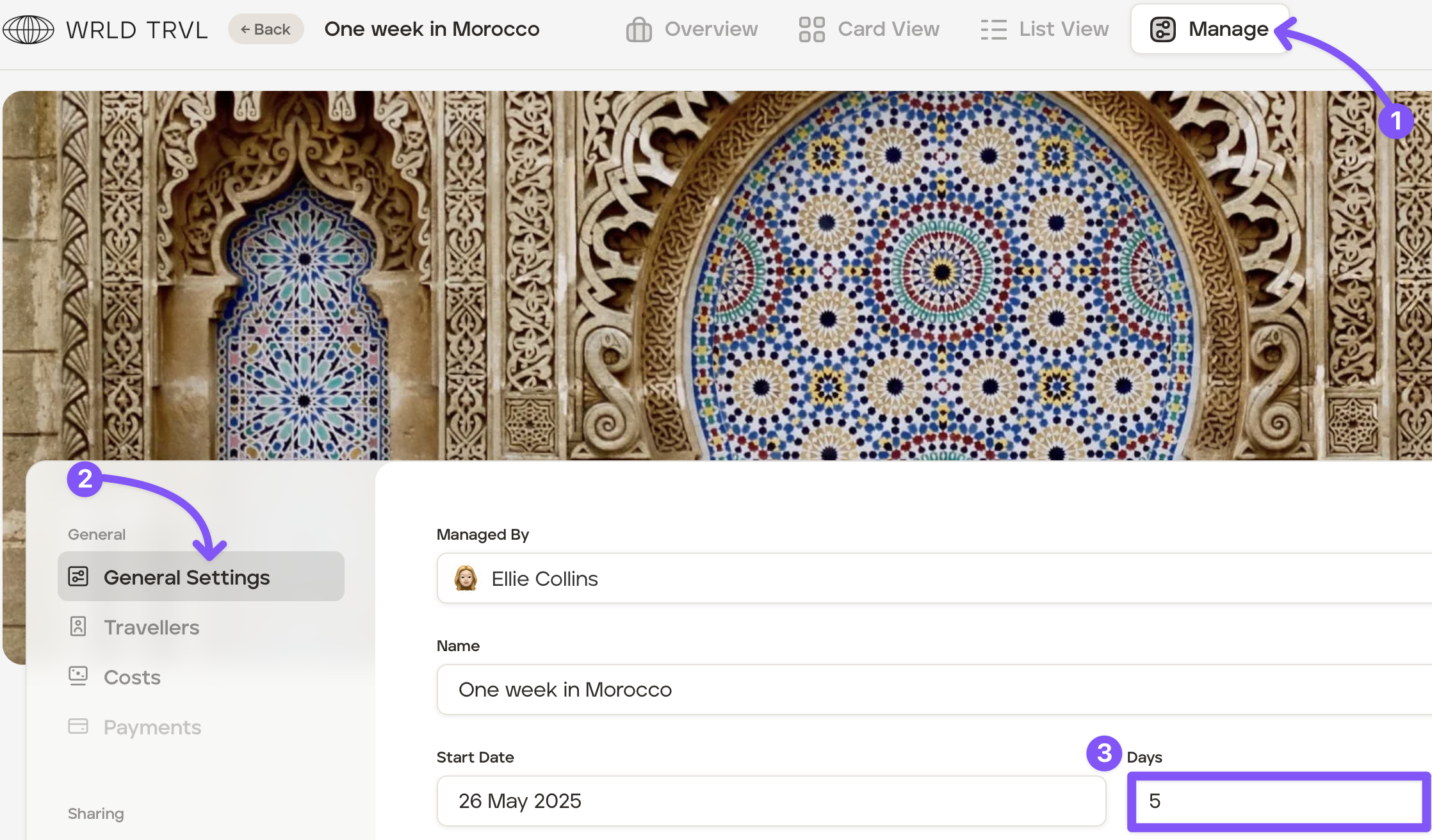
Double-check that the amended number of days in the ‘Days’ field is definitely correct before scrolling down and clicking the ‘Save’ button.