

Marking a payment instalment as paid if not using Stripe or using a combination of payment methods
If you are taking payment via a different method, for example, by bank transfer or cash, follow the steps below:
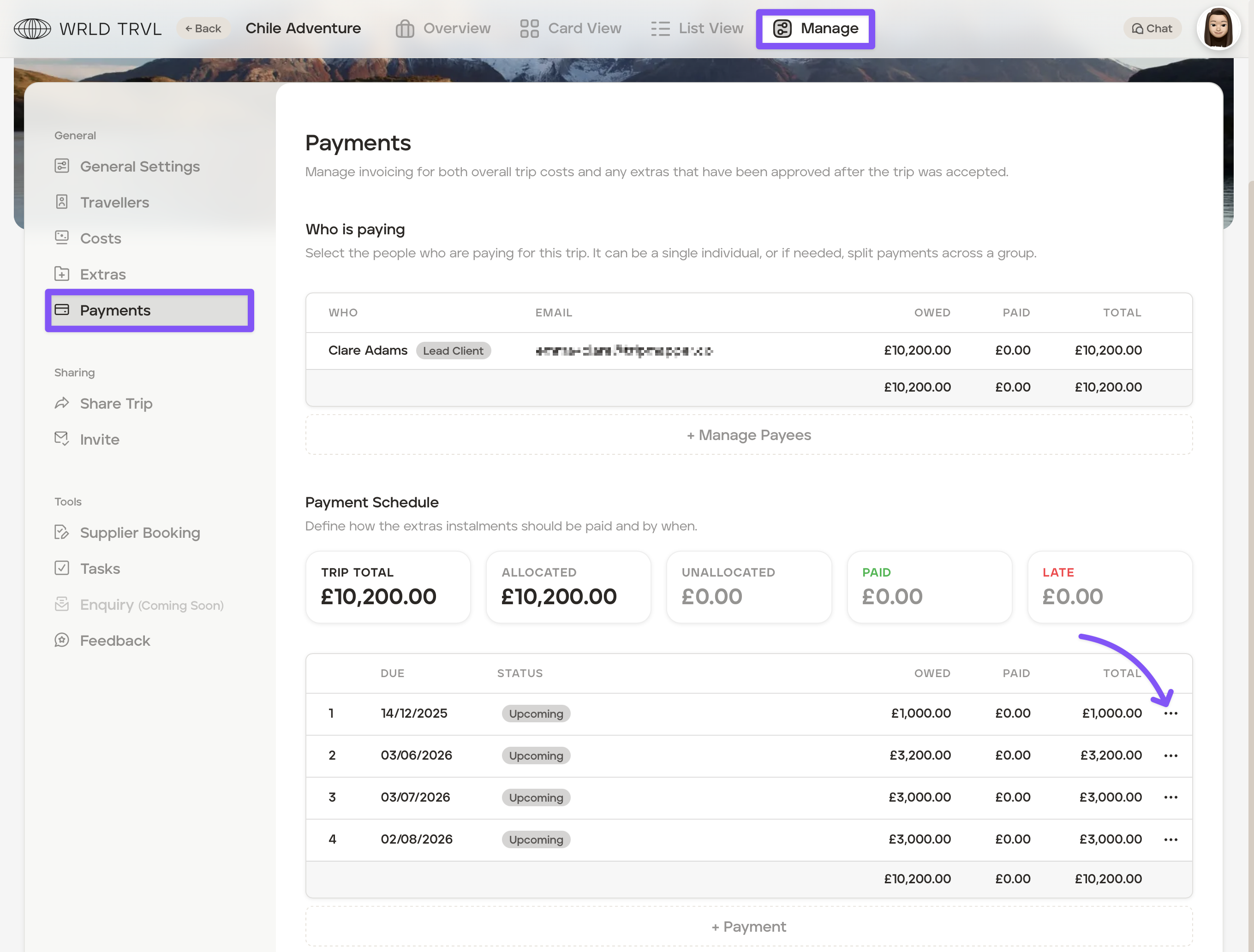
Select the applicable trip.
Click ‘Manage’.
Click the ‘Payments’ tab.
Click the three dot icon next to the relevant payment instalment in the 'Payment Schedule' section.
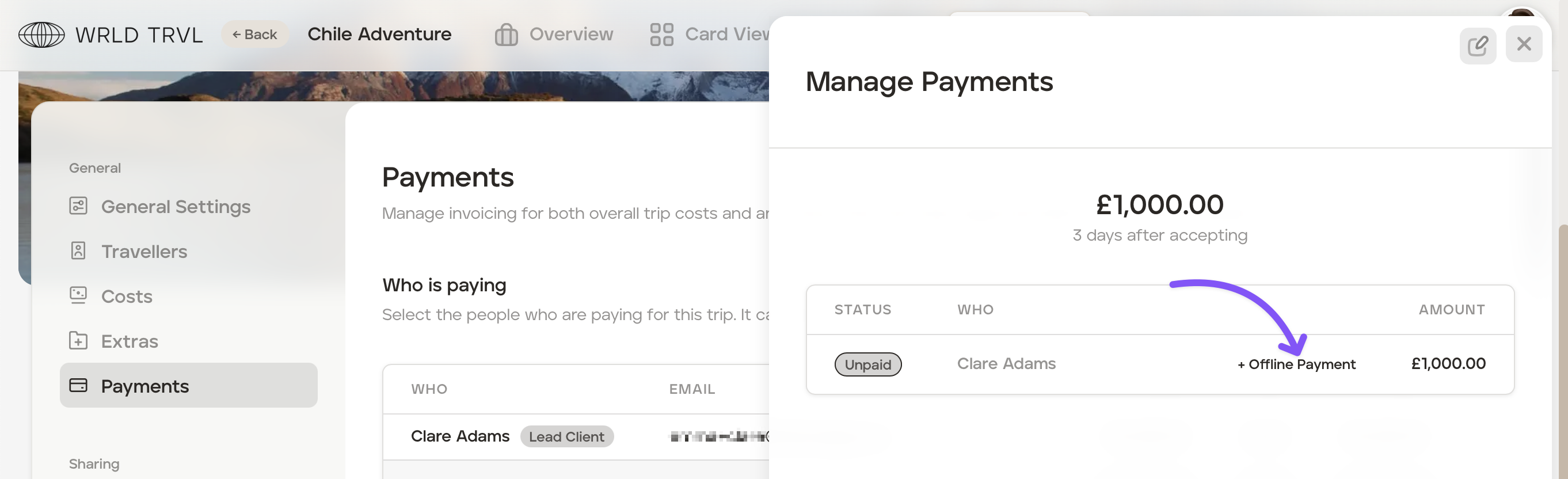
Click ‘+Offline Payment’.
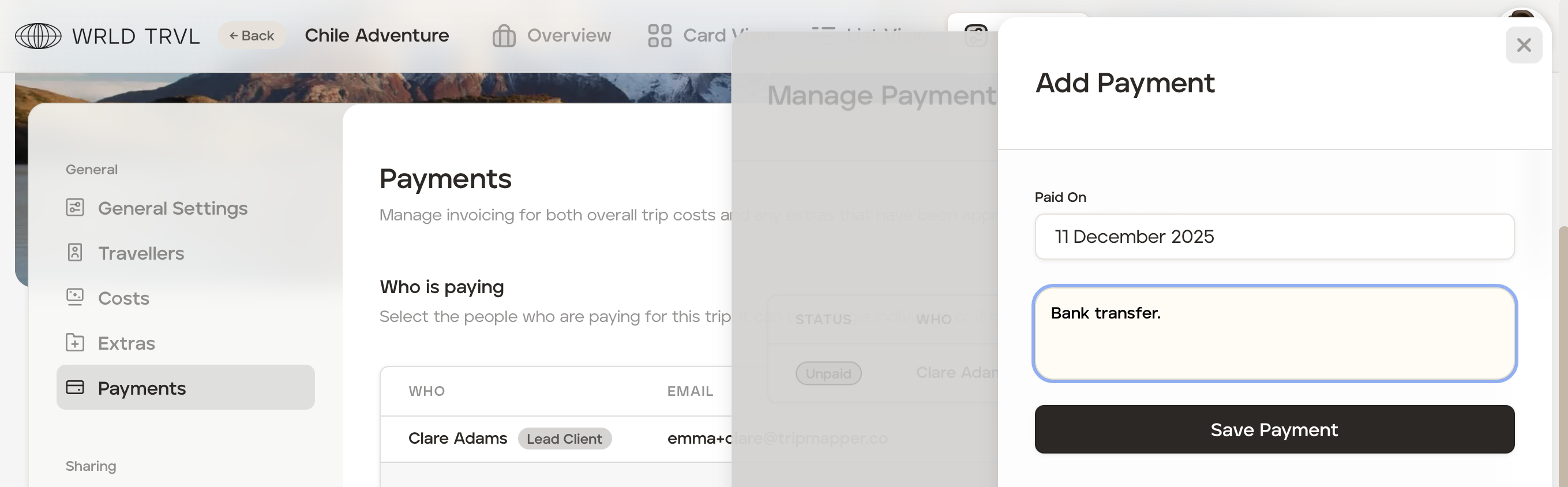
Add the payment date and any useful notes, for example, "Bank transfer", then click ‘Save Payment.’
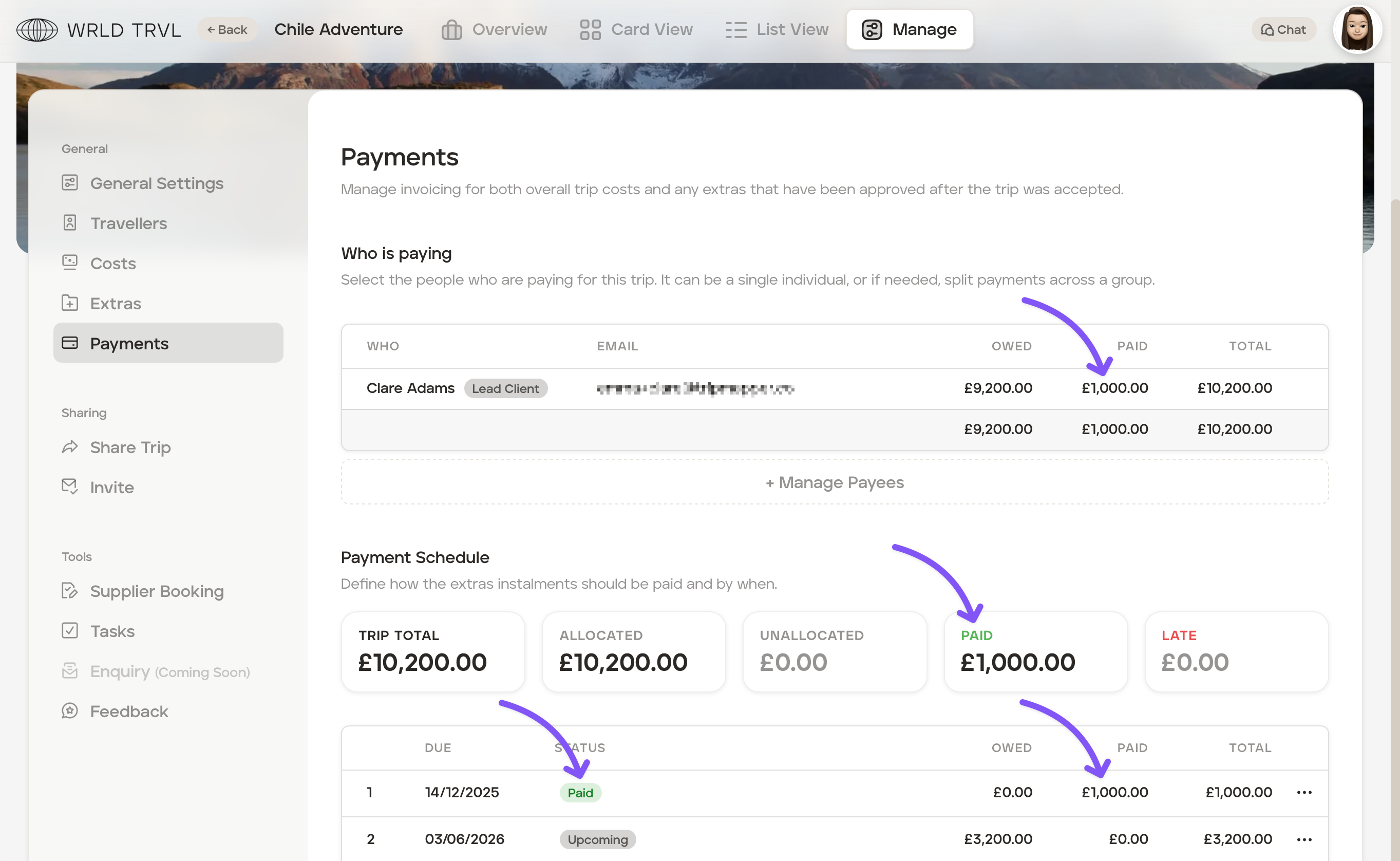
The 'Payment Schedule' will be updated accordingly:
Was this helpful?