

Remove a user from a team
To remove a 'Lead' or 'Agent' from a team, follow the steps below:
Click your avatar in the top right of your screen and then click ‘Settings.’
Click the 'Users' tab.
Click the 'Teams' tab.
Click the applicable team.
Click the 'Leads' or 'Agents' tab as applicable.
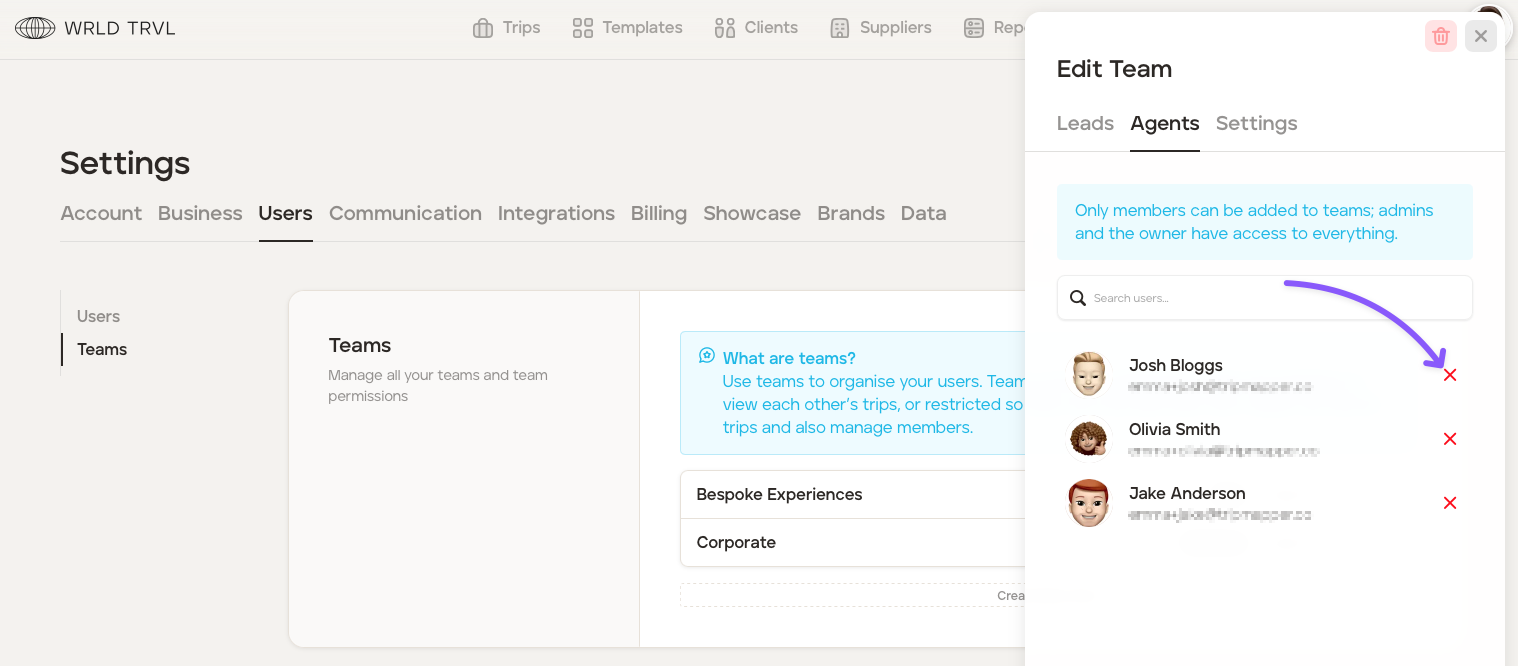
When you have located the user, click the red cross to the right of the user.
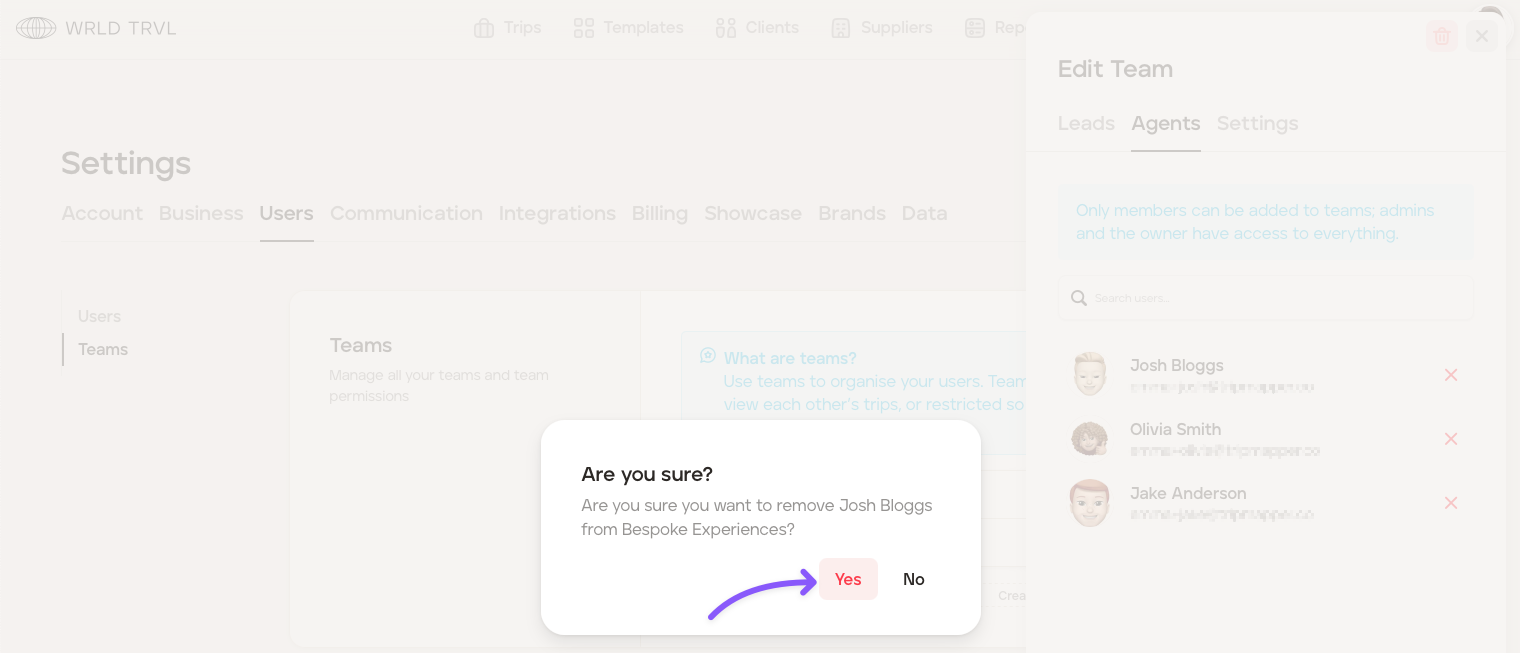
Click 'Yes' when asked if you are sure.
Was this helpful?