

Duplicate an itinerary card
To duplicate a card in a template, proposal or upcoming trip, follow the steps below:
Select the applicable template, proposal or upcoming trip.
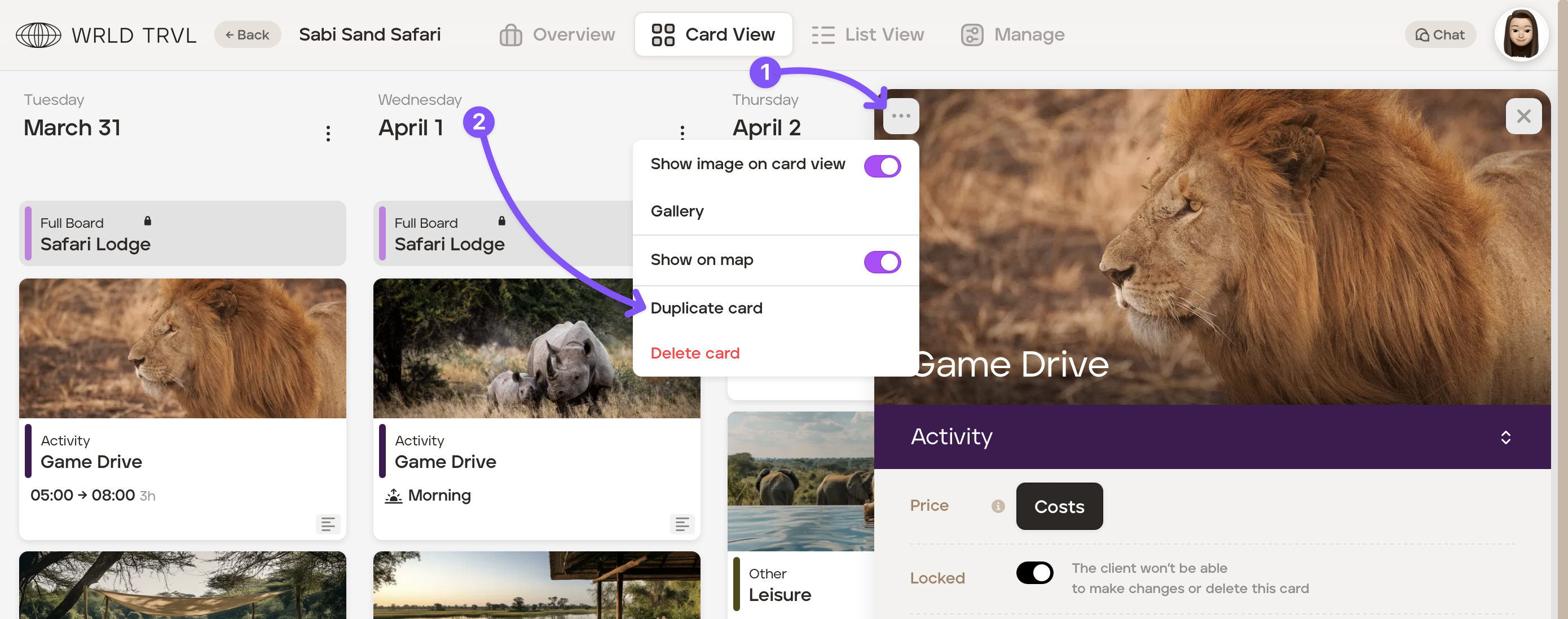
Locate and click the card you wish to duplicate (in either 'Card View' or 'List View').
Click the three dots in the top left hand corner of that card.
Click 'Duplicate card'.
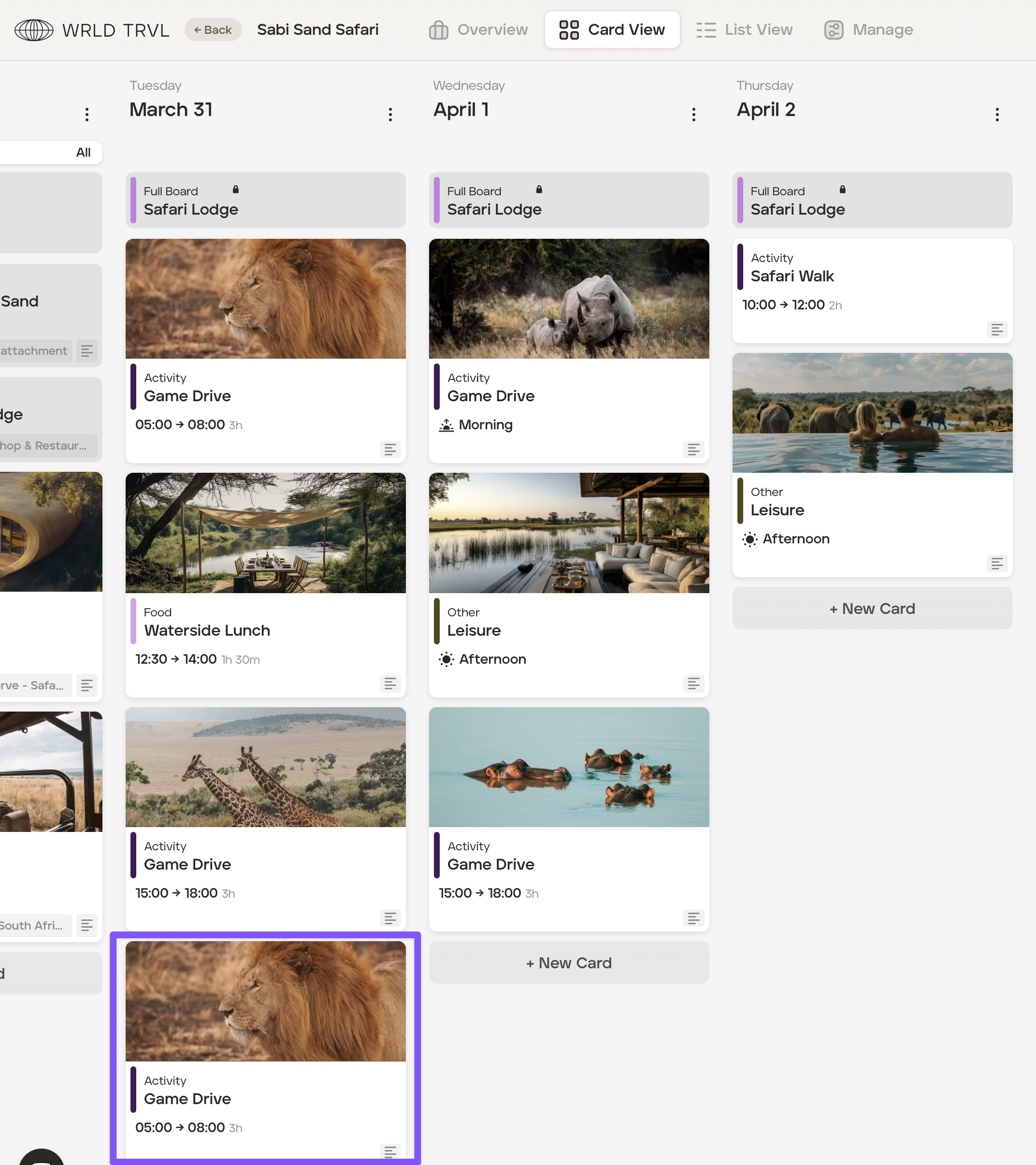
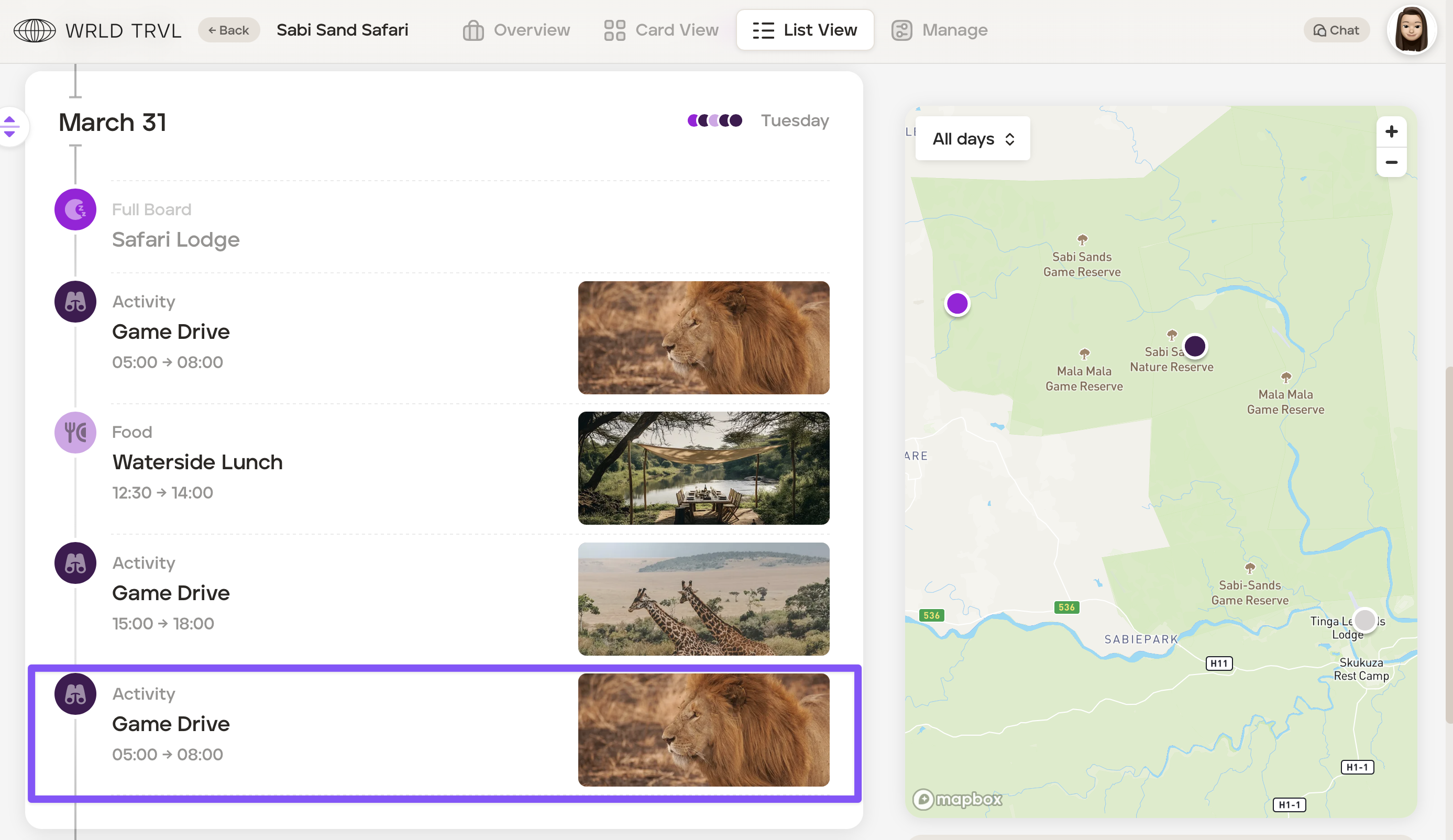
The card will duplicate and will be added to the end of that same day in Card View and List View and is ready to be moved to your desired location.
Card View:
List View:
Was this helpful?