Adding Margin to a Fixed Price Trip
Sometimes, trip pricing calculations happen outside of TripMapper, and you simply want to enter a fixed amount in the Fixed Price field in the Costs section of TripMapper.
The one area where that becomes an issue is when you want to record your margin on that trip, to help with reporting inside TripMapper down the line.
Whilst not natively supported with a fixed price trip, it is possible to add a margin to fixed price trips using the Additional Charge group feature in the Costs section of a Trip.
How to add a Margin Additional Charge group
First, ensure you're utilising the Fixed Price field in the Costs section of a trip.
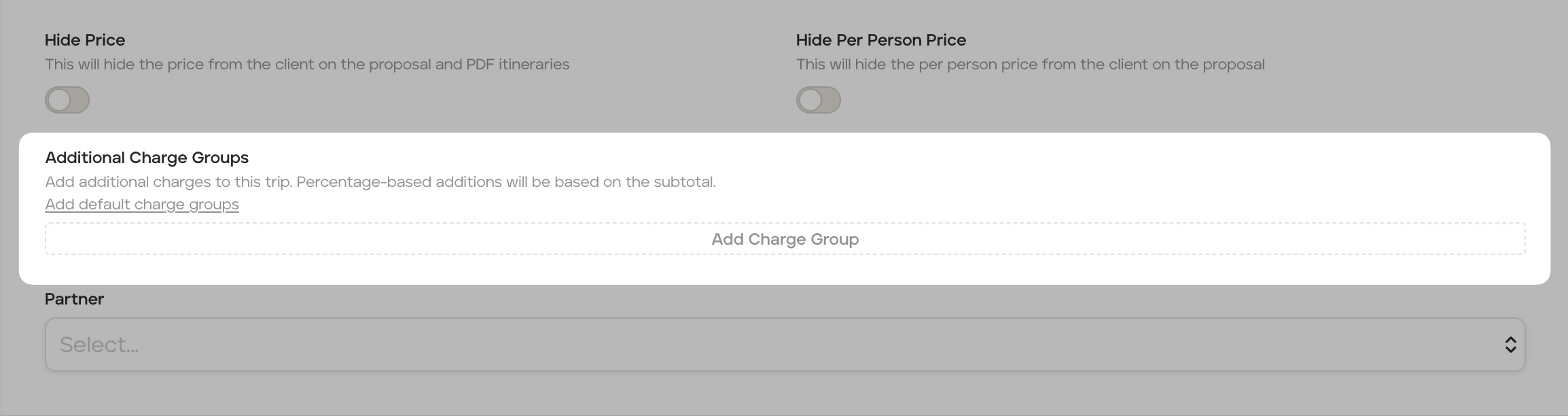
Start by clicking Add Charge Group in the Addtional Charge Group section.
On the next screen;
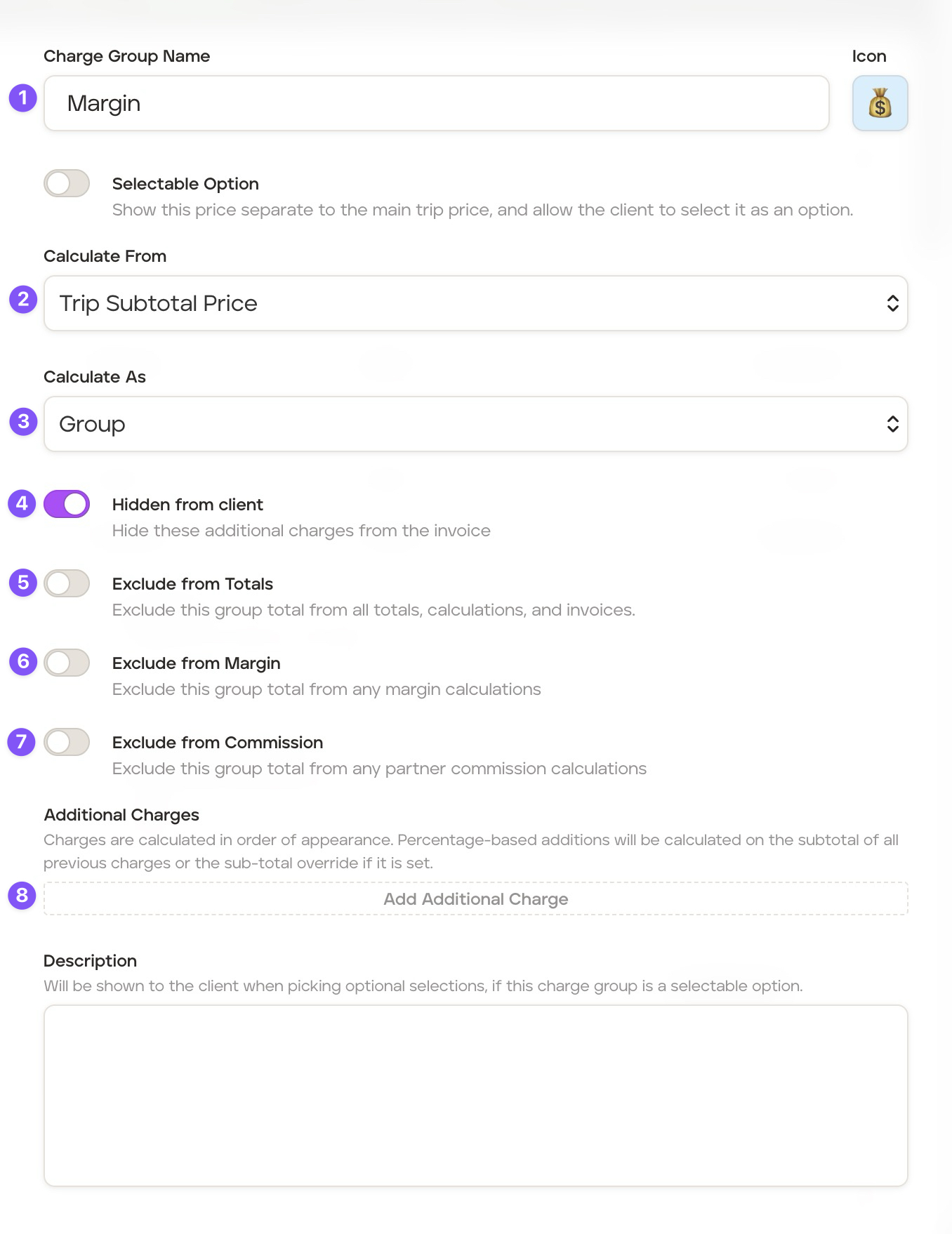
Give the charge group a name, for example "Margin"
In the Calculate From field, ensure Trip Subtotal Price is selected
In the Calculate As field, ensure Group is selected, as the Fixed price assumes a cost for the entire travelling group
Enable Hidden from client, as it's likely you won't want your margin to be labelled on the invoice
Leave Exclude from Totals unchecked
Leave Exclude from Margin unchecked
You can decide if you would like this amount to be excluded from partner commission caclulations. Typically this would be included (so leave the switch disabled), as commissions are usually paid from the businesses margin made on the trip
Then, click
Add Additional Chargeto add the margin amount
On the add Charge Group Item screen:
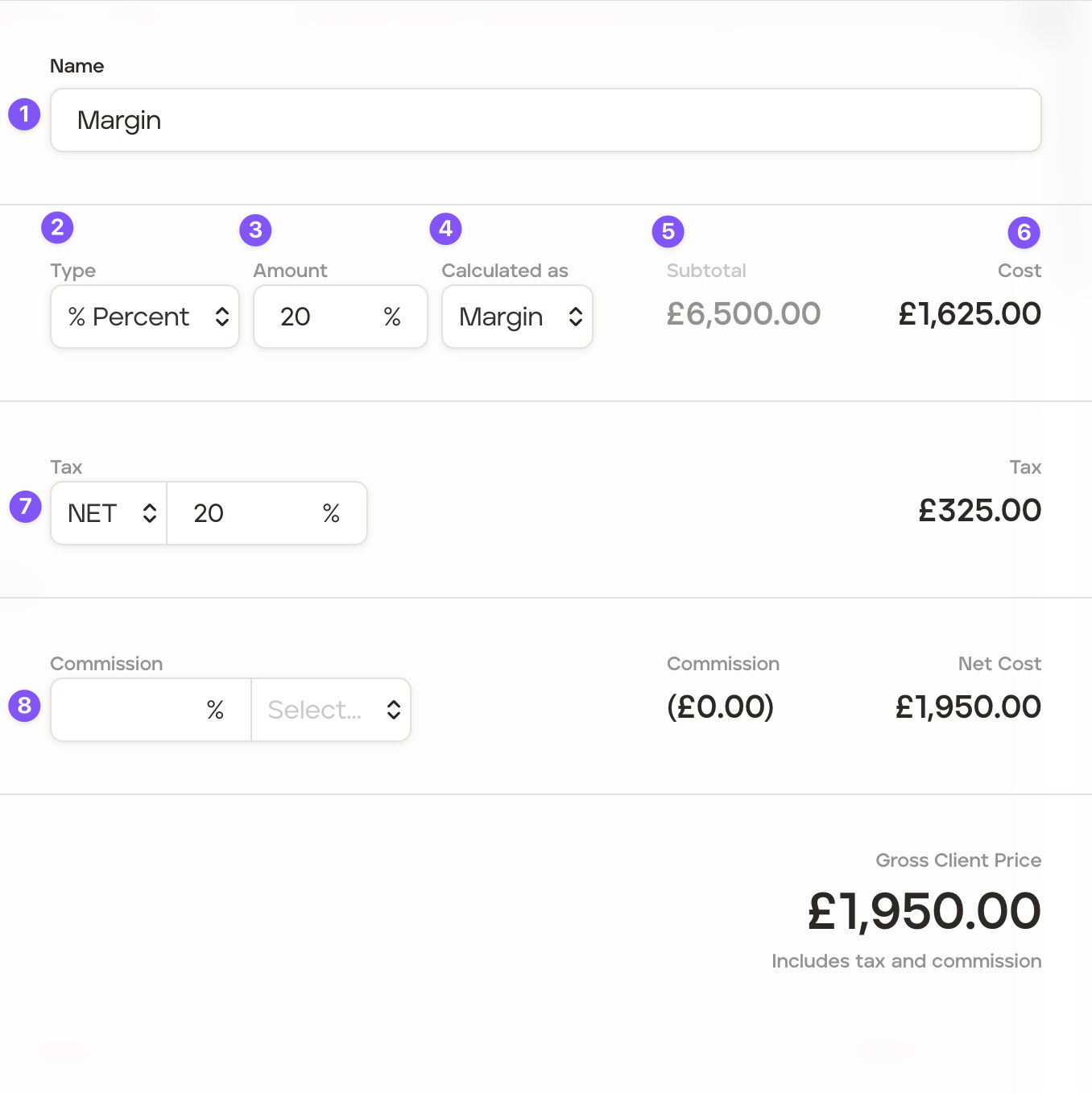
Give the item a name, for example "Margin"
Select the type, percentage is typical if you're looking to add a set percentage of markup or margin to a trip, although if you have a fixed value, you can select Fixed.
Next, define the amount. If you picke percentage, this will be the rate of markup or margin you want to apply, if it's fixed, it will be the currency value amount.
If you selected Percent, then Calculate as defines if you want to use Margin or Markup for the calculation. Markup is calculated by taking the fixed cost and applying a % of that value on top. Margin is calculated as the profit expressed as a percentage of the final selling price.
Double-check the subtotal value is what you expected to be calculating from
The cost will update to reflect the amount of margin you'll be adding to the trip.
Tax allows you to add sales tax to this margin amount. It will prefill from your organisation defaults.
Finally, you can define the commission. For a situation where this feature is being used to calculate and add margin, you would likely leave this blank.