

Set default email for proposals
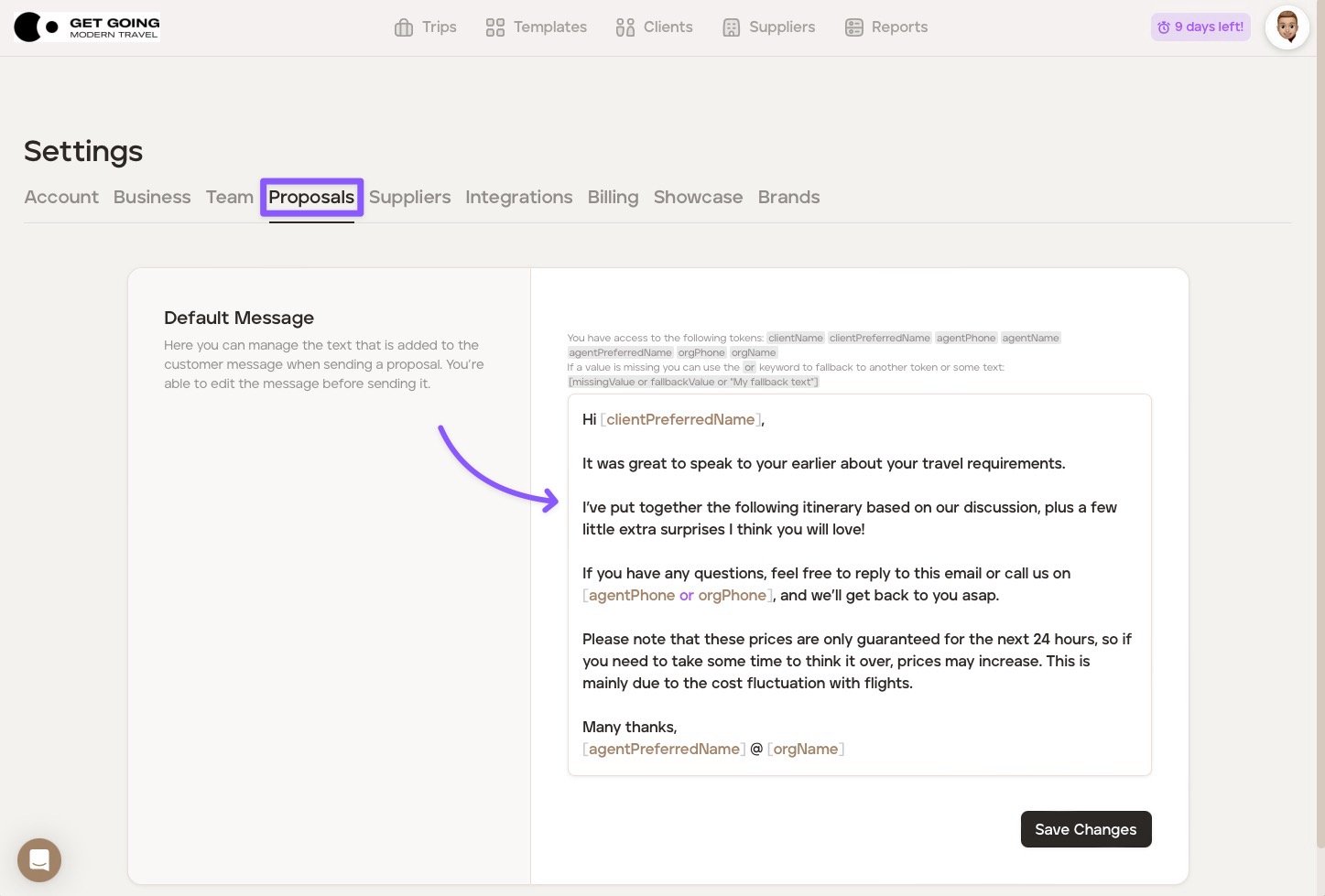
You can set default text that is added to your email when sending a proposal to a client. You are still able to edit the default text before sending it to your client. To set your default text, follow the steps below:
Remain in 'Settings' (or click the avatar in the top right corner of your screen and then click 'Settings').
Click the 'Proposals' tab.
Edit our default email text as you wish.
Click 'Save Changes.'
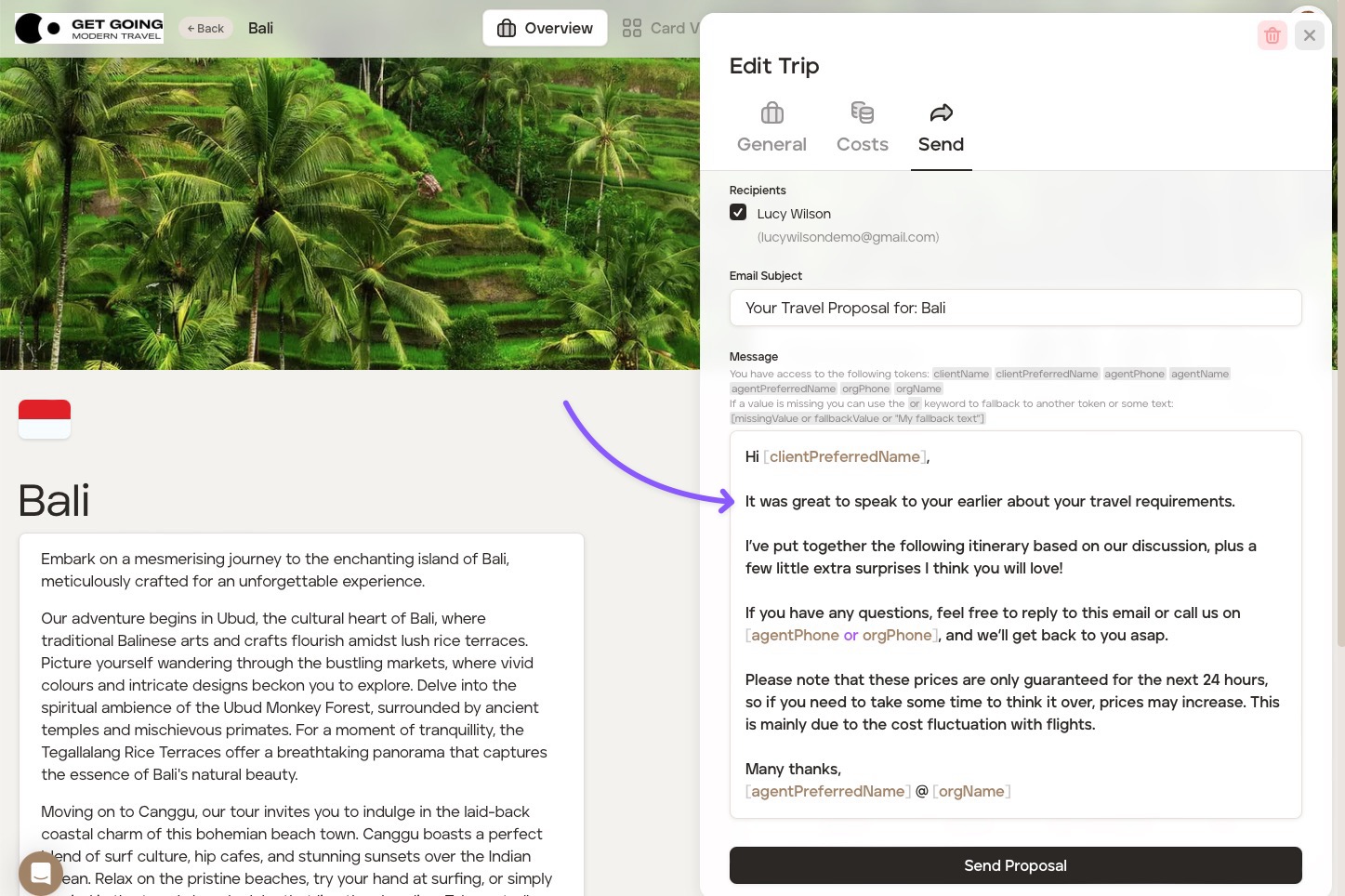
When you're ready to send a proposal to your client, the default email you've set in the platform 'Settings' will show, but you are still able to make changes to the email prior to sending to the client if you wish to do so (which will not affect the default email in 'Settings'):
Was this helpful?