

Sharing the form
You can share TripMapper forms via a share link, or you can put any TripMapper form directly onto your own website. Form submissions are collated in the TripMapper platform.
There are two ways to share a form:
Share link: Emailing or messaging the form to a client, or linking to it from social media. Opens the form on a TripMapper-hosted page.
Embed code: Putting the form inside one of your own pages — a contact page, an enquiry page, a landing page.
Share link
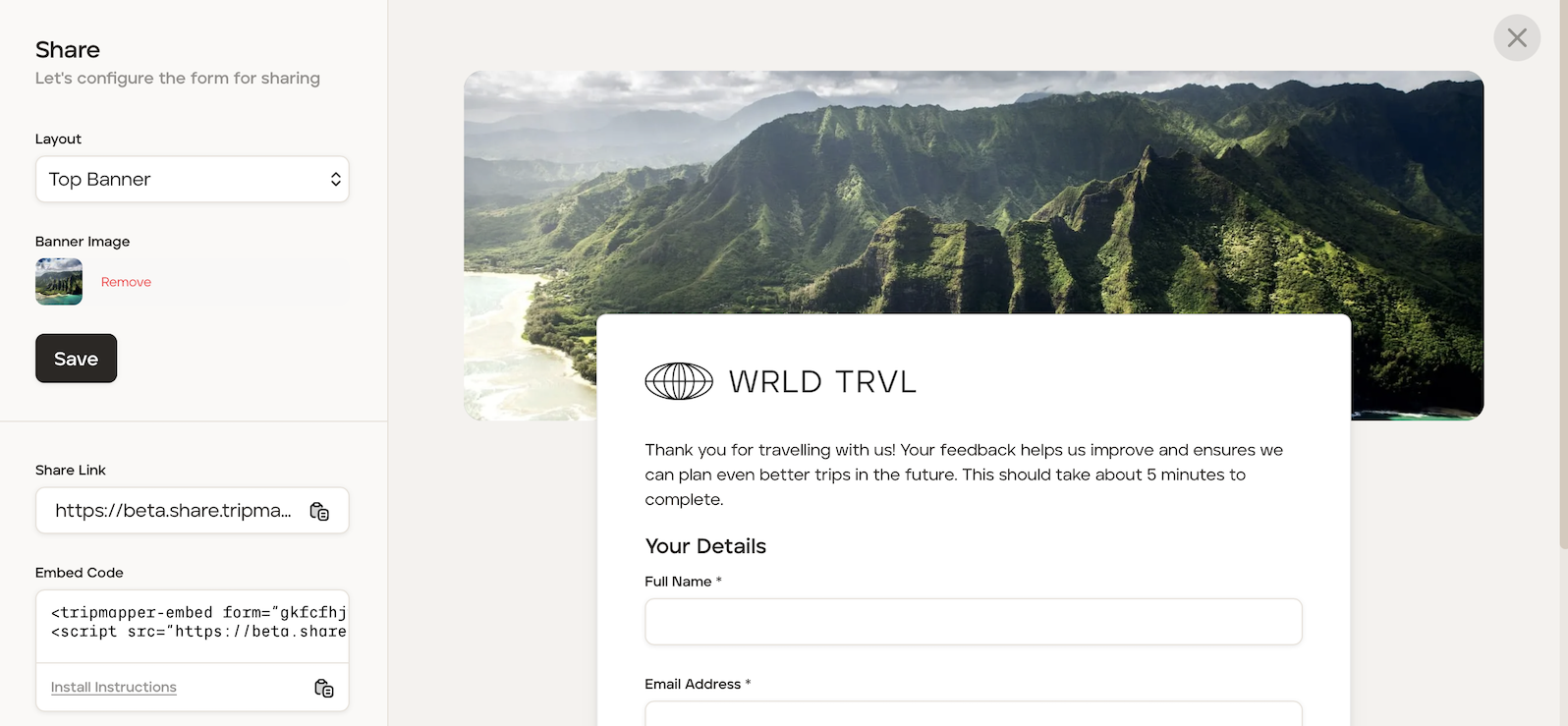
After having saved your form using the 'Save Form' button (so the embed reflects your latest fields), click the 'Share' button to open the Share panel. The Share panel opens, with your settings on the left and a live preview of the form on the right.
At the top of the panel, you can set:
Layout - how the banner image is arranged.
Banner Image - click 'Select Image' to upload a header image.
The preview on the right updates so you can see the result.
When you're happy, click the 'Save' button which is located on the left beneath the banner image.
To share the link, click the copy icon next to the 'Share Link' field. You can then share this link with your client via Whatsapp, or incorporate in to an email.
Embed code
Click here for a guide which covers the embed code.