

Set or change your default sales tax
To set or change your default sales tax, follow the steps below:
Click the avatar in the top right of your screen and then click ‘Settings.’
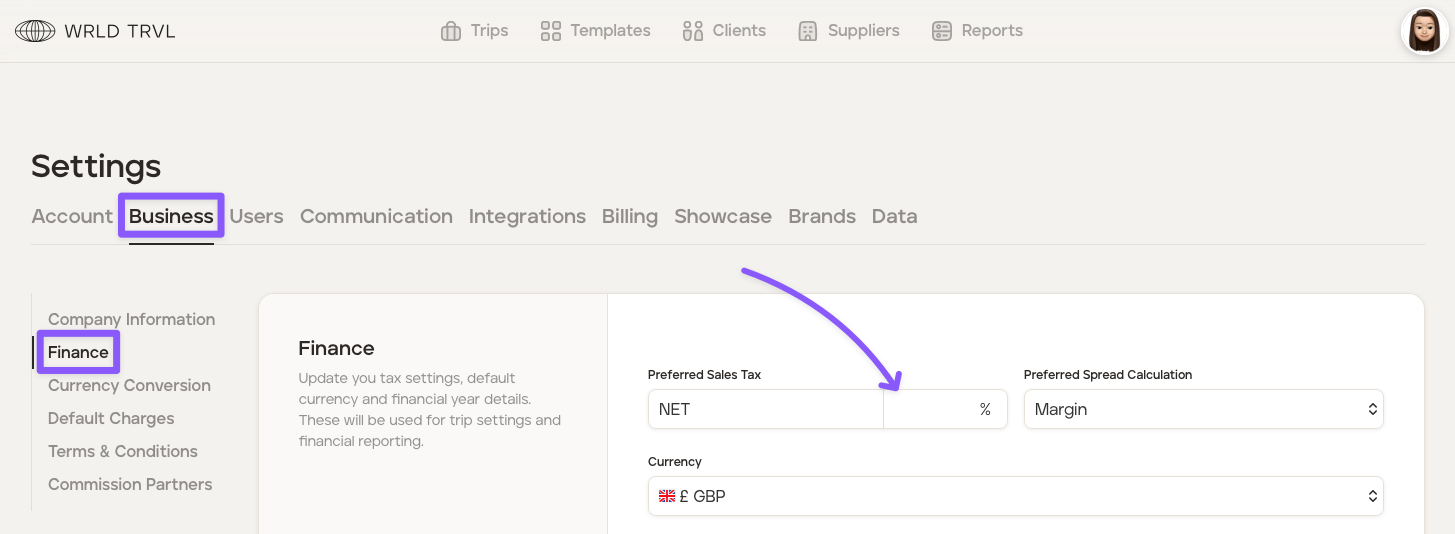
Click the ‘Business’ tab.
Click the 'Finance' section.
Add or change your sales tax in the 'Preferred Sales Tax' field.
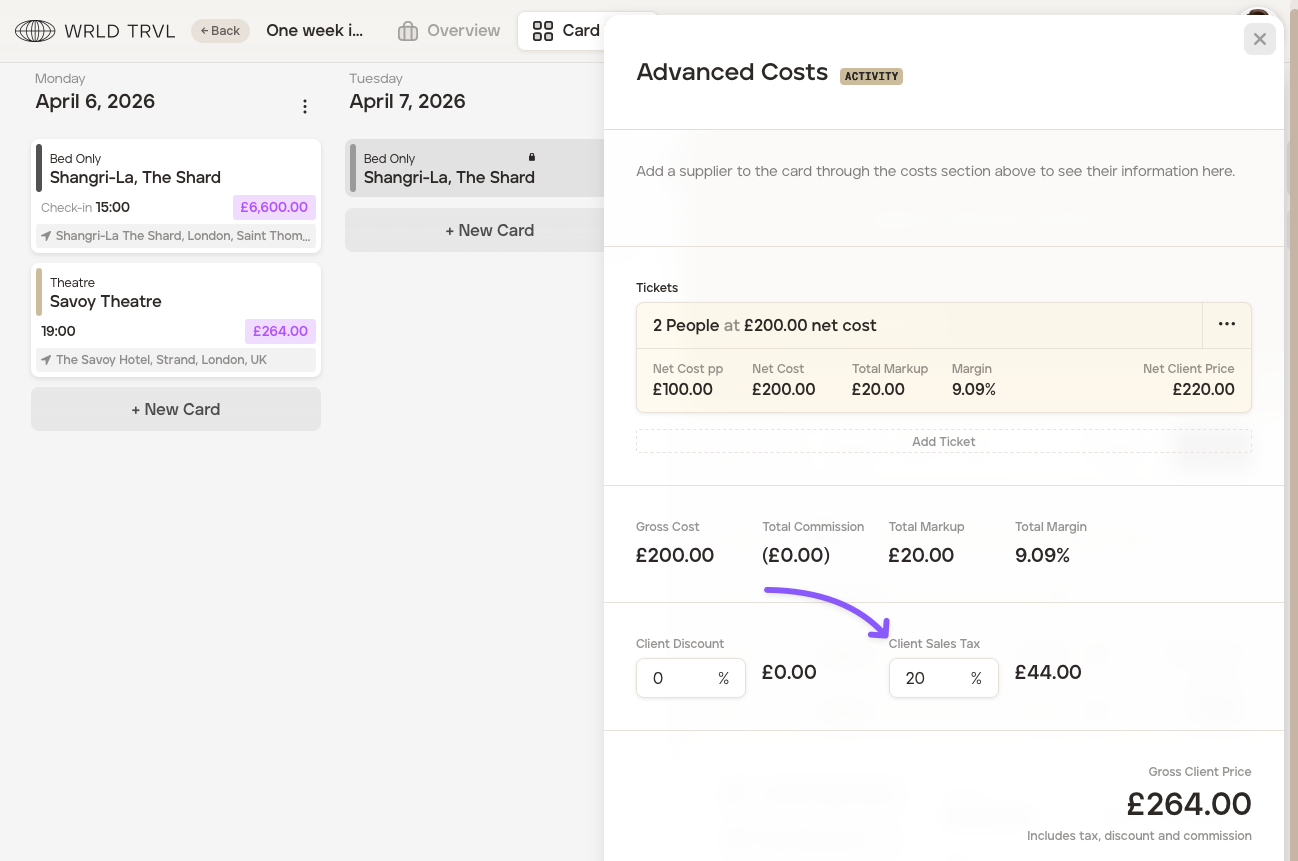
'Net' adds the sales tax percentage on top of the any prices you add.
Example: You select Net '20%' as your preferred sales tax amount. The client price before tax is applied is £220. Our software will add 20% sales tax (£44) to the price, giving you a client price after sales tax is applied of £264.
Click 'Save Changes.'
Was this helpful?