Set your preferred spread calculation (markup or margin)
You can choose your preferred spread calculation (ie. markup or margin) by following the steps below:
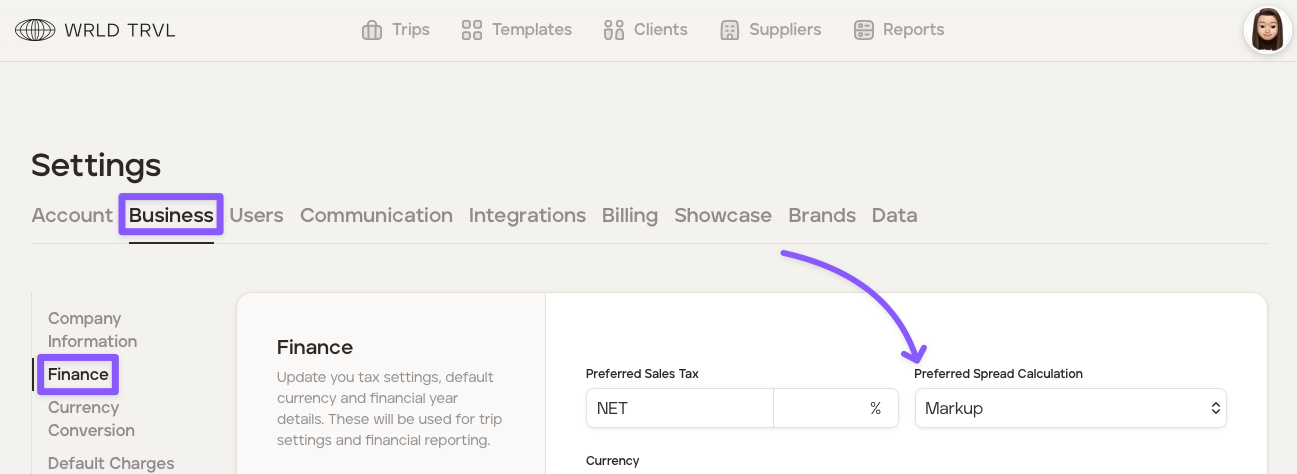
Click the avatar in the top right of your screen and then click ‘Settings.’
Click the ‘Business’ tab.e
Click the 'Finance' section.
Add or change whether you would like in the 'Preferred Spread Calculation' field.
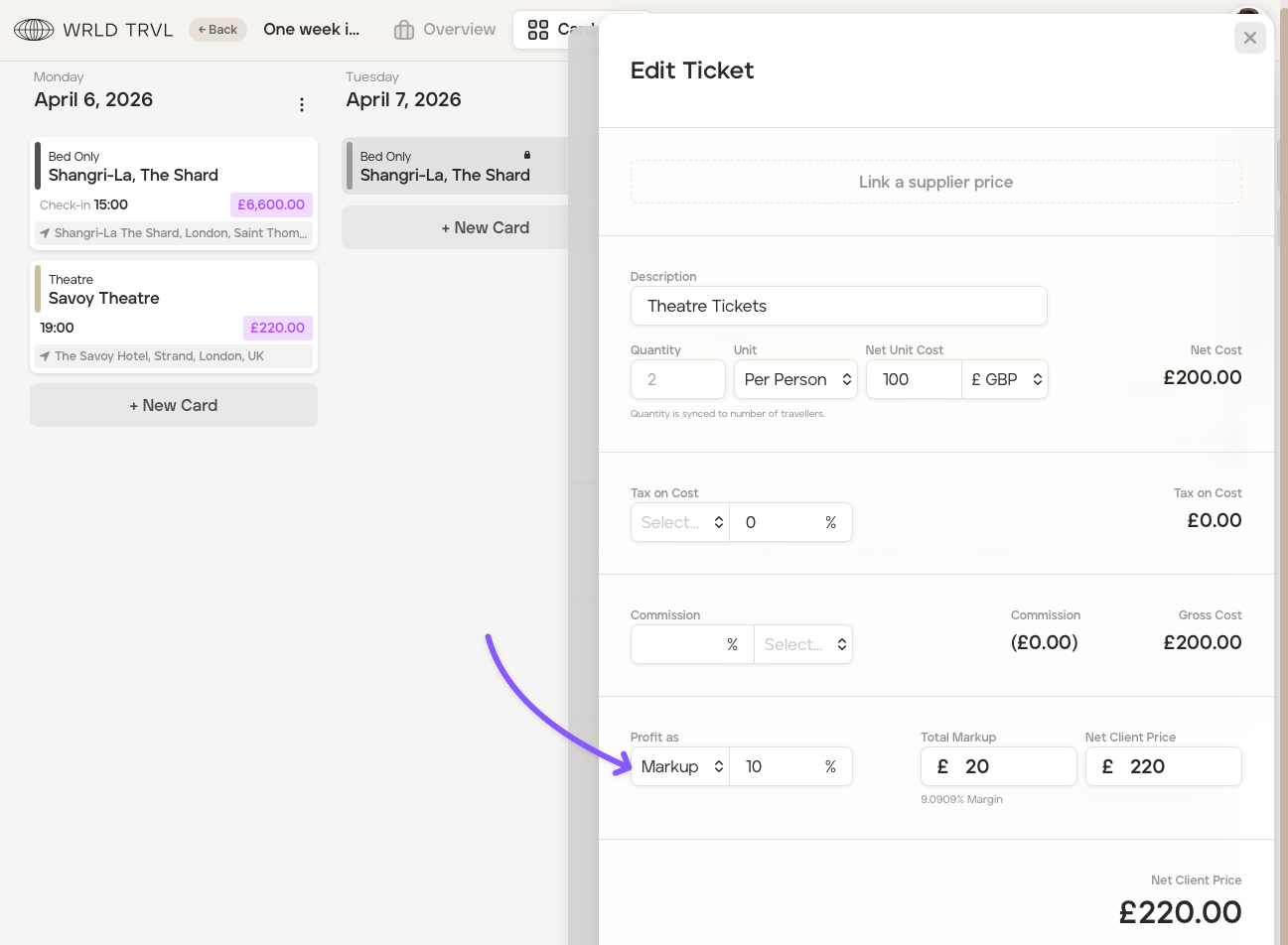
'Markup' is based on cost. It’s the extra amount you add to your cost to set the selling price.
Example:
You pay £200 for two theatre tickets for a client.
You want to add a 10% markup.
10% of £200 is £20.
So, you charge your client £220.
That gives you £20 profit.'Margin' is based on the selling price. It shows what percentage of the final price is profit.
Example:
You pay £1,000 for a hotel for 5 nights.
You want a 10% margin on what you charge the client.
To get a 10% margin, you need to charge £1,111.11.
This gives you a profit of £111.11, which is 10% of the selling price.Click 'Save Changes.'