

Delete all itinerary cards on one day
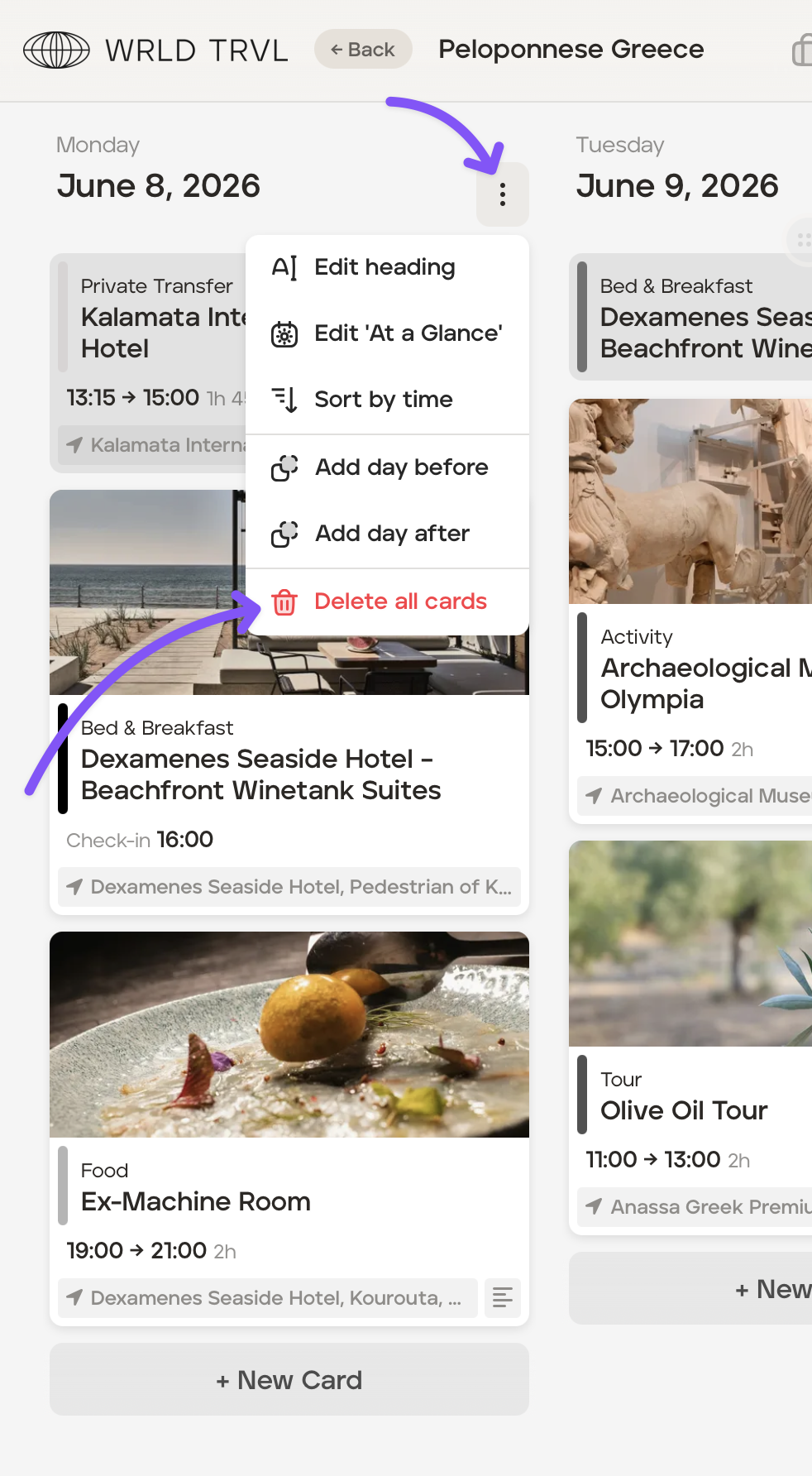
To delete all itinerary cards on one day of an itinerary, follow the steps below:
Select the applicable trip.
Go to 'Card View'.
Click the vertical three dots menu icon on the applicable day and then click delete all cards.
Was this helpful?