

Add individual costs to each of your itinerary cards
You have the option to either:
add individual costs to cards directly within the itinerary or
add supplier products from your supplier database, which will bring through the applicable associated cost.
1. Add individual costs to your cards directly within the itinerary
To add individual costs to your cards directly within the itinerary, follow the steps below:
Click the applicable template itinerary or trip itinerary.
Create a new card or click the relevant card already within the itinerary.
Click the ‘Costs’ button on the card.
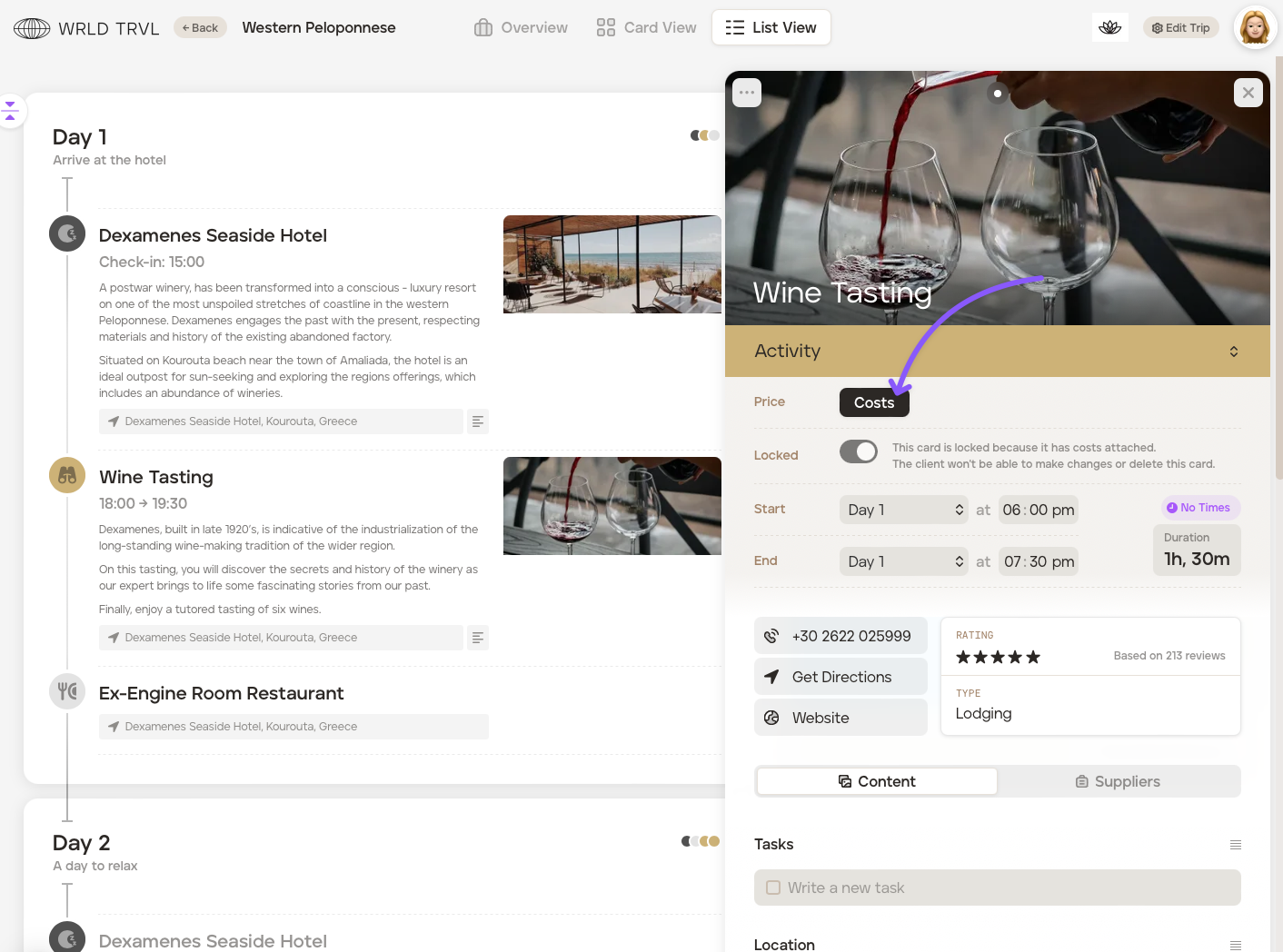
For:
‘accommodation’ cards click ‘+ New Room’
‘activity’ and ‘travel’ click ‘+ New Ticket’
‘food’ cards click ‘+ New Meal’
‘other’ cards click ‘+New Cost’
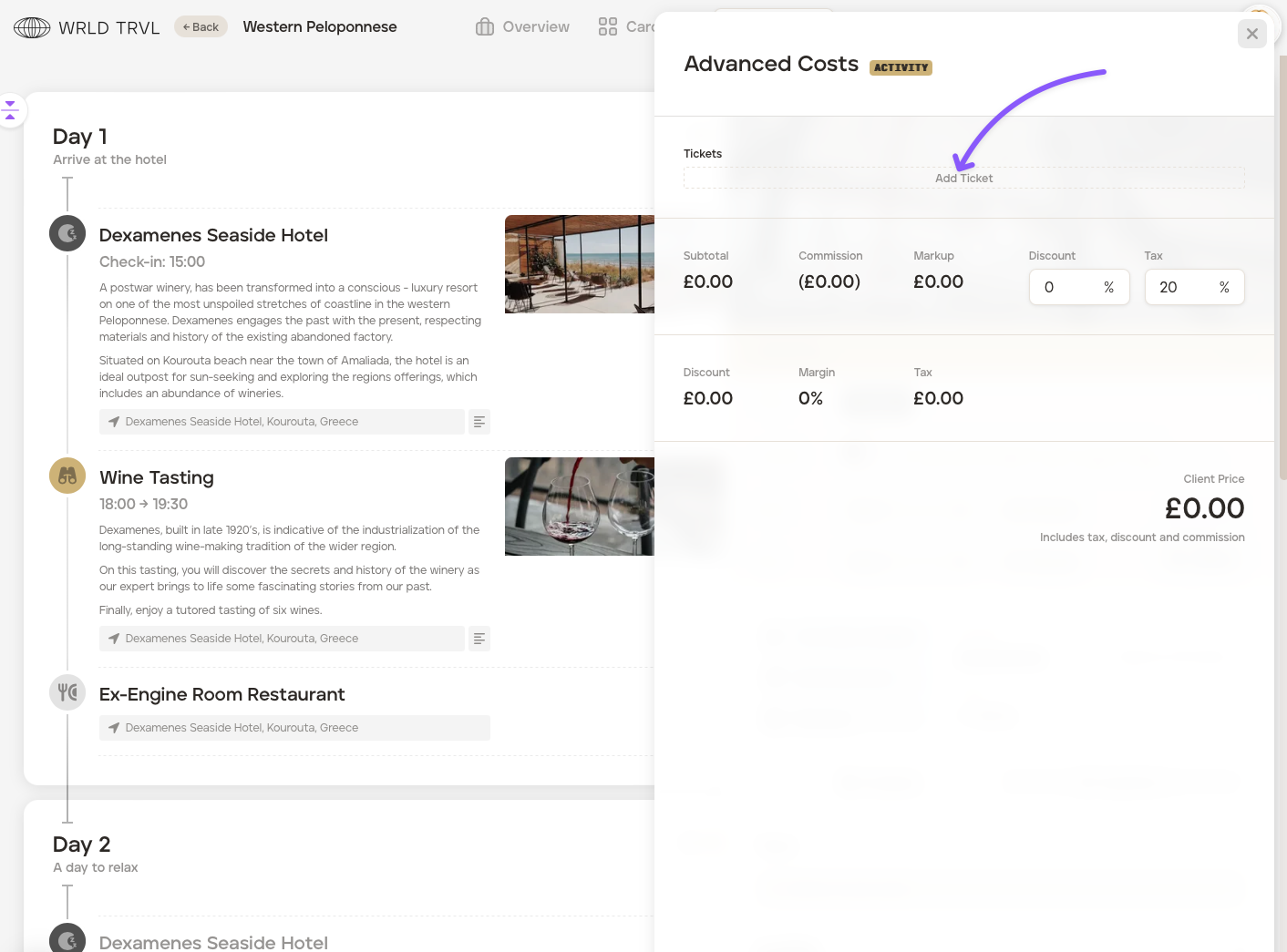
Add the cost information (which differs slightly depending on the card category chosen), and TripMapper will do the calculations!
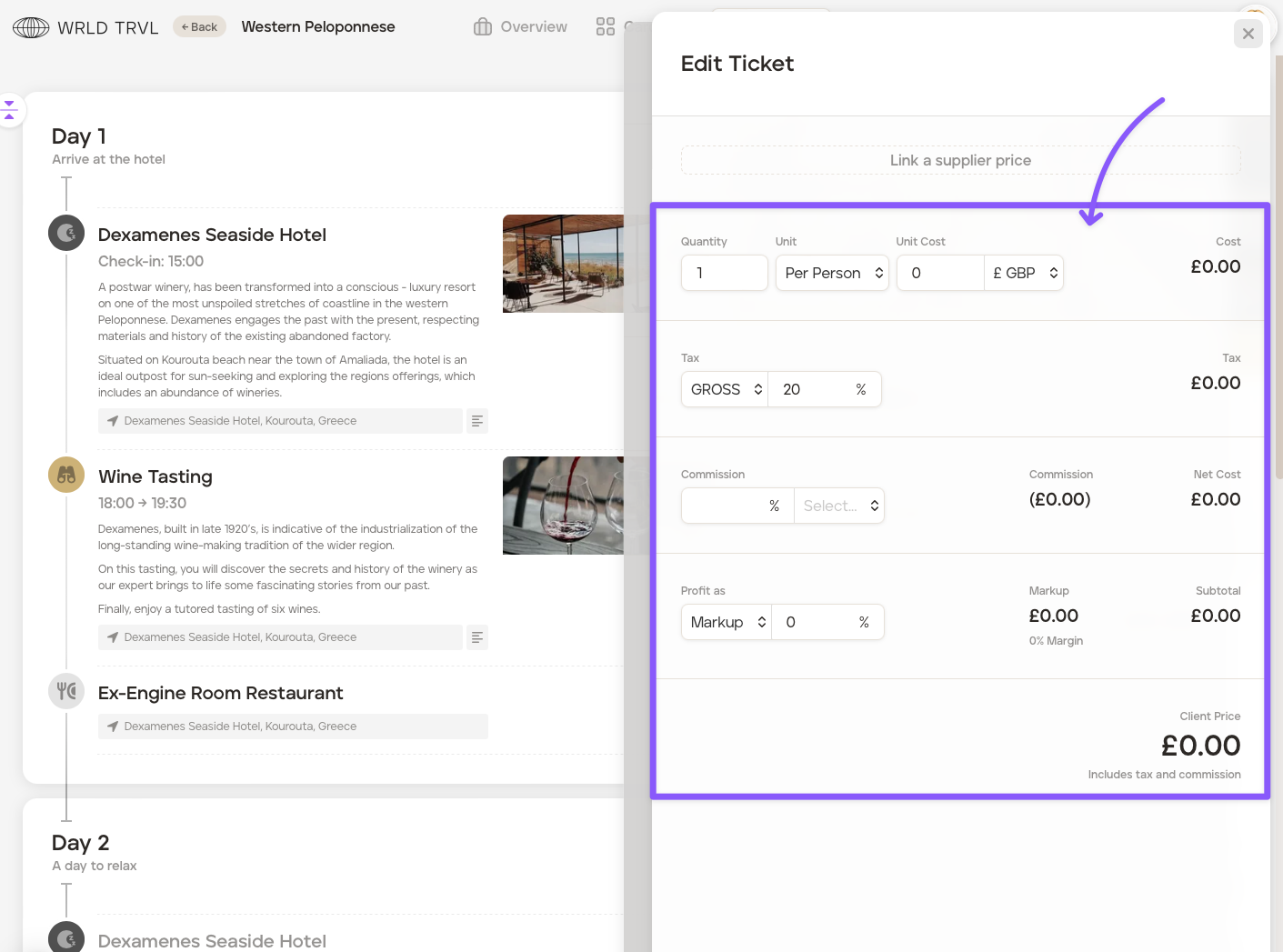
Once the cost information has been added, close the card.
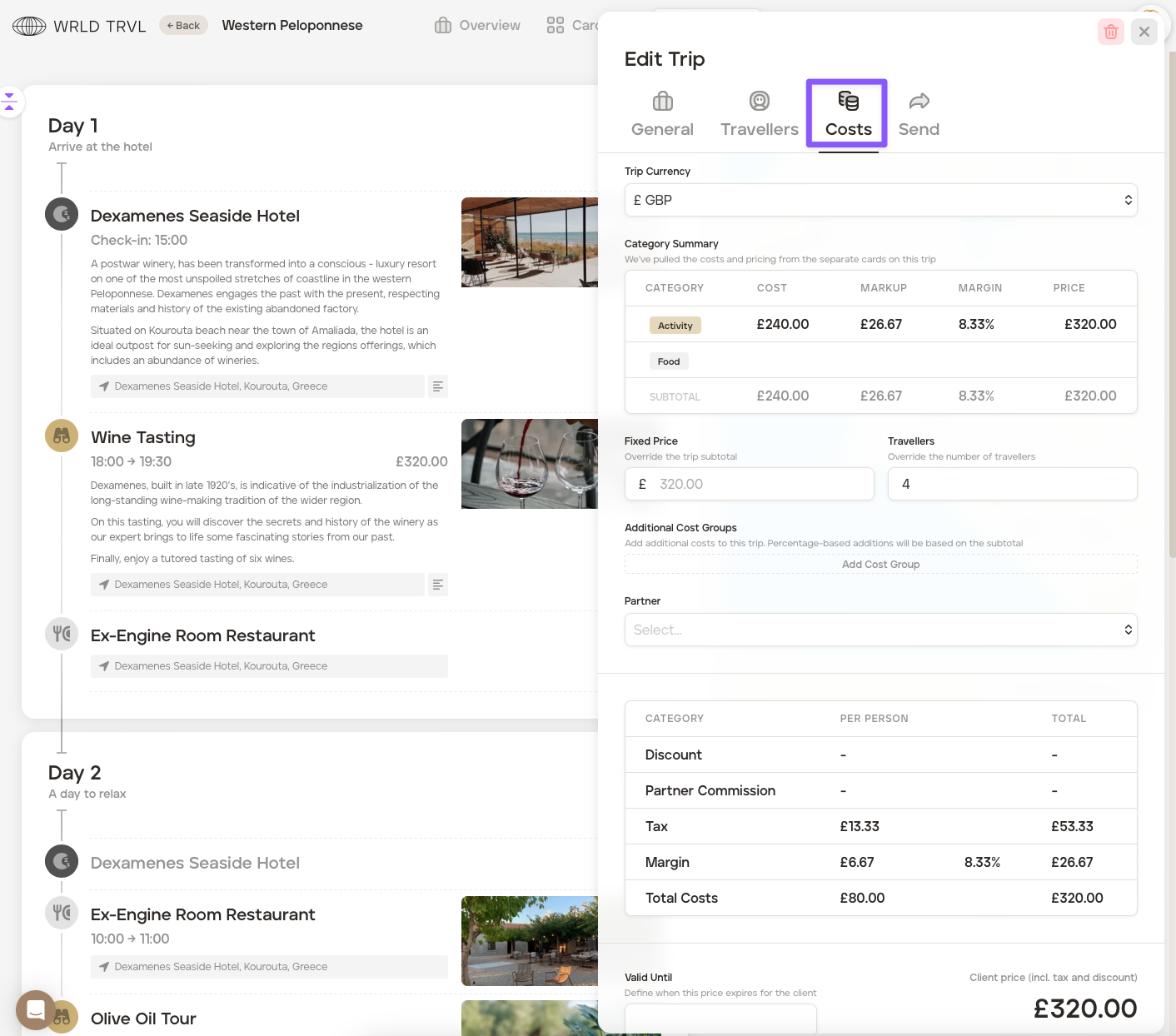
To see a summary of the costs you have added to the individual cards in your itinerary, click ‘Edit Trip’ in the top right of the screen, then click the ‘Costs’ tab.
2. Add supplier products from your supplier database, which will bring through the applicable associated cost.
To add supplier products from you supplier database to your itinerary, follow the steps below:
Click the applicable template itinerary or trip itinerary.
Click '+ New Card'.
Search for the supplier product in the search bar.
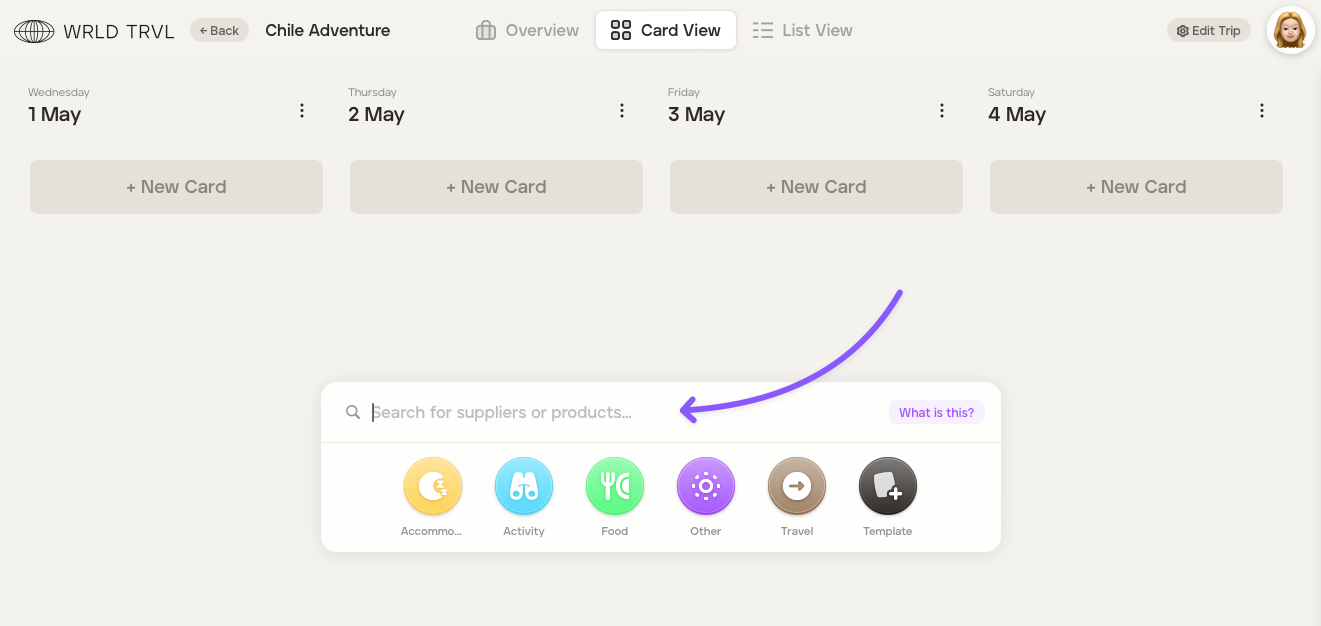
Click the applicable supplier product.
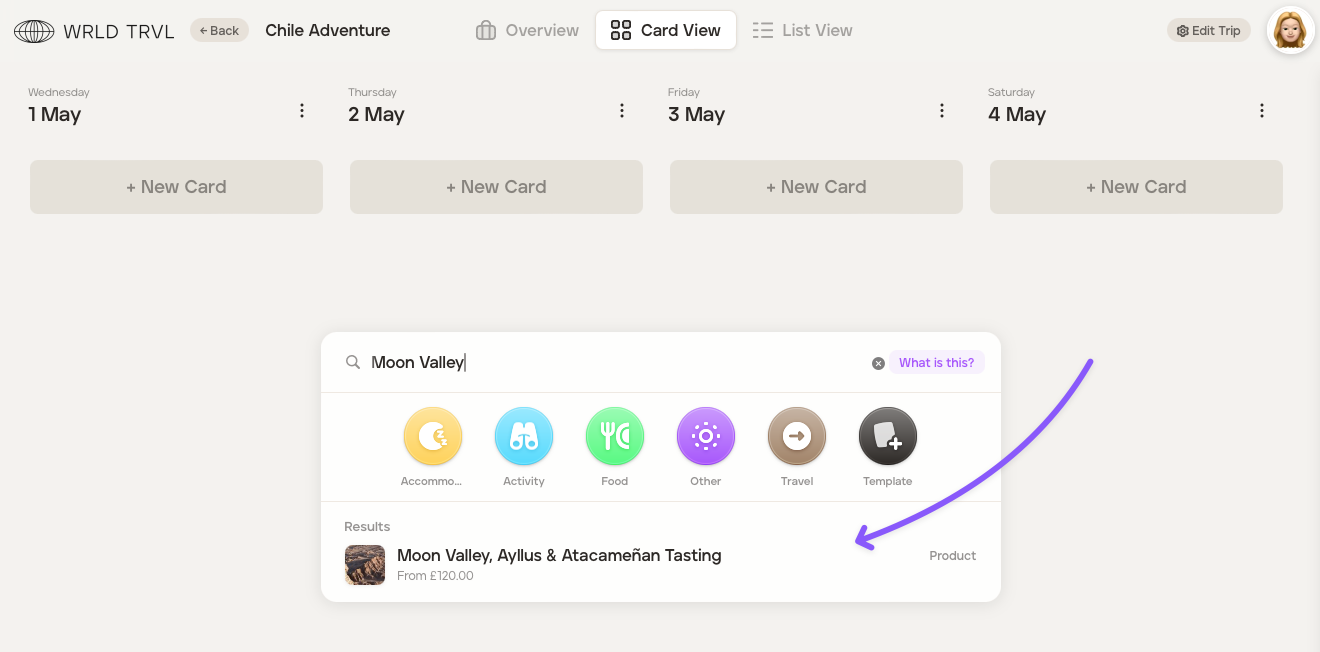
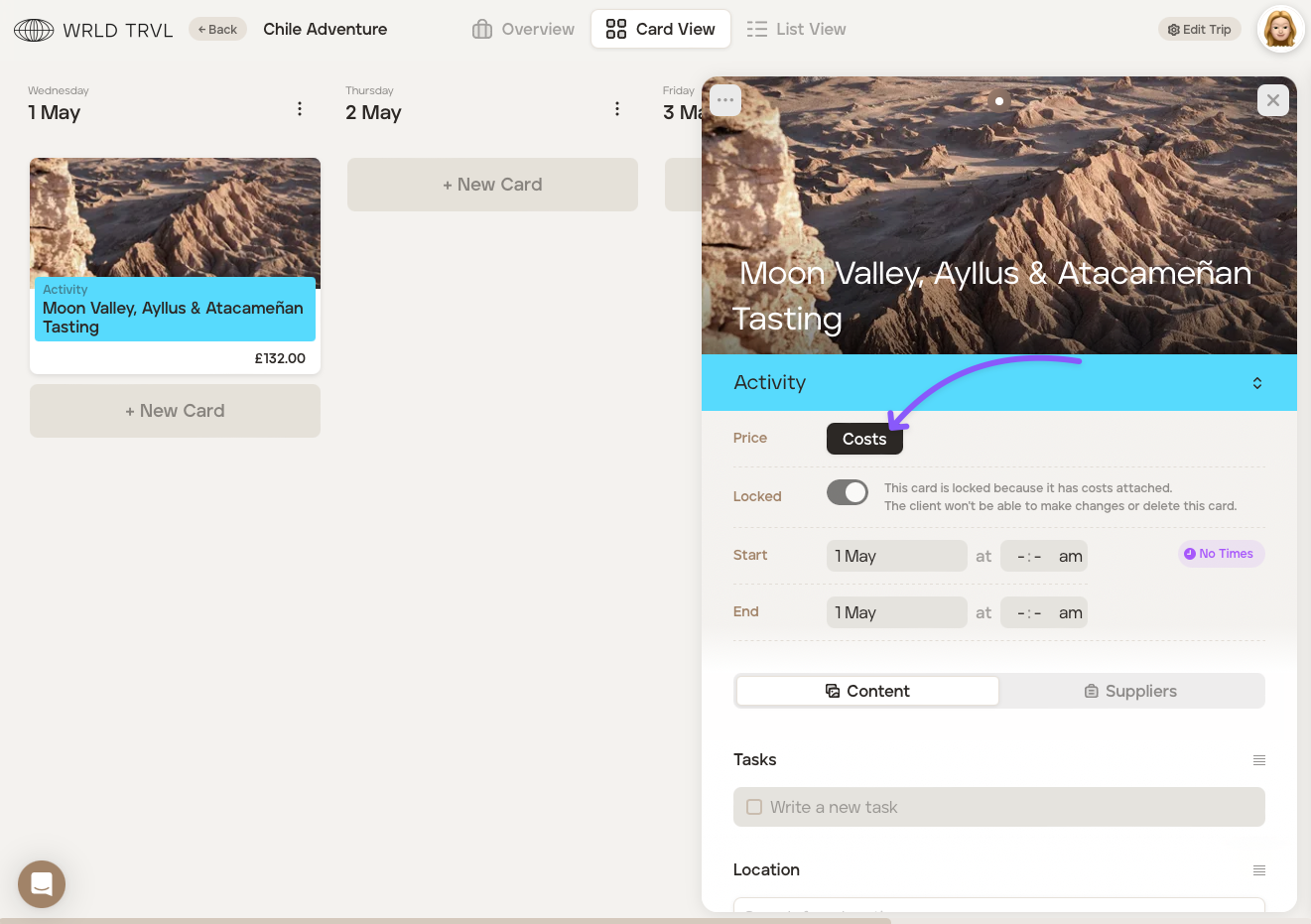
A card will be added to the itinerary. Click the card to open it.
Click the 'Costs' button.
The costs associated with the supplier product chosen will be shown. Click the '...' button to edit the information, such as changing the number of tickets.
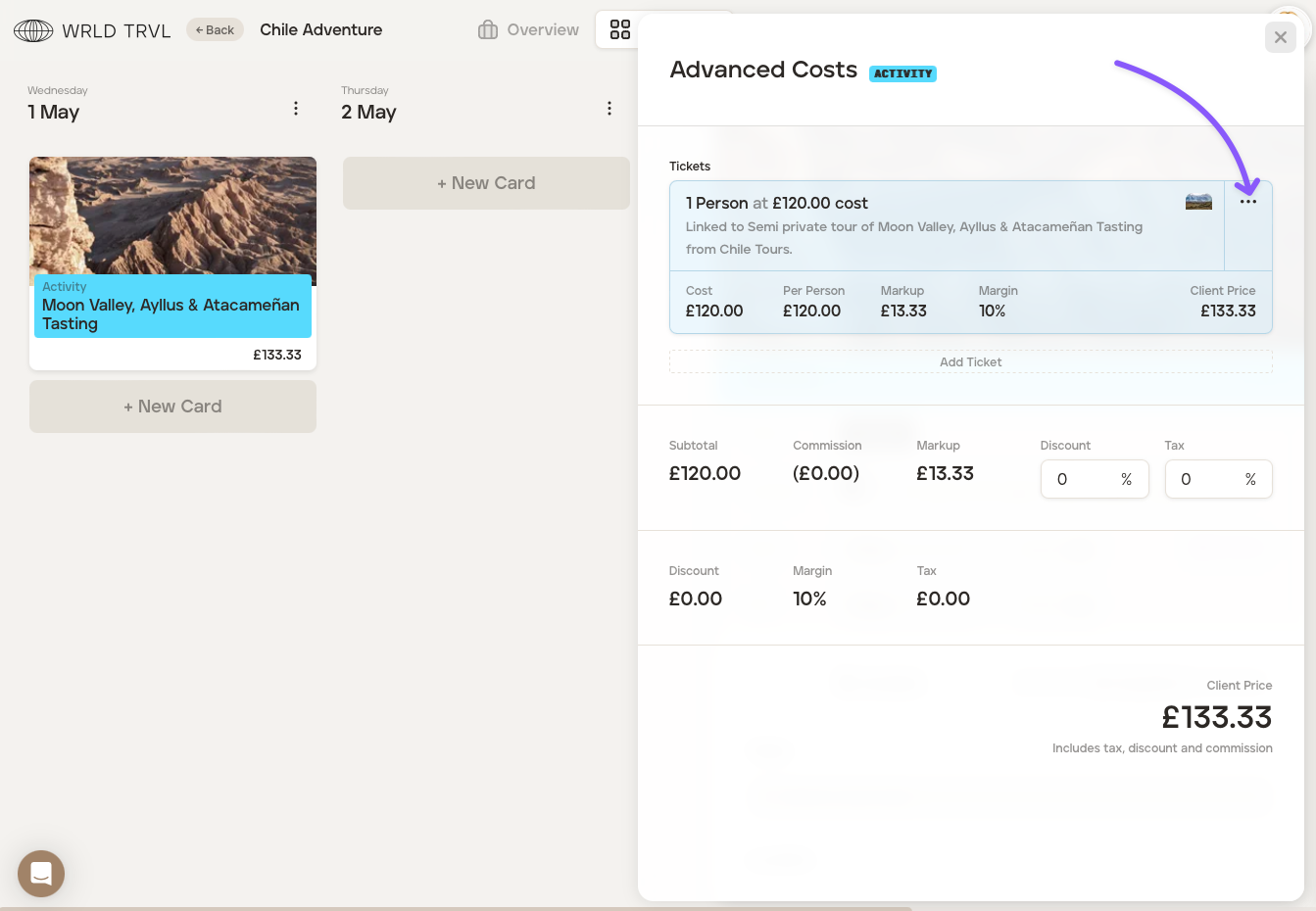
Clicking the '...' button will open the screen below.
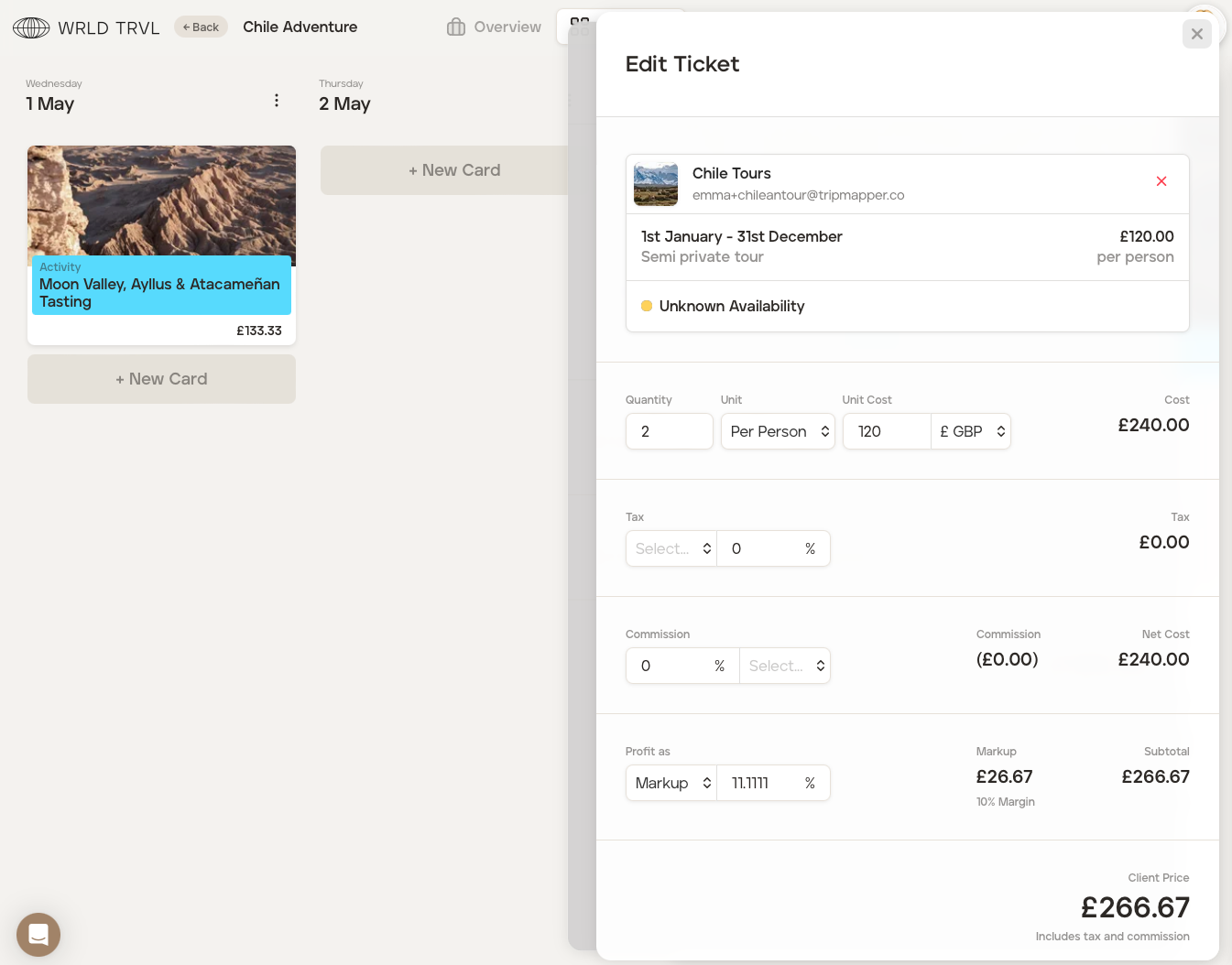
Once the cost information has been added, close the card by clicking the 'x' in the top right-hand side of the card.
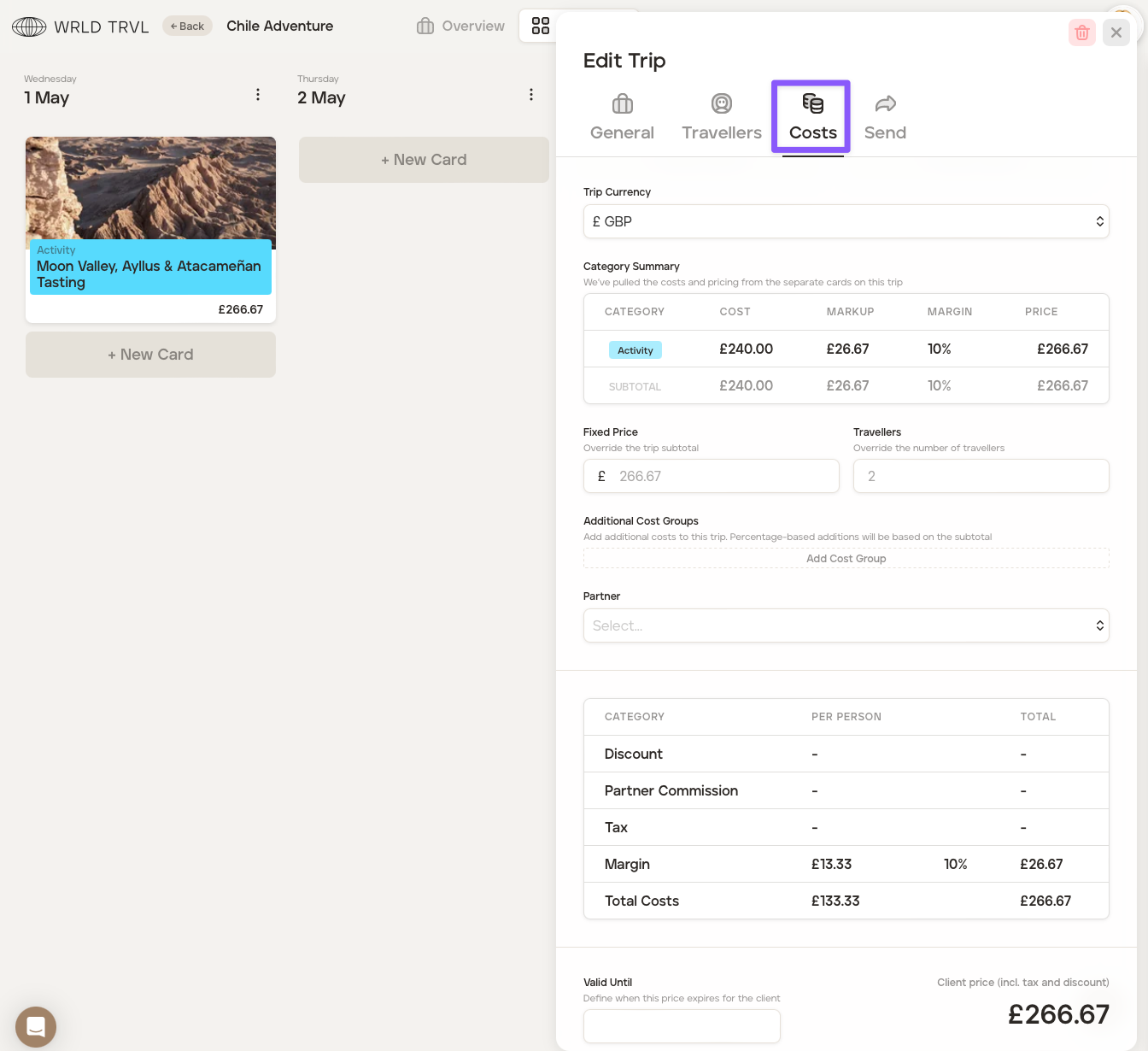
To see a summary of the costs you have added to the individual cards in your itinerary, click ‘Edit Trip’ in the top right of the screen, then click the ‘Costs’ tab.
Want to add additional charges eg. administration fees?
If after adding all your costs, you want to add any additional charges, for example, champagne for a special occasion, or visa service fees, check out the 'Create an additional cost group on a specific itinerary' article.
To add a fixed price to your itinerary instead of adding individual costs, check out the 'Add a fixed price to your itinerary' article.