User permissions
When adding team members, the 'Owner' or 'Admin' may choose the new member's level of access prior to sending the invitation.
🤝 'Owner'
Has access to and can edit all TripMapper account settings.
Can add, edit and delete all template itineraries, template cards and trips.
Can add team members or remove team members.
Can see 'Reports'.
Can manage billing or cancel the subscription.
Can choose whether a 'Member' can see and have access to all financial information within the platform (ie. company's costs, client prices and company mark-up and margin) or can only see the company's costs (and not the client prices and not any company mark-up/ margin). See below for more information.
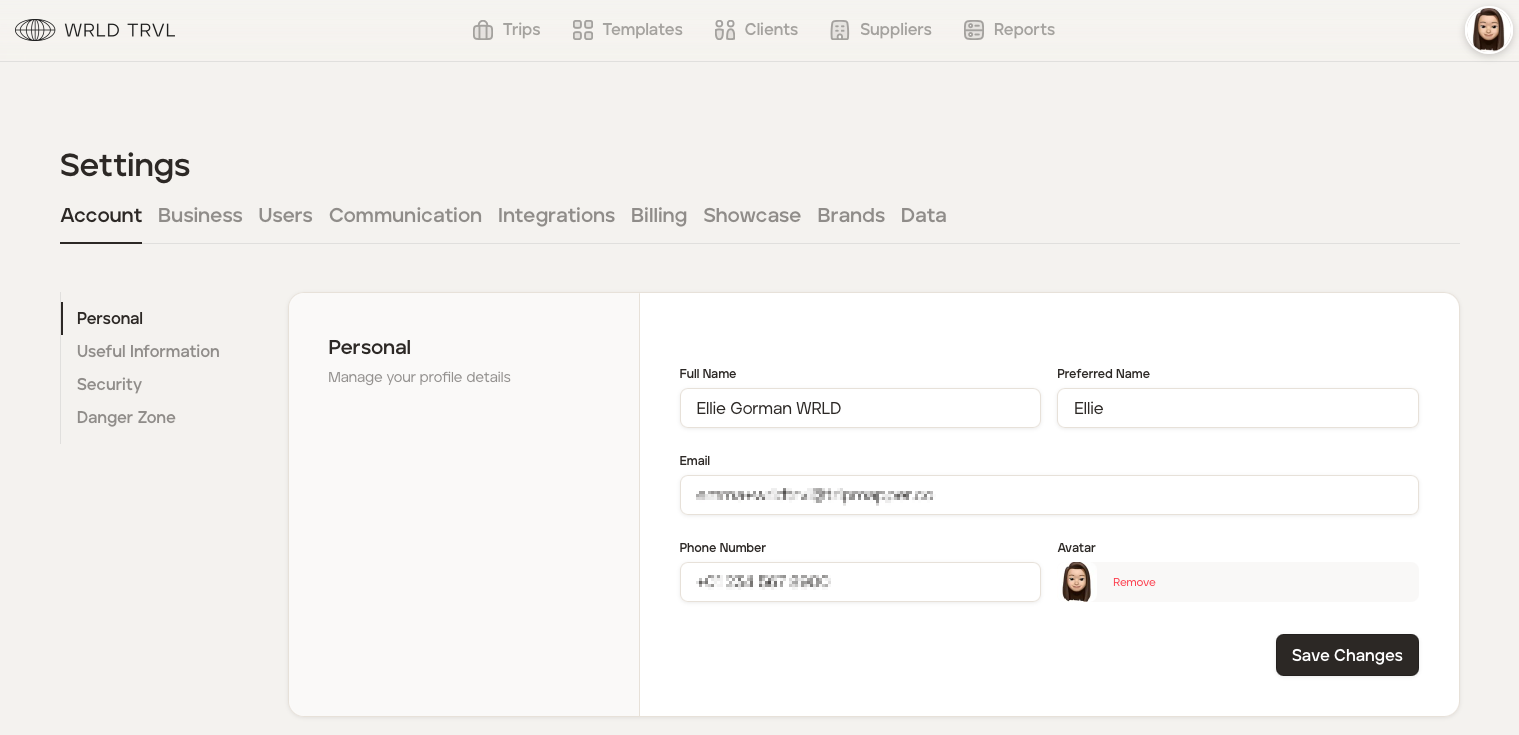
Example of account 'Settings' for an 'Owner':
🤝 'Admin'
Can do everything the 'Owner' can do, apart from manage billing or cancel the subscription.
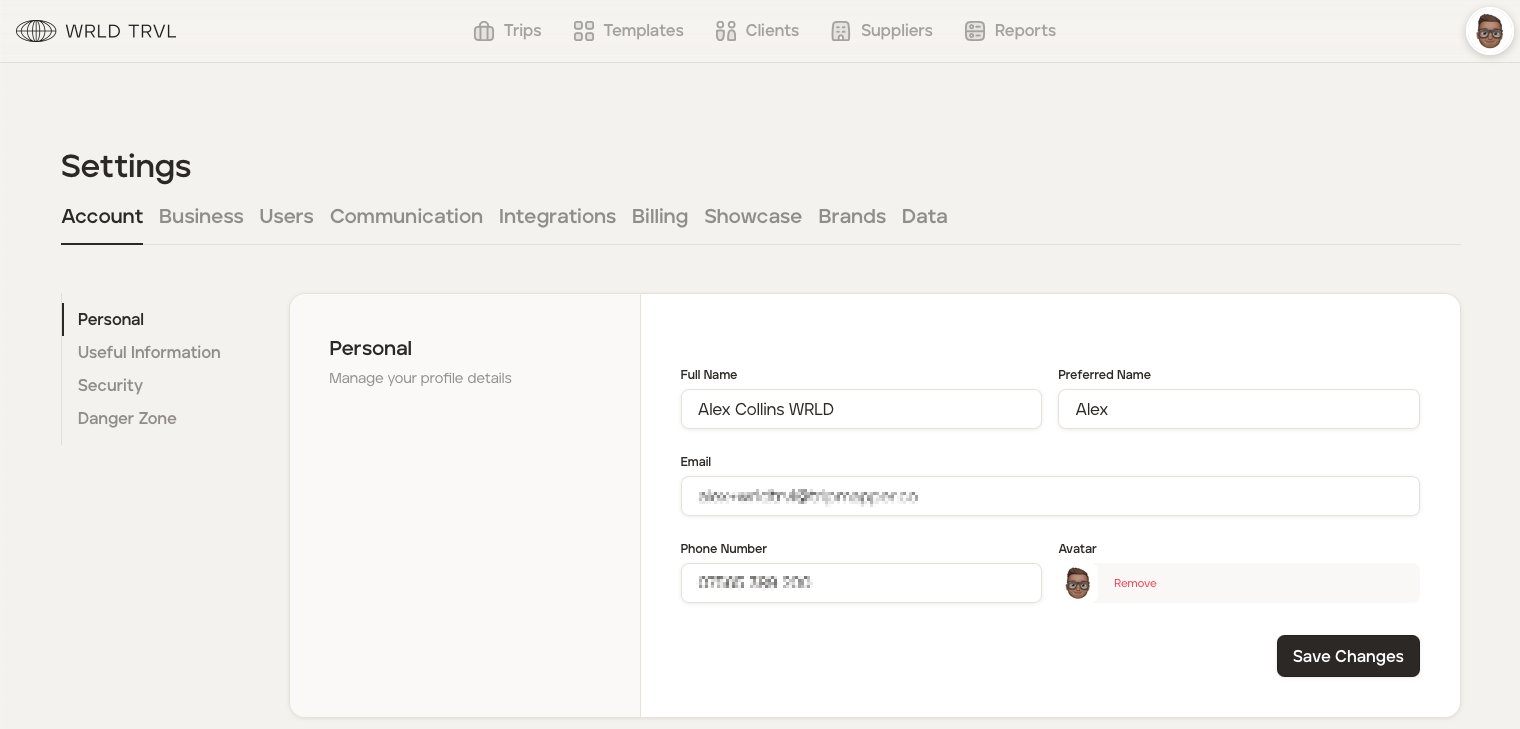
Example of account 'Settings' for an 'Admin':
🤝 'Member'
Has limited access to the TripMapper account settings.
Can add, edit and delete all template itineraries, template cards and trips, unless 'team' permissions have been put in place to restrict a 'Member's' access to their own team only.
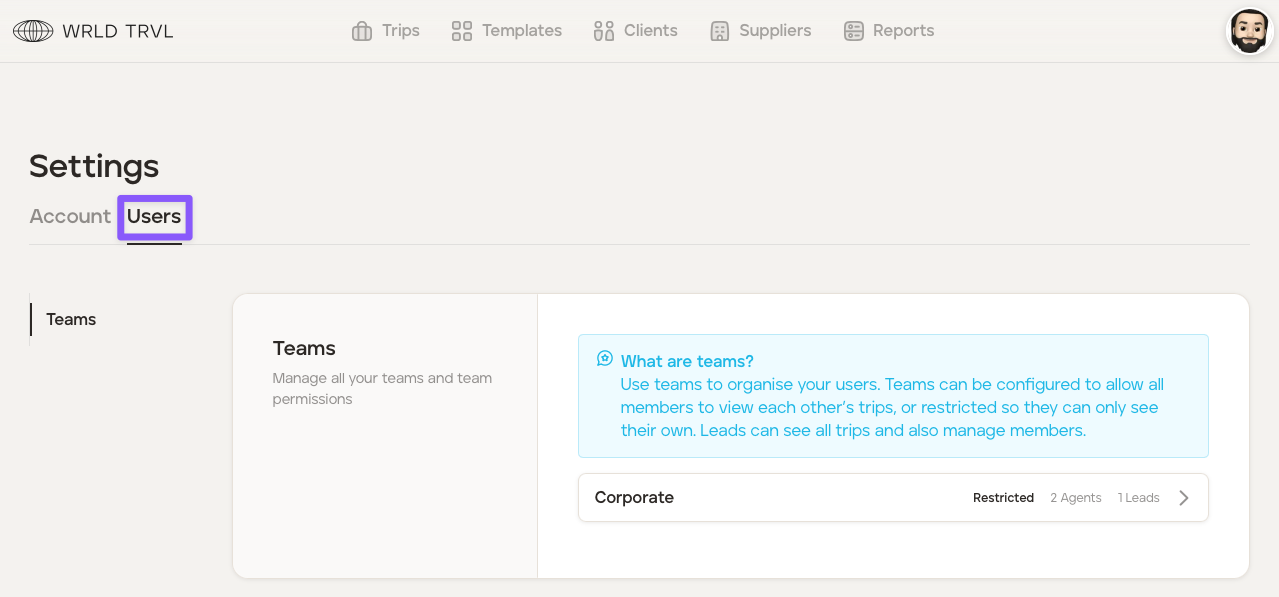
Cannot add or remove team members unless they are a team 'Lead'.
Cannot manage billing or cancel the subscription.
A 'Member' can be restricted by an 'Owner' or 'Admin' from seeing client prices and company mark-up/ margin.
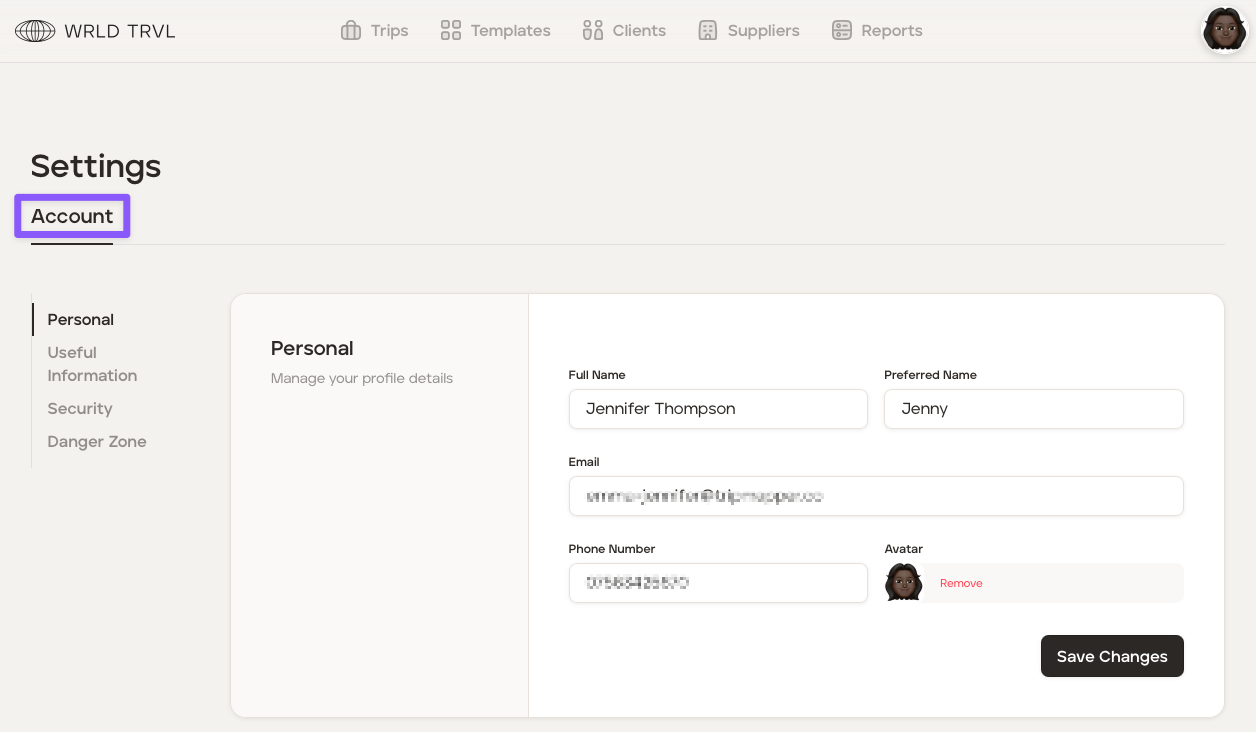
Example of account 'Settings' for a 'Member':
Example of account 'Settings' for a 'Member' who is also the 'Lead' of the Corporate team: