

Delete a proposal
There are two ways to delete a proposal.
Option 1:
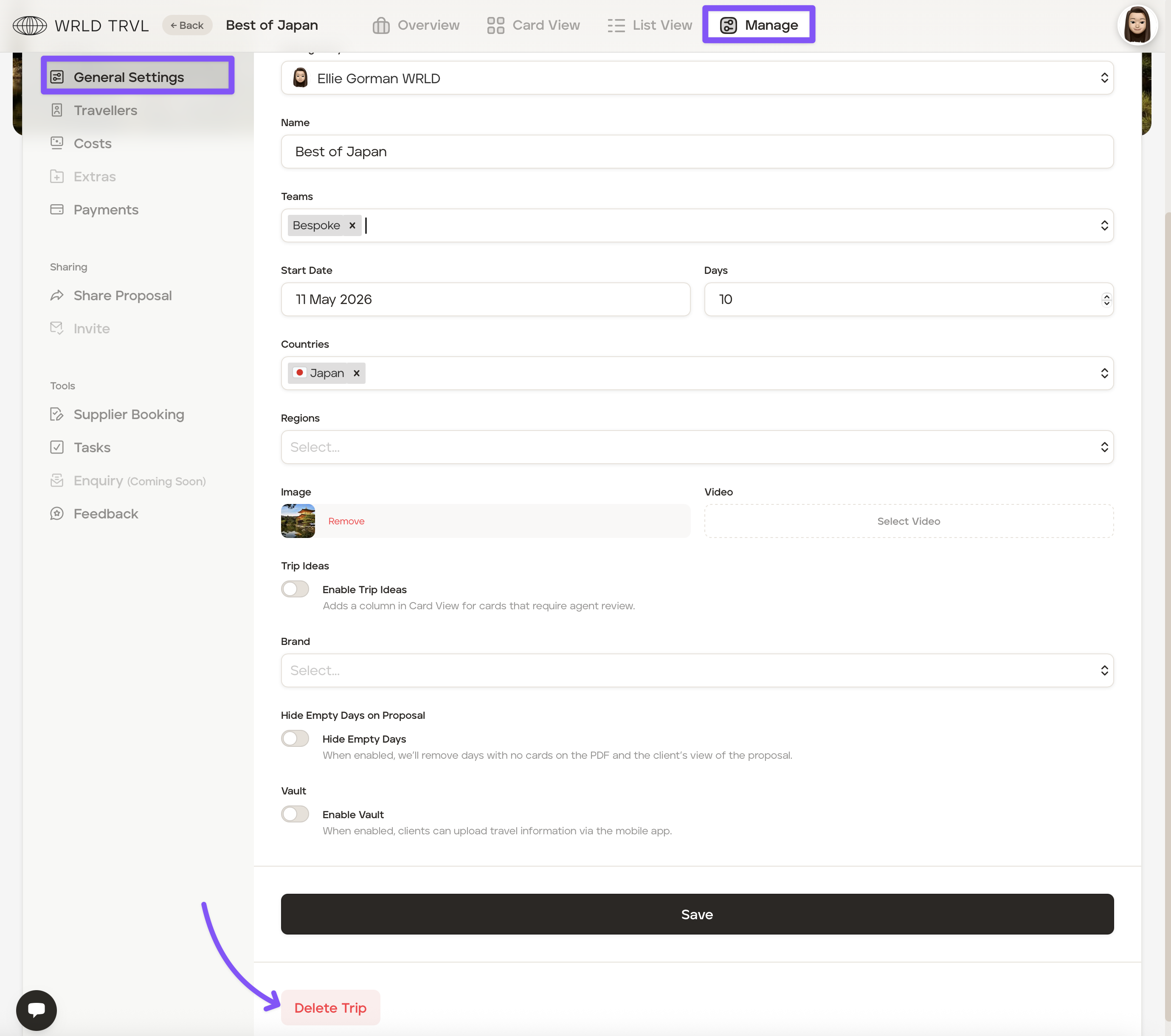
Go to the 'Trips' section of your account and in the 'Proposal' tab select the applicable proposal you wish to delete.
Click ‘Manage’ at the top of the screen.
In the 'General Settings' tab, scroll down and click the red 'Delete Trip' button.
Option 2:
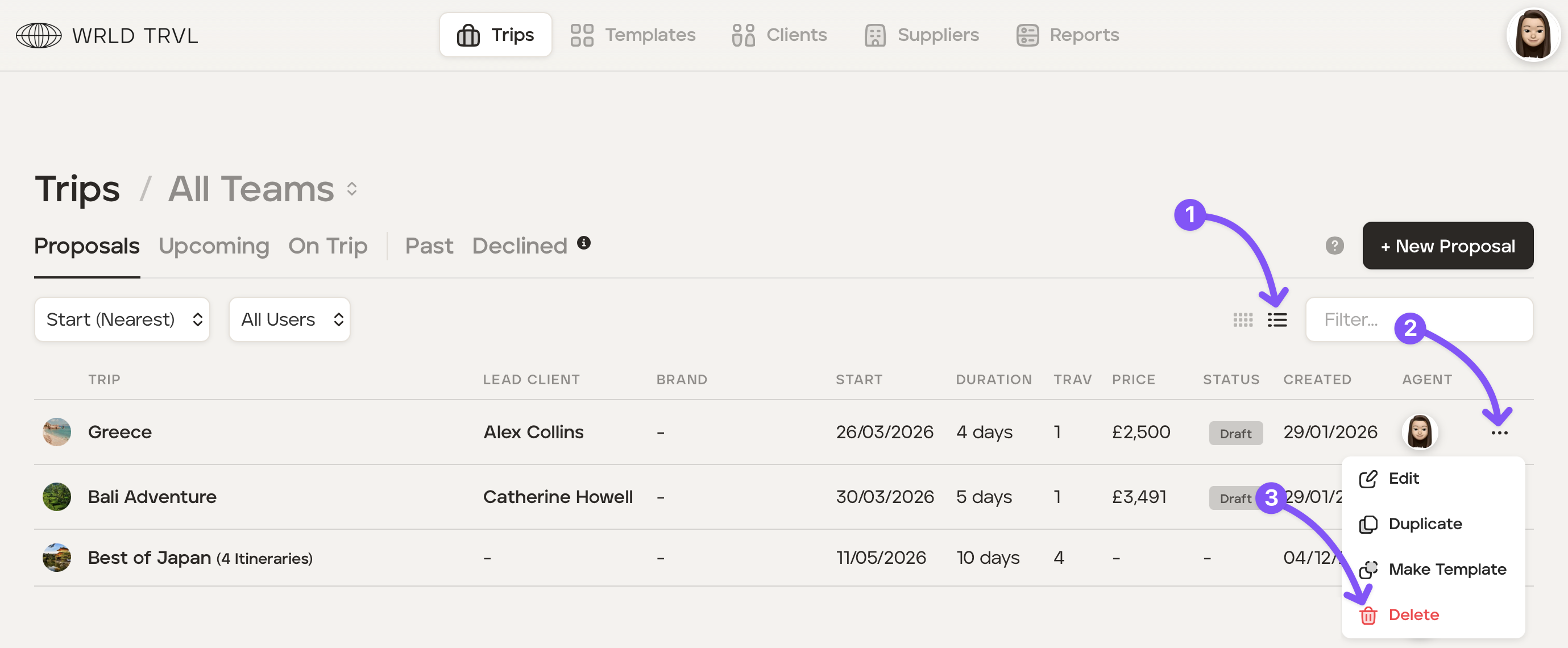
Go to the 'Trips' section of your account.
Click the list view icon and then the three dots next to the proposal you wish to delete.
Click 'Delete.'
Was this helpful?