

Adding teams
As well as being able to add users to your account, TripMapper for Business allows you to organise your users across different teams. Teams provide structured collaboration with customisable permissions.
Teams can be configured to allow all 'Members' to view each other's trips, or restricted so they can only see their own trips. 'Leads' can see all trips and also manage 'Members'. If an itinerary or template card is not linked to a team(s), all users can view.
To create teams, follow the steps below:
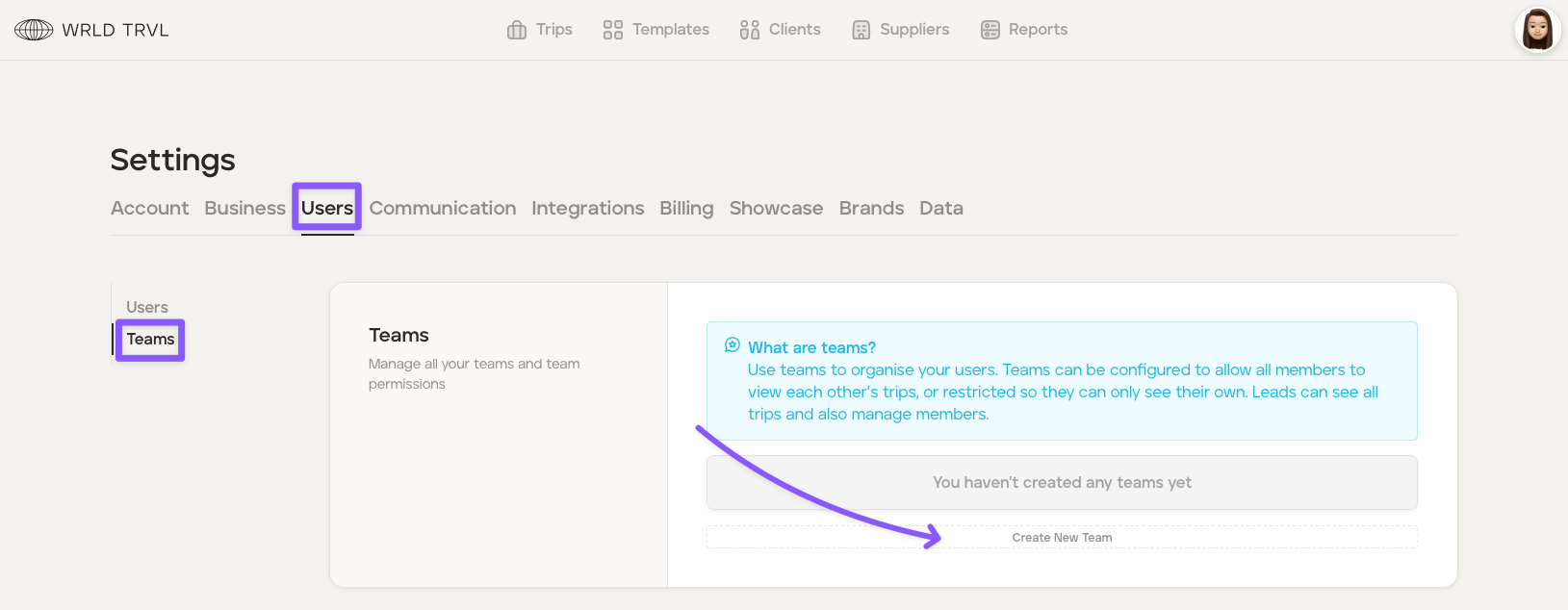
Click your avatar in the top right of your screen and then click ‘Settings.’
Click the 'Users' tab.
Click the 'Teams' tab.
Click 'Create New Team'.
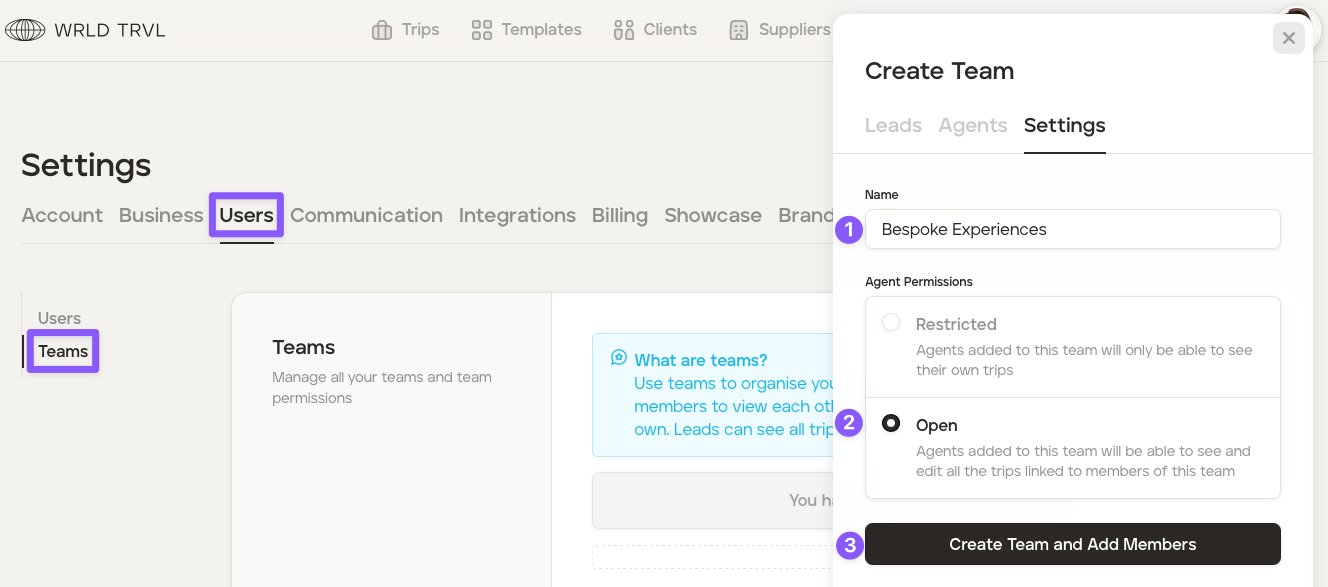
Add a team name, for example, Bespoke Experiences.
Choose your permissions:
Restricted - Users added to this team will only be able to see their own trips, cards, documents and blocks.
Open - Agents added to this team will be able to see and edit all the trips, cards, documents and blocks linked to members of this team.
Click 'Create Team and Add Members'.
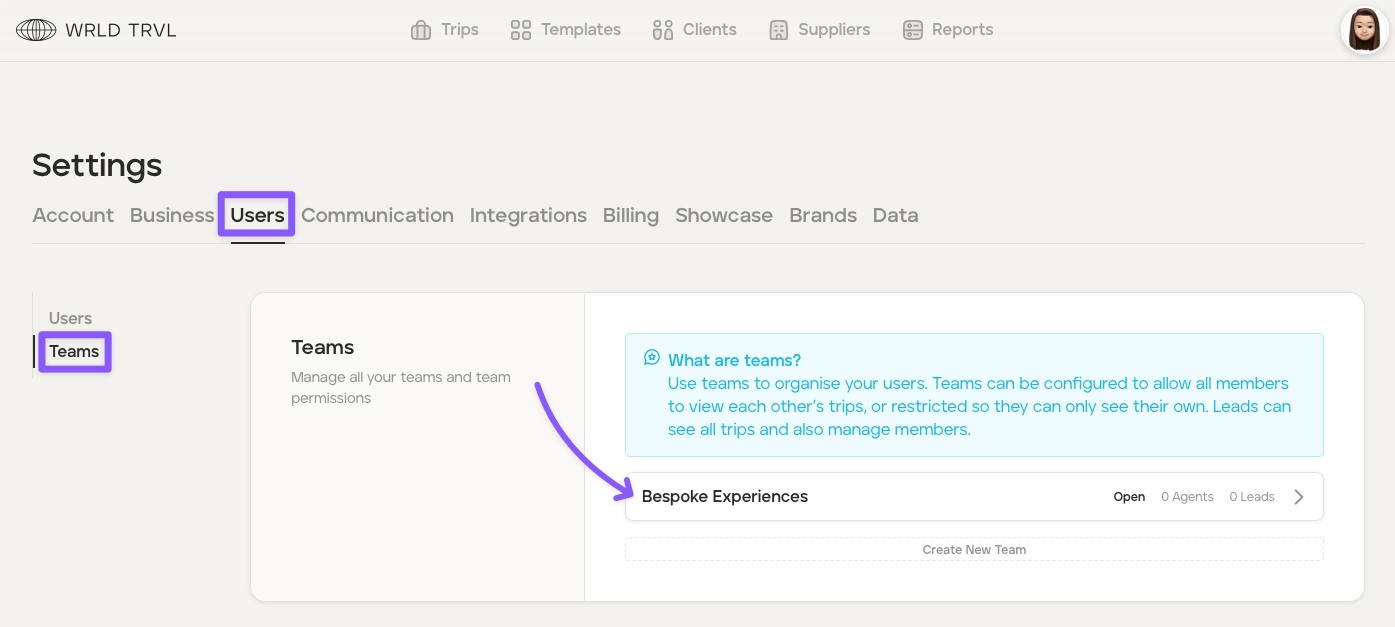
Once the 'Create Team and Add Members' button has been clicked, the team will appear.
To add users to the 'Bespoke Experiences' team, follow the steps below:
Click the Bespoke Experiences team.
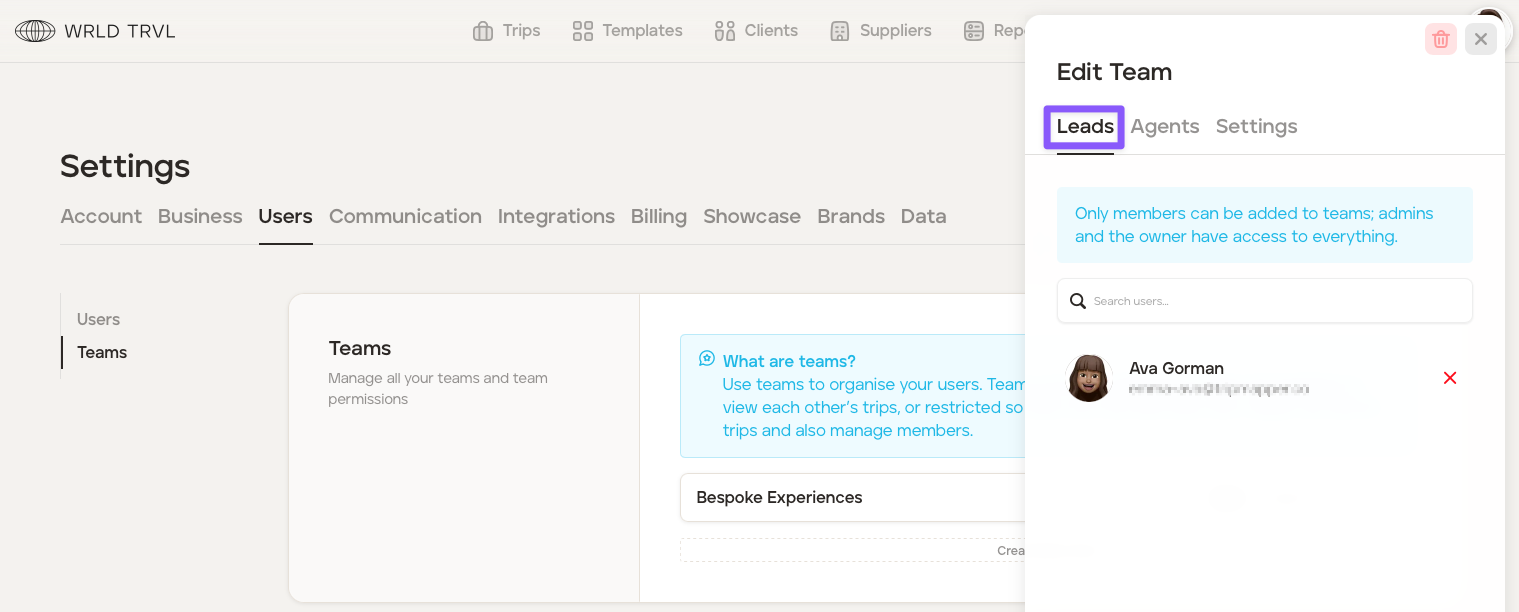
'Leads' can see all team trips and also manage 'Members'. To select a team 'Lead', click the 'Lead' tab, search for the user in the search bar and click the applicable user(s). (Remember, only 'Members' can be added to teams, so only 'Members' will be seen in the dropdown menu; 'Admins' and the 'Owner' have access to everything).
'Agents' are 'Members' added to the team. To select an 'Agent' to add to the team, click the 'Agents' tab, search for the user in the search bar and click the applicable user(s). (Remember, only 'Members' can be added to teams, so only 'Members' will be seen in the dropdown menu; 'Admins' and the 'Owner' have access to everything).
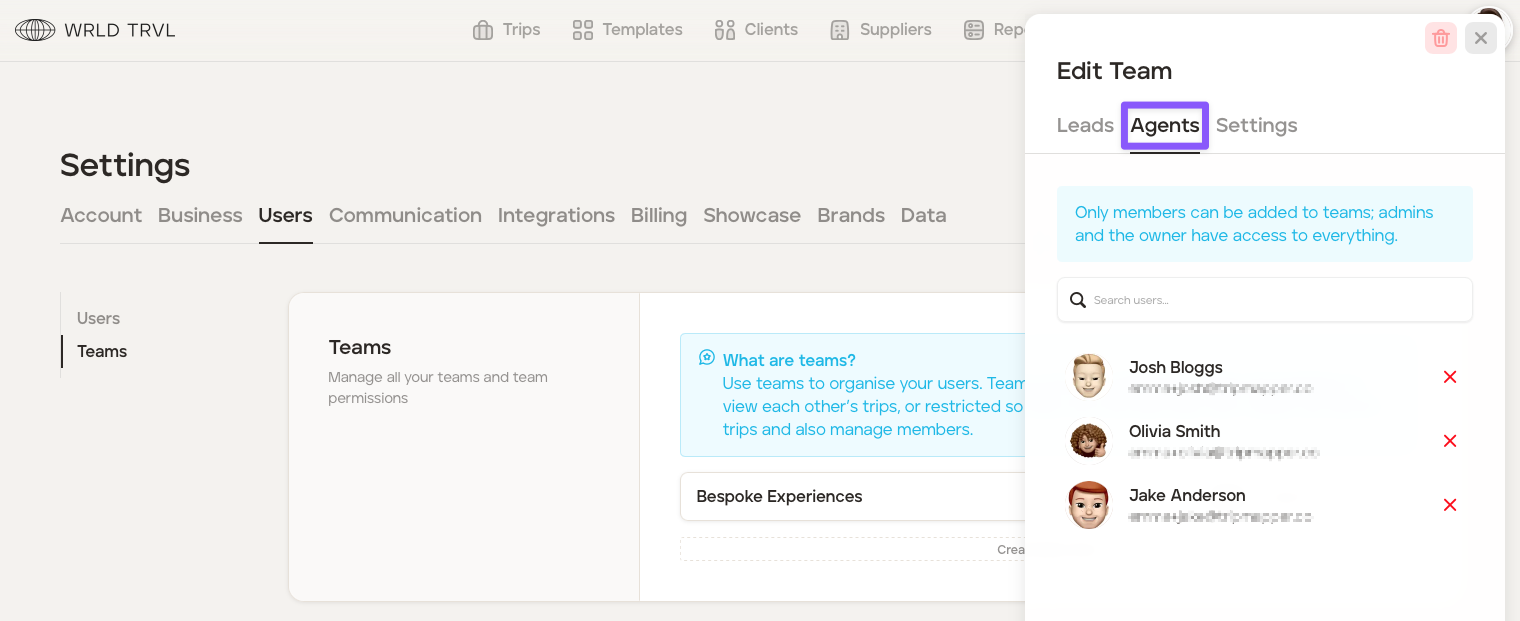
The 'Bespoke Experiences' team is organised as follows:
Lead: Ava
Agents: Josh, Olivia and Jake.
The 'Bespoke Experiences' team has 'Open' permissions. Therefore, the Agents (Josh, Olivia and Jake) will be able to see and edit all the trips, cards, documents and blocks associated with the 'Bespoke Experiences' team, plus any other trips, cards, documents and blocks on the account more generally which have not been allocated a team.
If the 'Bespoke Experiences' team had 'Restricted' permissions, the Agents (Josh, Olivia and Jake) would not be able to see and edit all the trips, cards, documents and blocks associated with the other agents in the 'Bespoke Experiences' team, only their own trips. They would be able to see any other trips, cards, documents and blocks on the account more generally which have not been allocated a team.