

Download a PDF version of an itinerary
To download a PDF version of an itinerary follow the steps below:
Select trip applicable trip itinerary.
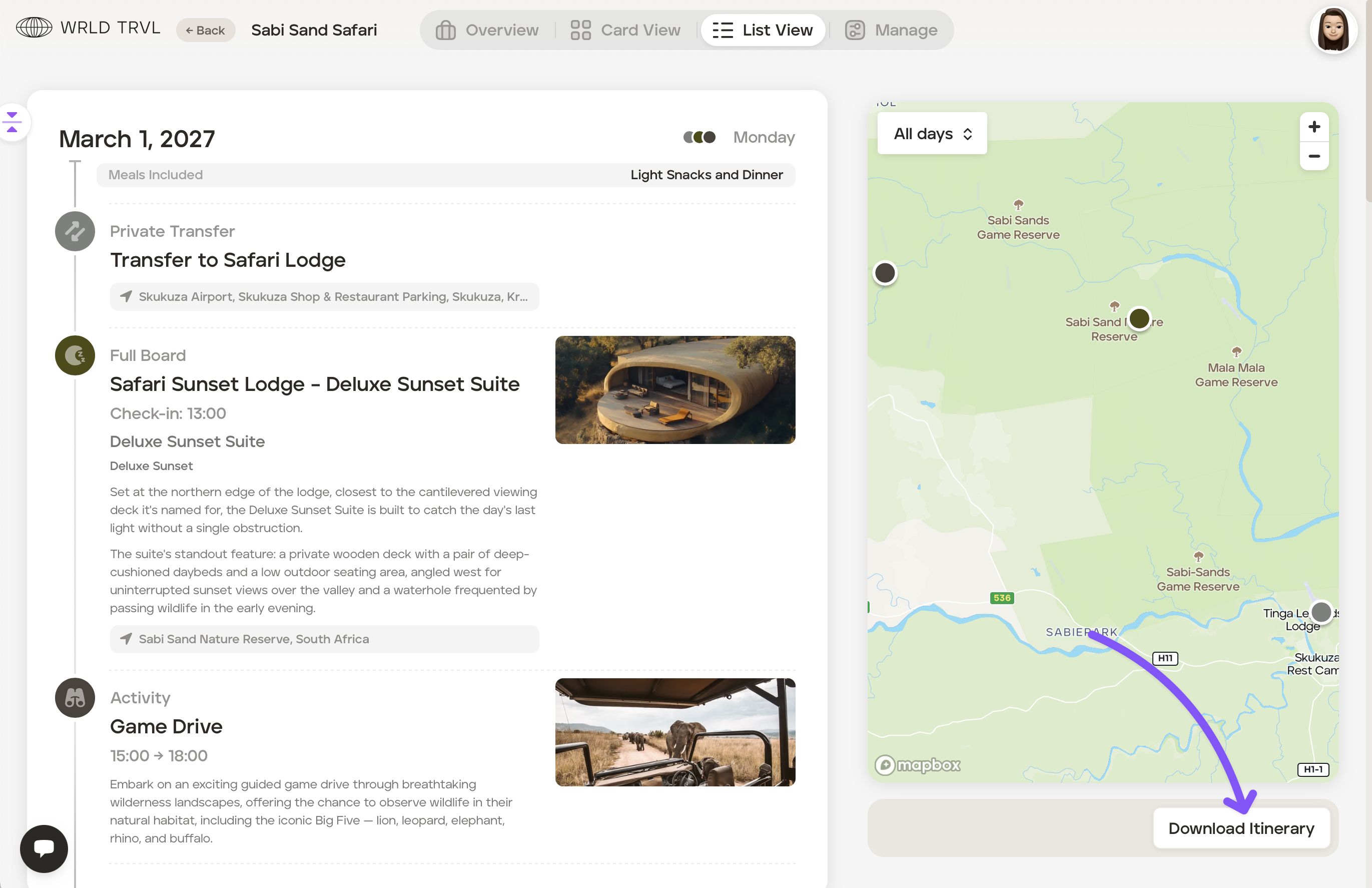
Click ‘List View’.
Click the white ‘Download Itinerary’ button.
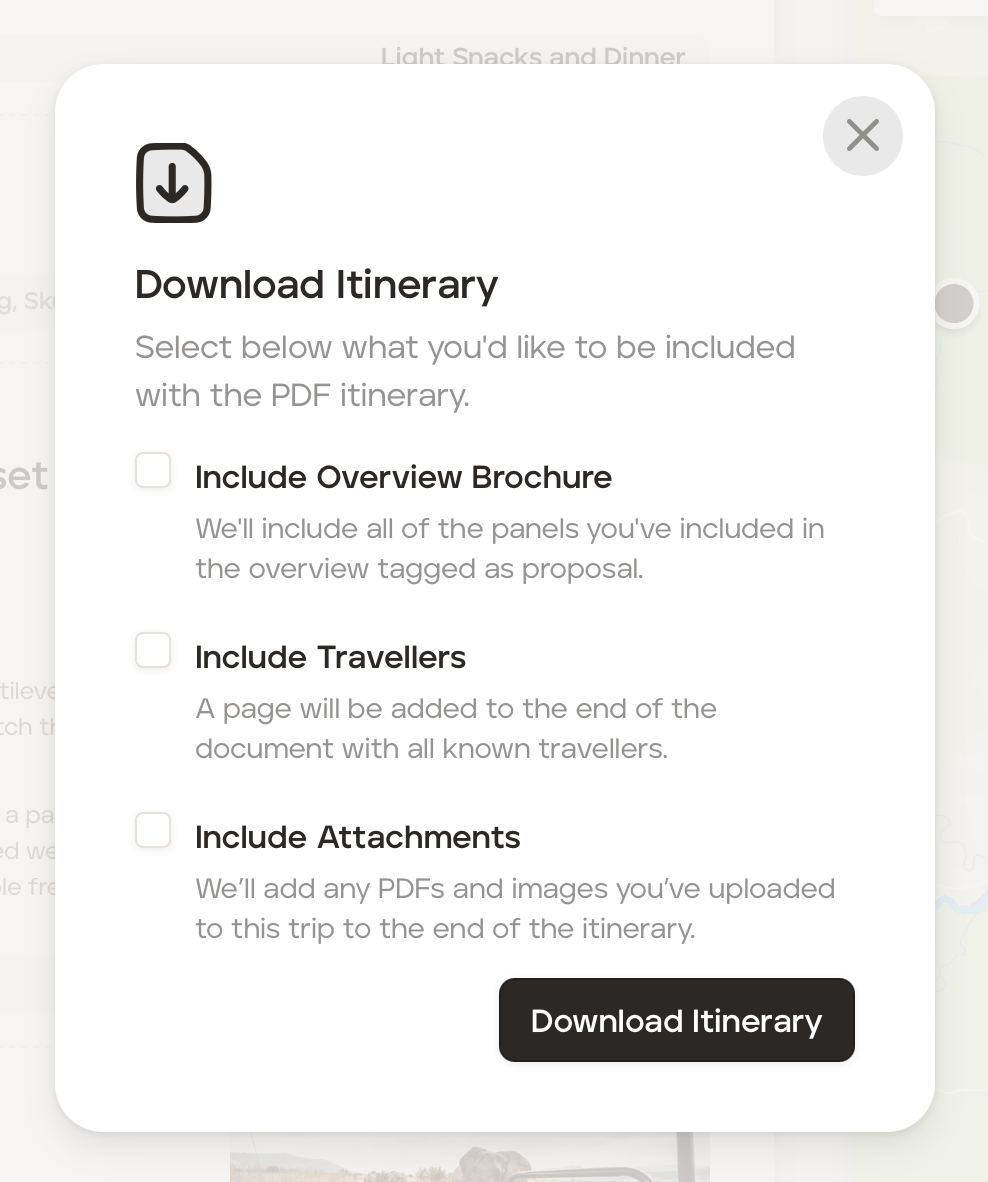
Select what you wish to be included in the PDF itinerary and then click the black 'Download Itinerary' button to download the itinerary.
Was this helpful?