

Approving a proposal on a client's behalf and sharing links
If you have approved a proposal on a client's behalf and wish to provide the client with a link to the proposal:
In the 'Manage' section of the applicable (now) 'Upcoming' trip, click 'Share Trip.'
In the 'Share Links' section, click the '>' icon next to the link named 'Proposal REVISION.'
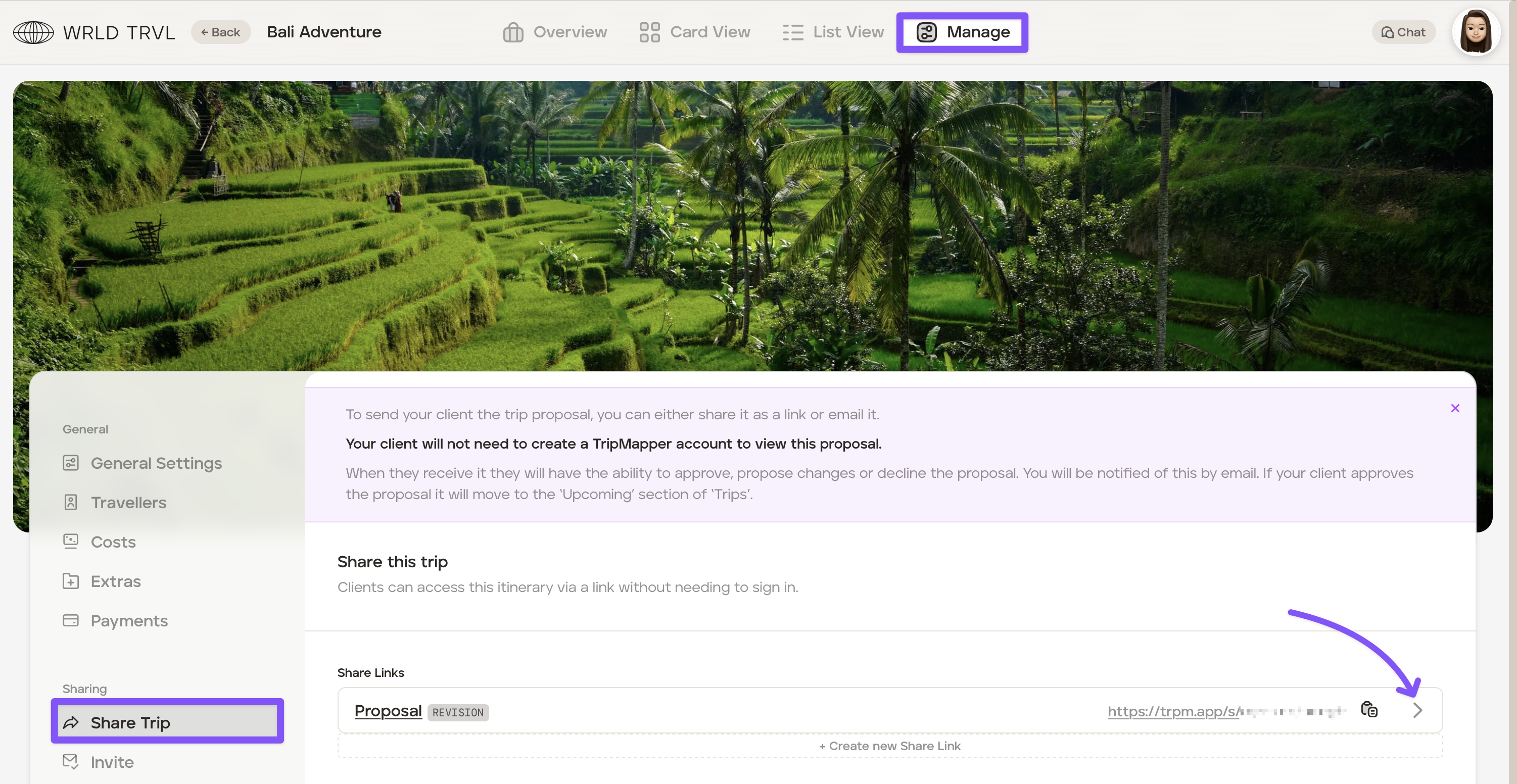
The 'Edit Share Link' section will open:
Optional: Add a link expiry date.
Turn on the 'Visible After Response' switch. Once the switch is turned on, the link will continue to be accessible to your client.
Click the 'Update' button to save.
Copy and paste the link shown.
Share this proposal link with your client.
If you wish to provide the client with a link to the most recent 'Upcoming' trip (alongside edits made since the proposal was approved):
To share the most recent edits to the 'Upcoming' trip, a new share link will need to be created. To share a new link:
In the 'Manage' section of the applicable (now) 'Upcoming' trip and click 'Share Trip.'
In the 'Share Links' section, click '+ Create new Share Link.'
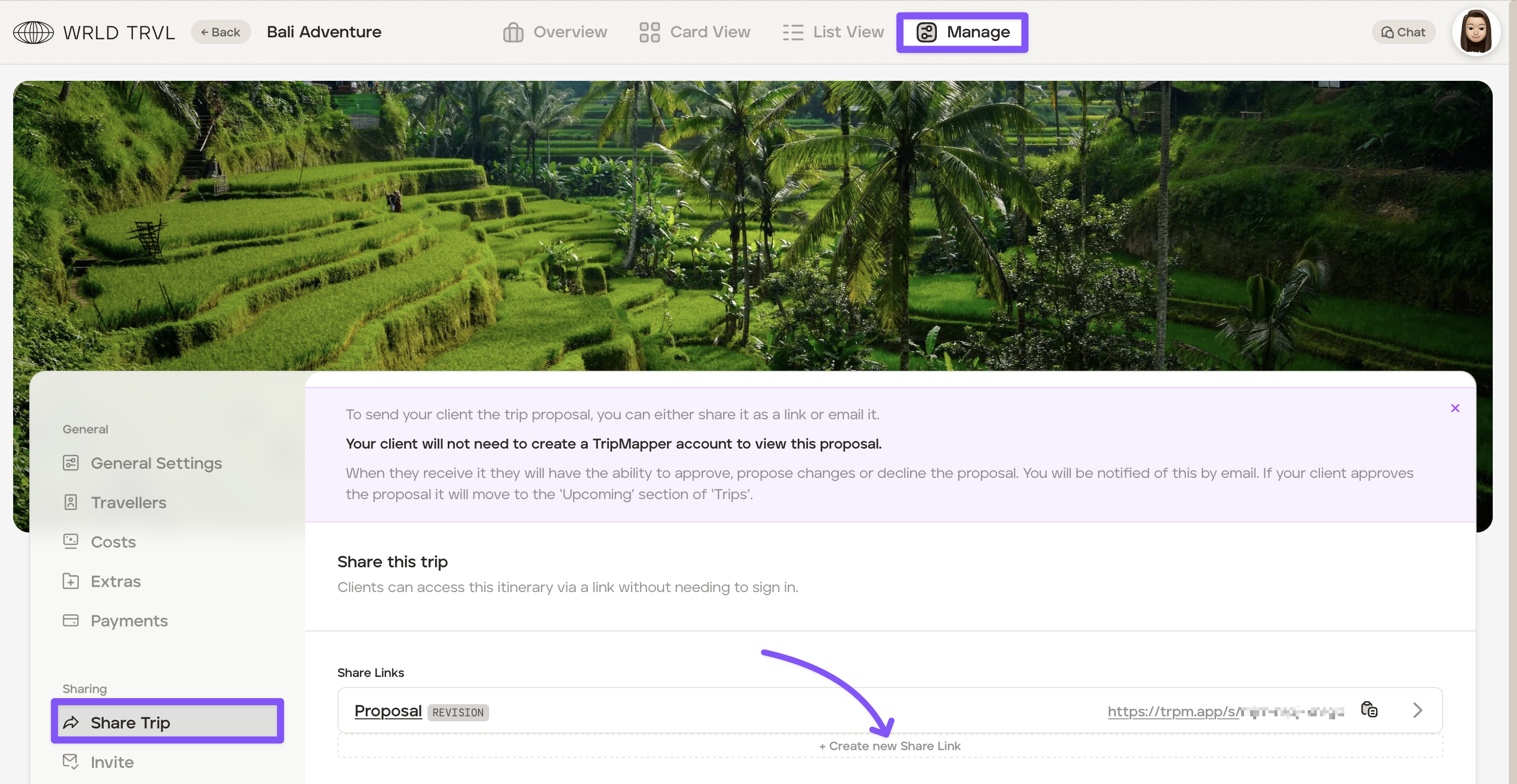
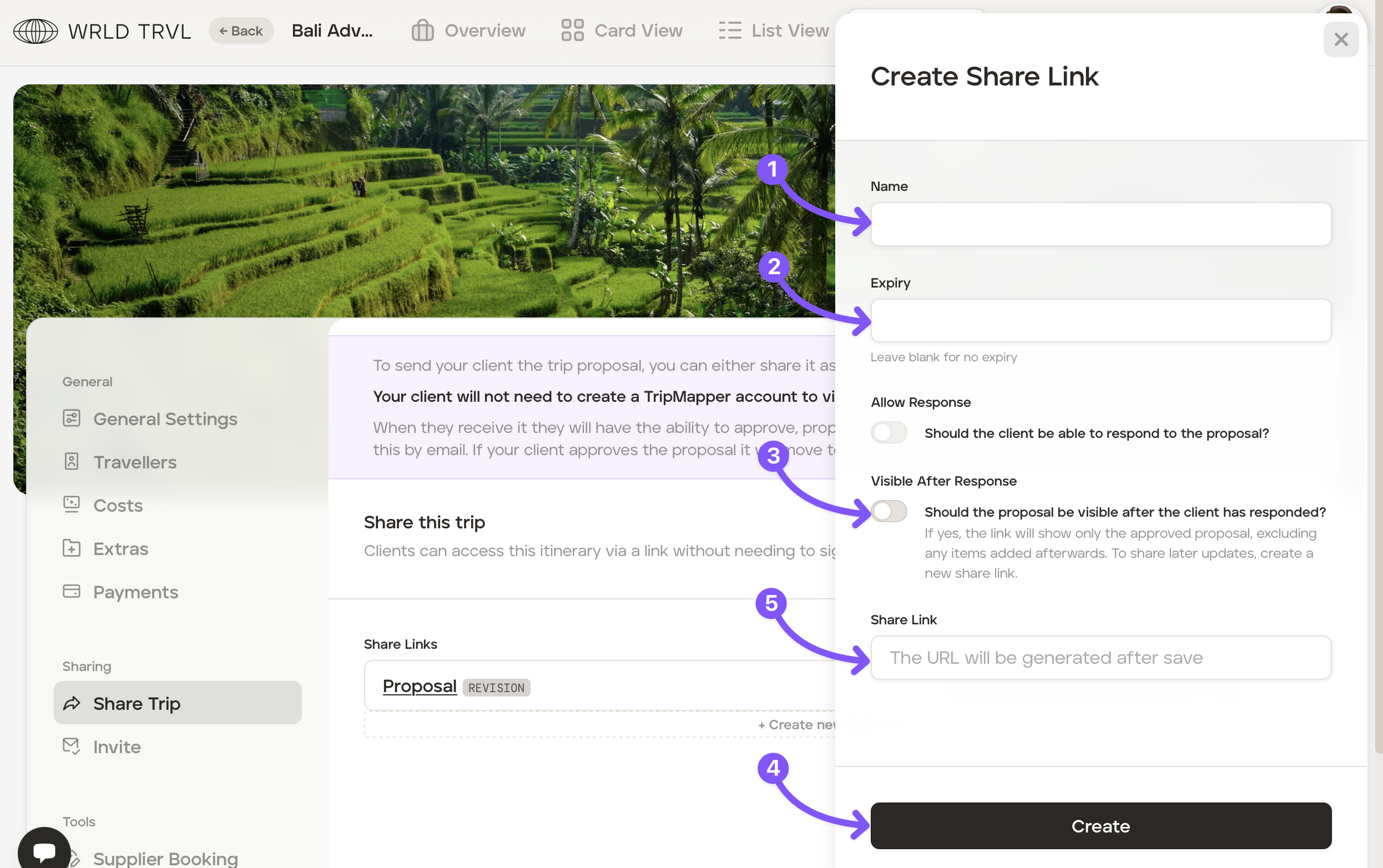
Once in 'Create Share Link':
In the 'Name' field type a share link name, for example 'Upcoming trip' (this name is visible to the agent only, not the client).
Optional: Add a link expiry date.
Turn on the 'Visible After Response' switch.
Click the 'Create' button to save.
A share link will now be appear in the 'Share Link' field. Click the copy icon next to the newly created share link to copy the new share link.
Share the newly created share link with your client.