

What is an additional charge and how do you add them to itineraries?
In addition to the costs associated with itinerary cards, you may wish to add additional charges. Additional charges could include:
an administration fee 📁
card payment fee 💳 or
welcome gift 🎁
that you incur and want to incorporate into your client price.
To add an additonal charge to a proposal, follow the steps below:
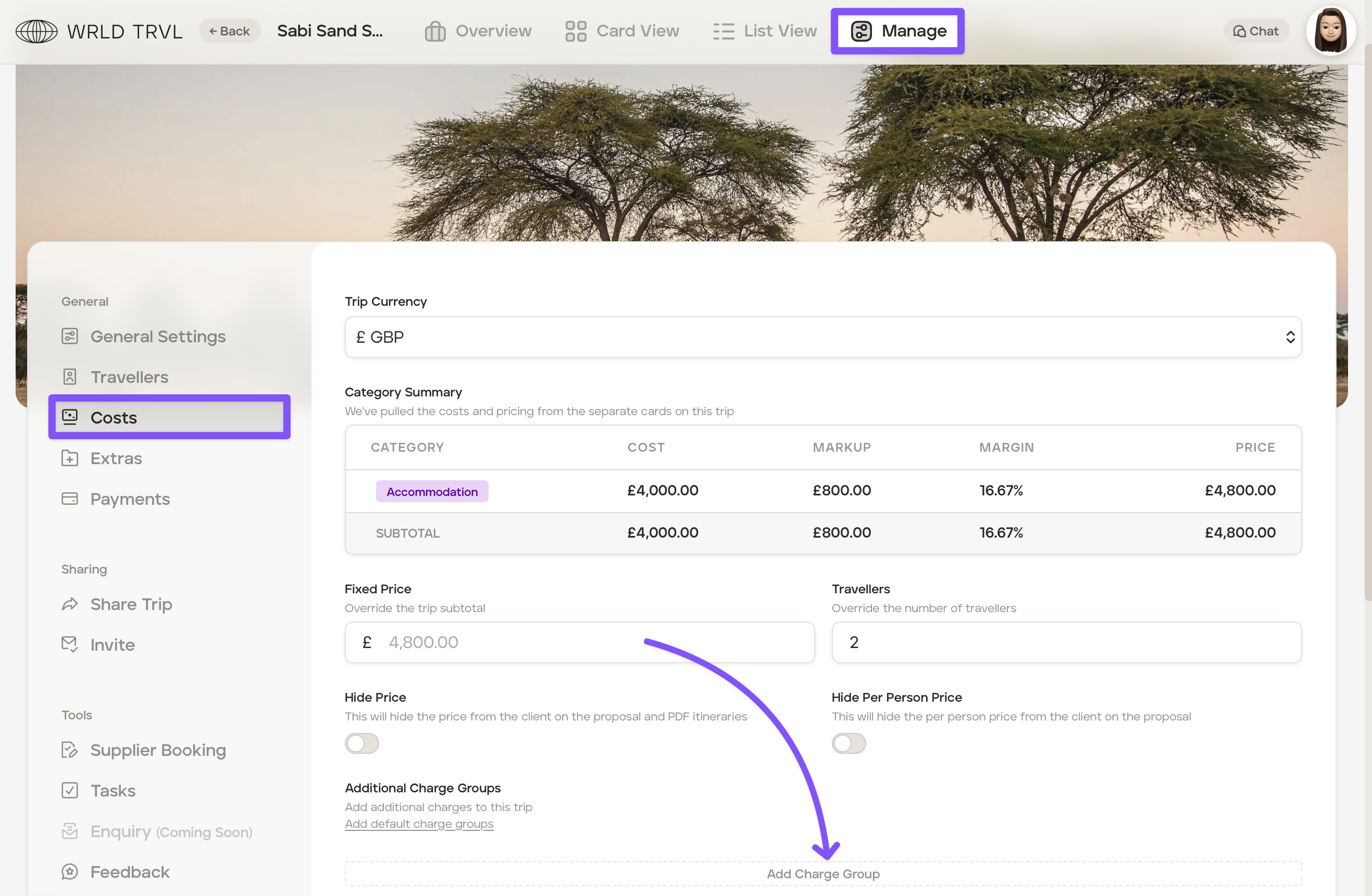
In the applicable proposal, click 'Manage.'
Click 'Costs'.
Click 'Add Charge Group'.
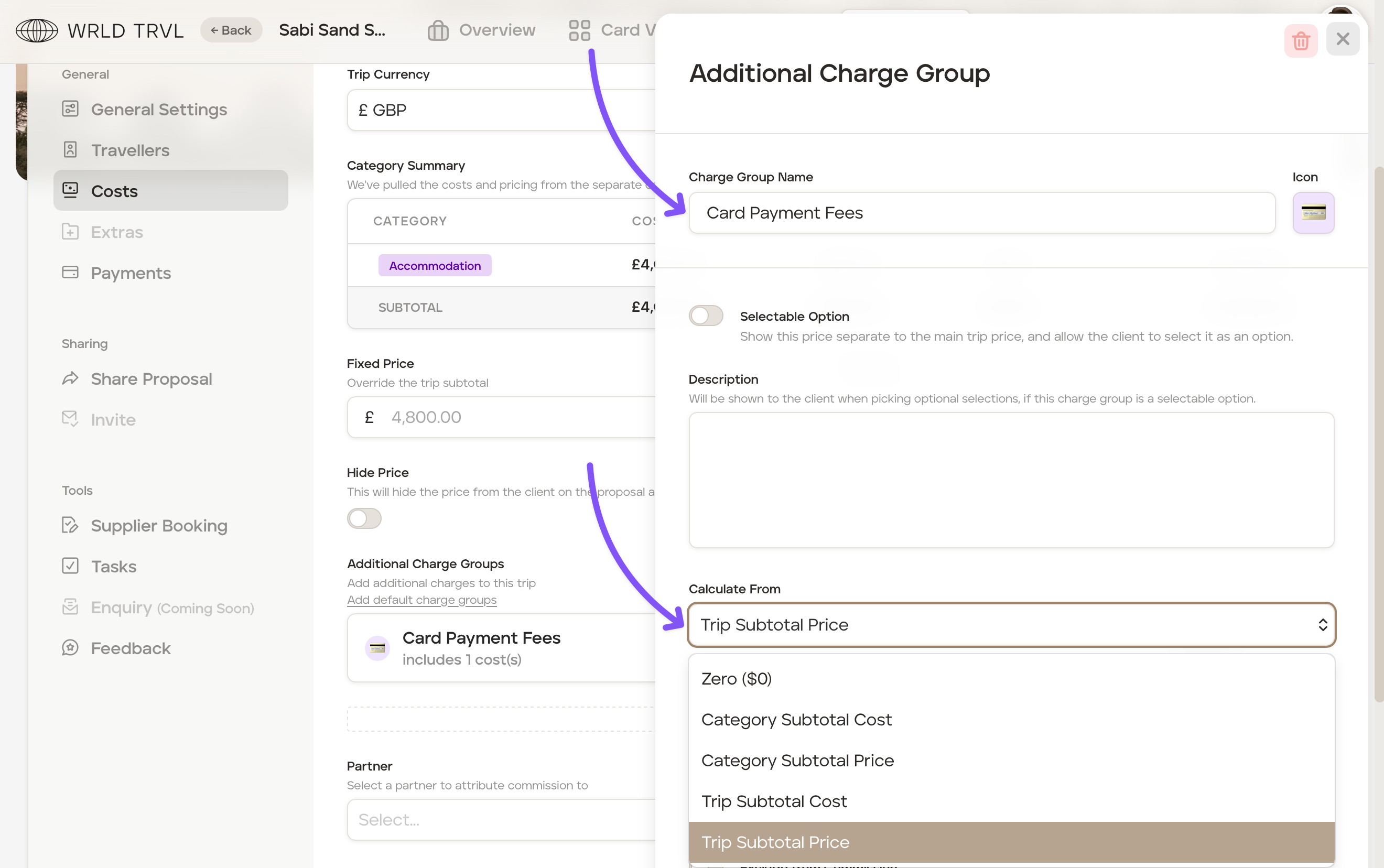
Add a group name in the 'Charge Group Name' field, for example, 'Card Payment Fees'.
Click the icon to the right of the 'Charge Group Name' field to change the icon to one which aligns with the charge group, for example, the credit card icon for card payment fees.
In the 'Calculate From' dropdown mean, select the applicable option:
Zero ($0) - This will calculate the additional charge from zero and not use any values from itinerary cards costs or client prices.
Category Subtotal Cost - This will calculate the additional charge from the subtotal of all itinerary card costs incurred.
Category Subtotal Price - This will calculate the additional charge from the subtotal of all itinerary card client prices.
Trip Subtotal Cost - This will calculate the additional charge from the entire trip subtotal cost (ie. all itinerary card costs incurred plus any other additional charges).
Trip Subtotal Price - This will calculate the additional charge from the entire trip subtotal client price (ie. all itinerary card client prices plus any other additional charges).
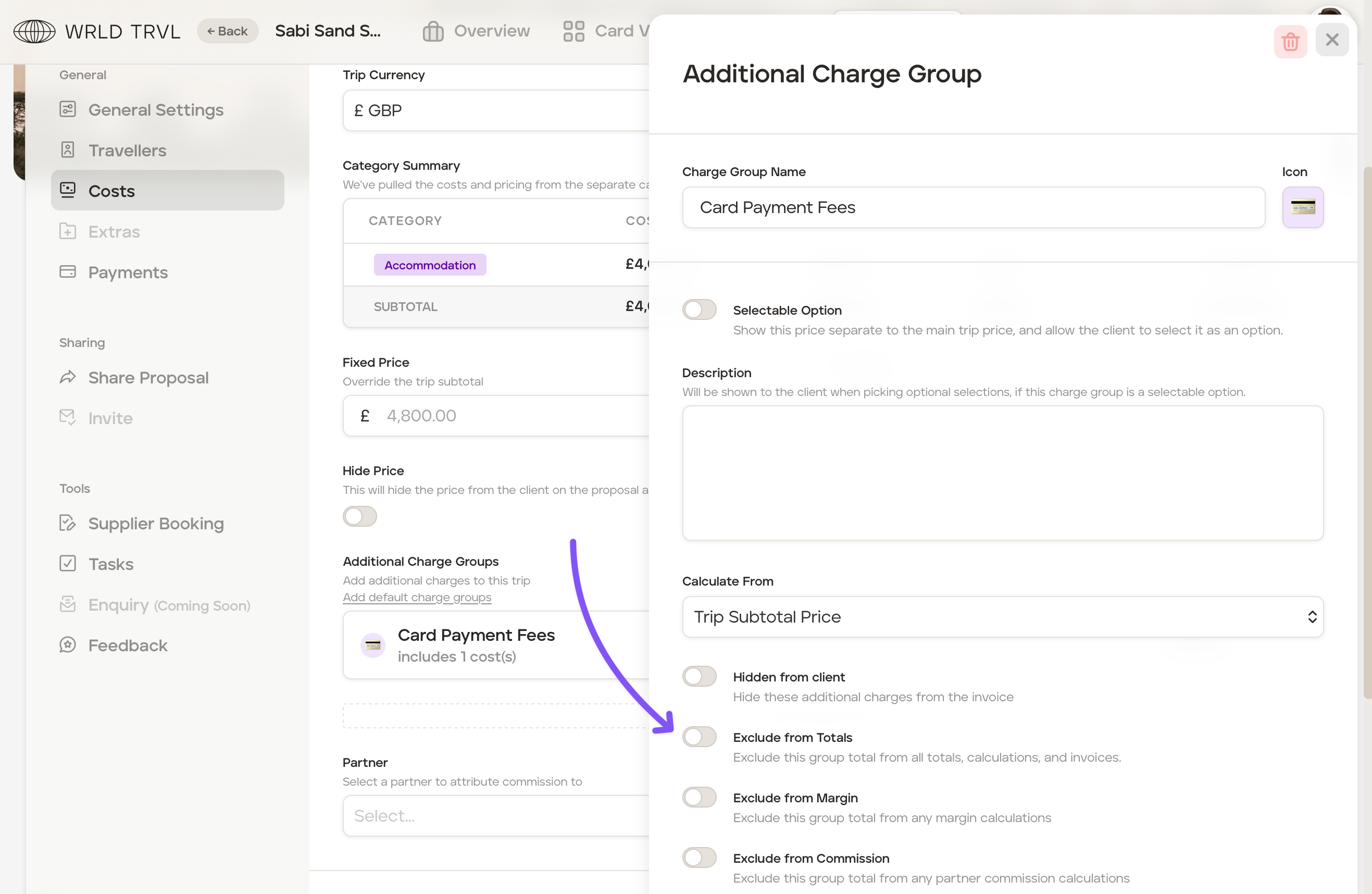
You now have a number of further options to decide on:
Hidden from client - Turn the toggle 'on' if you would like the additional charge to just state 'Additional Charges' along with the client price on invoices.
Exclude from Totals - Turn the toggle 'on' if you would like to exclude this total from all totals, calculations, and invoices.
Exclude from Margin - Turn the toggle 'on' if you would like to exclude this total from any margin calculations.
Exclude from Commission - Turn the toggle 'on' if you would like to exclude this total from any partner commission calculations.
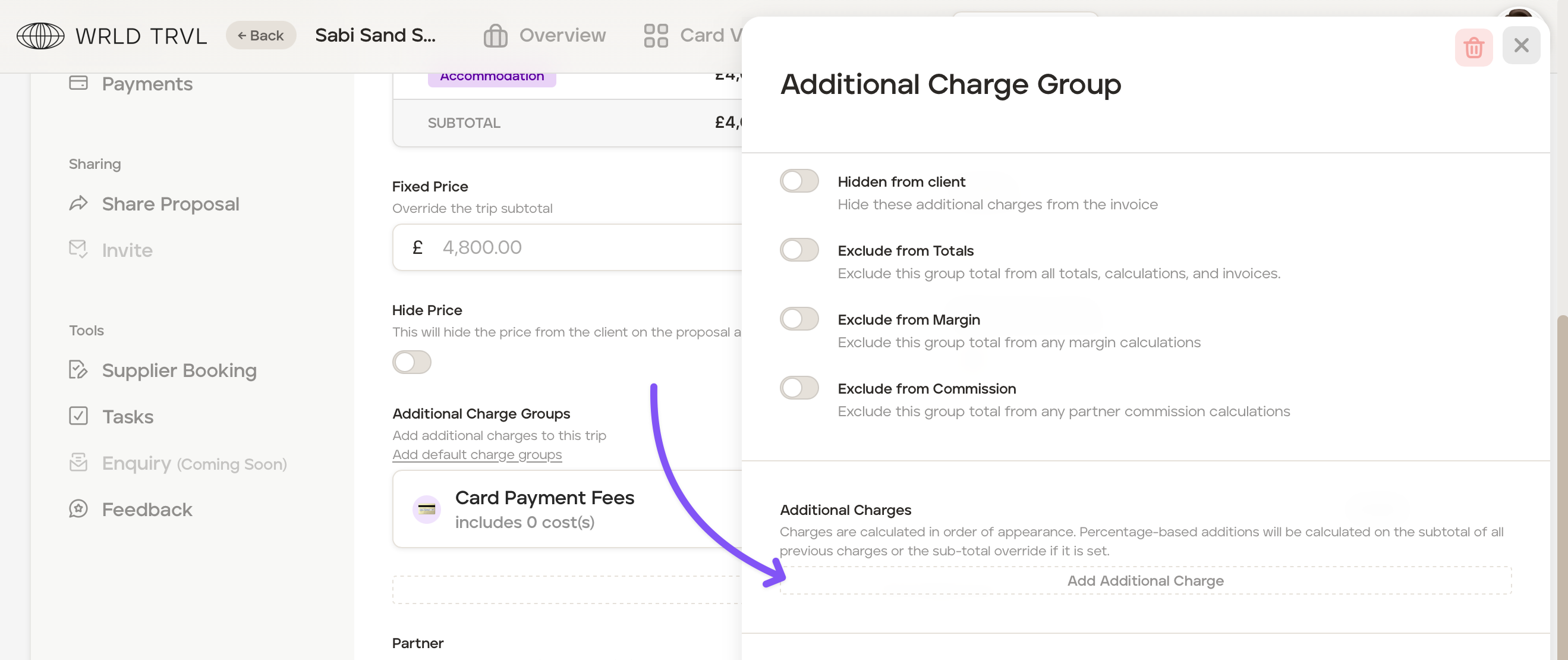
Click 'Add Additional Charge' to add an additional charge item into the Additional Cost Group, for example adding a 5% credit card fee.
You can now add the Charge Group Item information:
In the 'Description' field add a short description of the additional charge item, for example, 'Credit Card Fee'.
In the 'Quantity' field add the quantity and the 'Unit' field add the specific unit, for example, 'Per Unit.'
In the 'Type' field select either 'Fixed' for a fixed monetary sum or a '% Percent'.
Add the fixed amount or percentage figure in the 'Amount' field.
Add tax, commission, markup and/or margin if applicable.
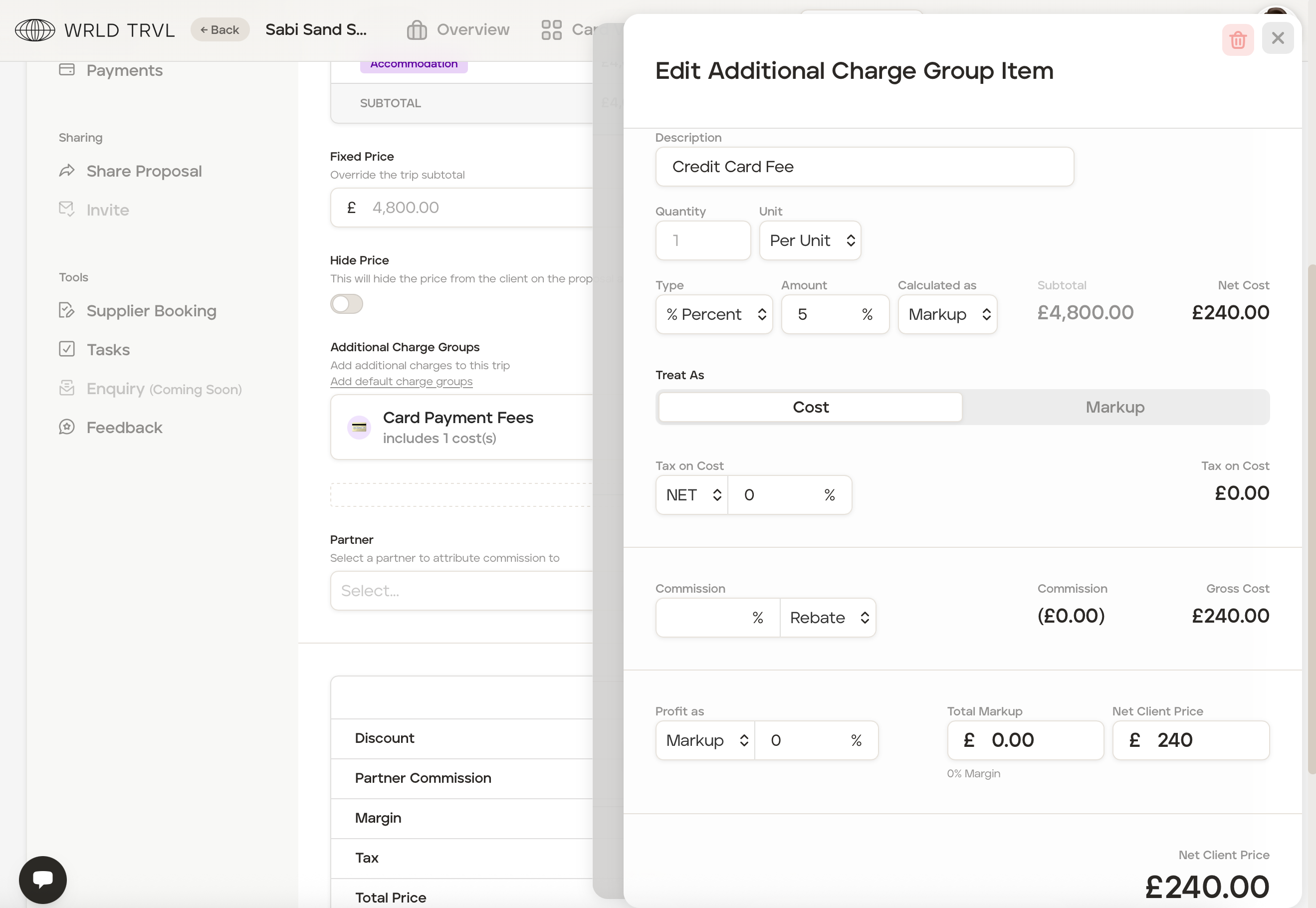
Your additional charge item will show within your additional charge group.
Close the 'Charge Group.' The additional charge has now been added to the client price.
To add another item to this charge group, click 'Add Additional Charge' and repeat the steps above.
Example:
Add an additional charge of £25 to the total client price to cover credit card fees your travel business incurs. Follow the steps below:
In the 'Costs' section of the trip, click 'Add Charge Group.'
Add a group name in the 'Charge Group Name' field, for example, 'Card Payment Fees'.
Click the icon to the right of the 'Charge Group Name' field to change the icon to one which aligns with the charge group, for example, the credit card icon.
Select 'Zero ($0)' in the 'Calculate From' field.
Toggle 'on' the 'Exclude from Margin' switch.
Click 'Add Additional Charge'.
Type 'Credit Card Fees' in the 'Name' field.
Enter '1' in the 'Quantity' field and 'Per Unit' in the 'Unit' field.
Select 'Fixed' in the 'Type' dropdown menu.
Enter '25' in the 'Amount' field and select the currency from the dropdown menu.
The 'Net Client Price' will show as £25.00.
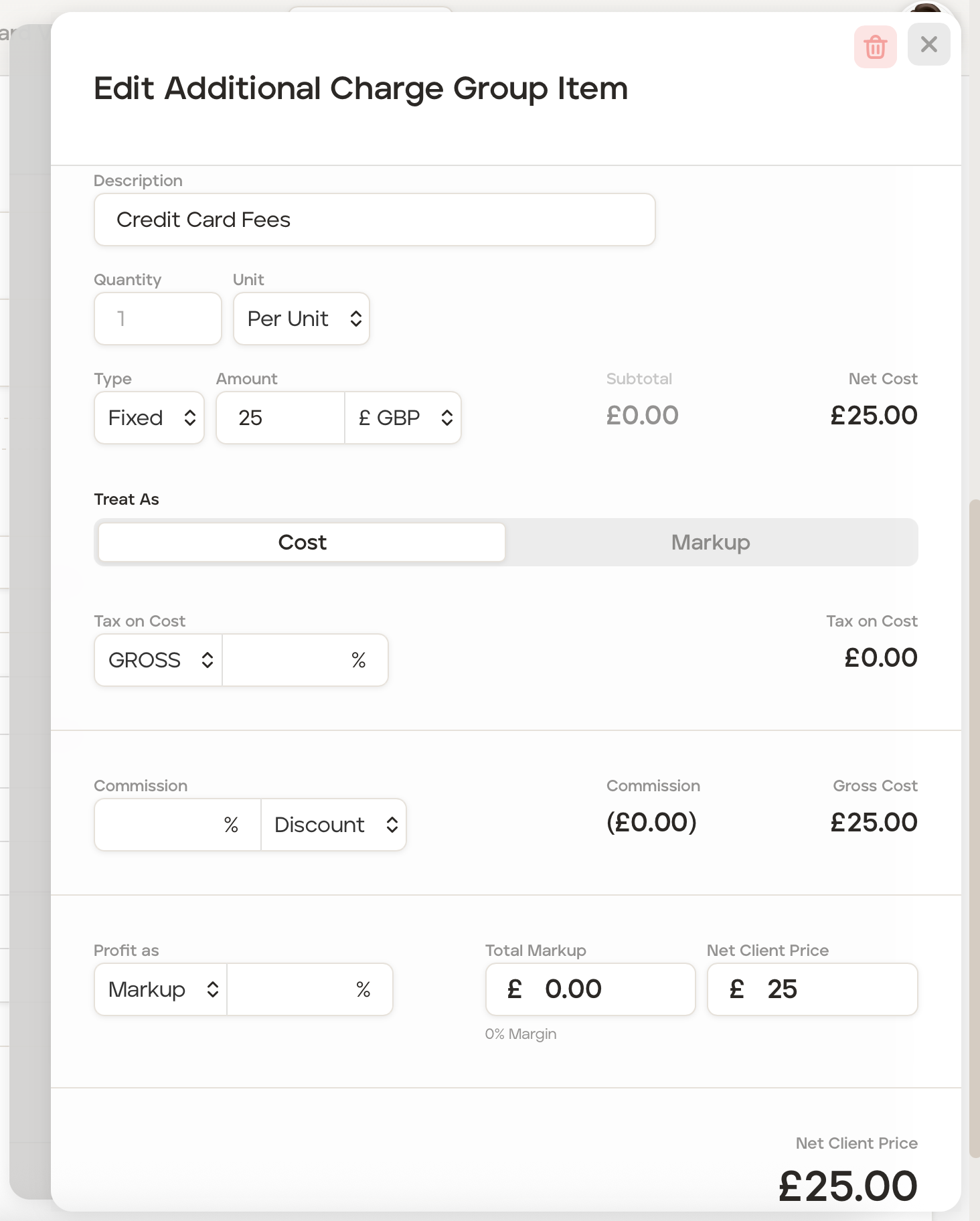
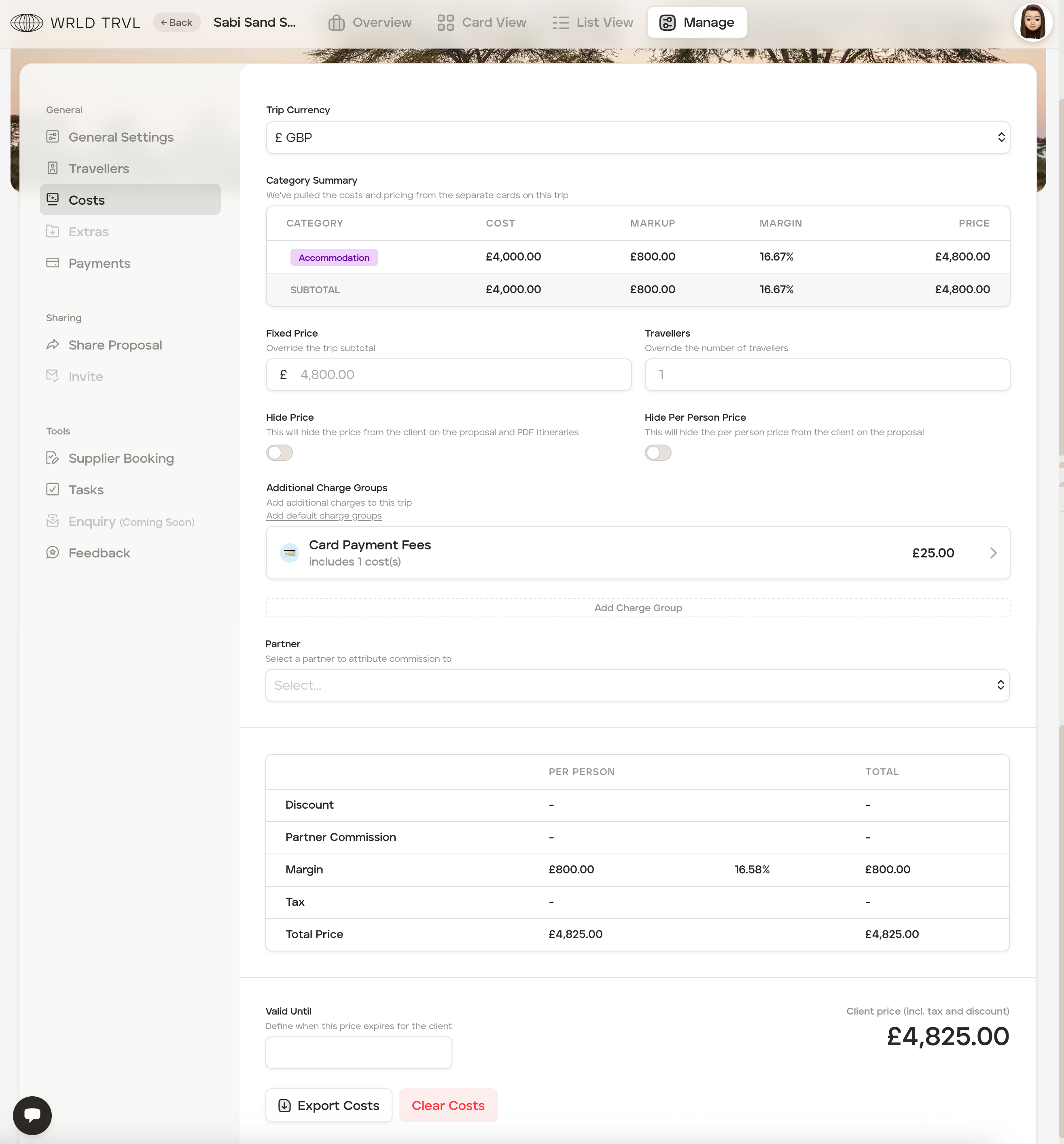
Click the 'X' in the top right corner to close. The Charge Group screen will now show this additional charge group.
The 'Costs' screen will now add the £25 charge to the total client price, taking the client price from £4,800 to £4,825.
If the toggle for 'Hidden from Client' was 'on' the client invoice would show this:
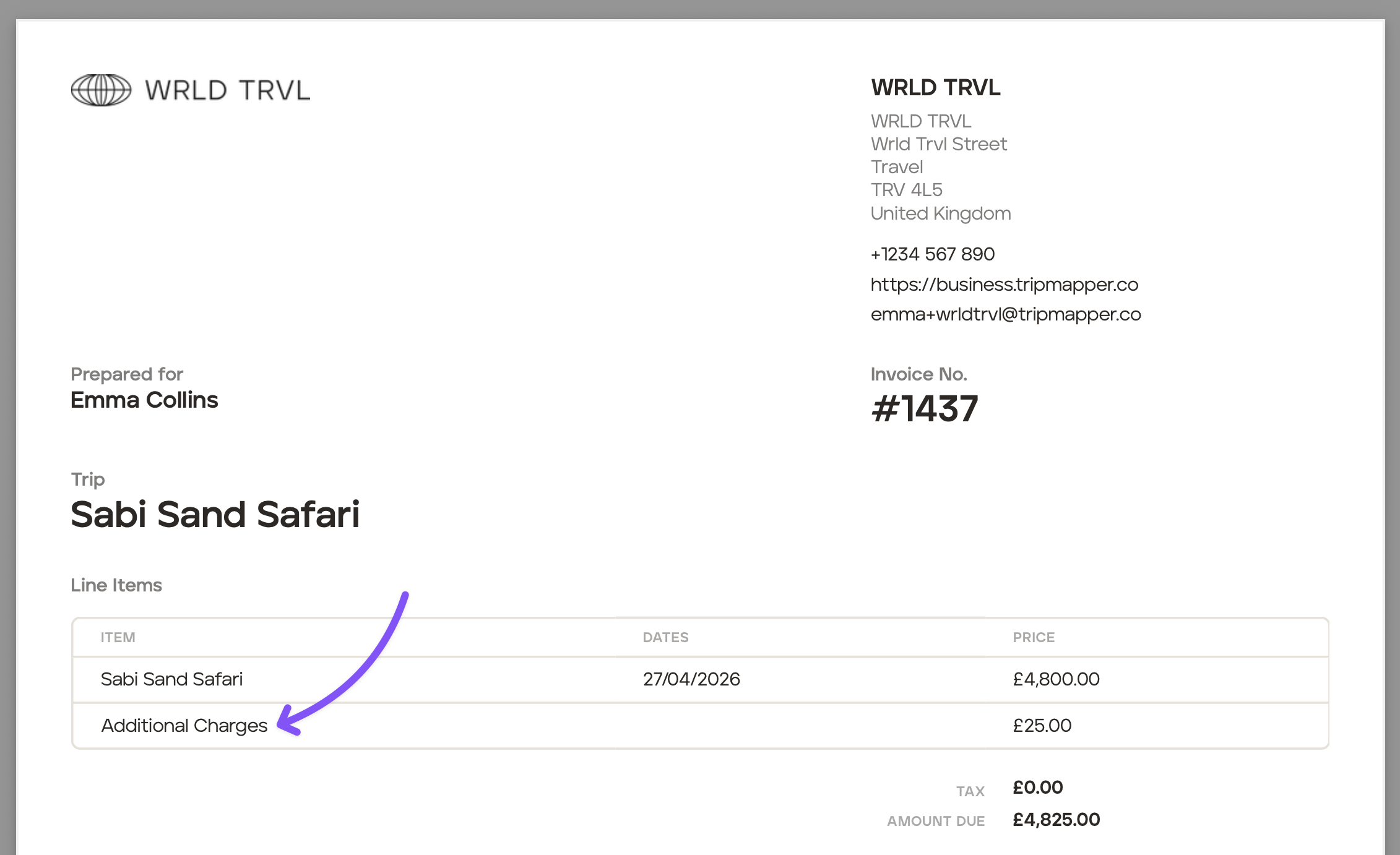
If the toggle for 'Hidden from Client' was 'off' the client invoice would show this:
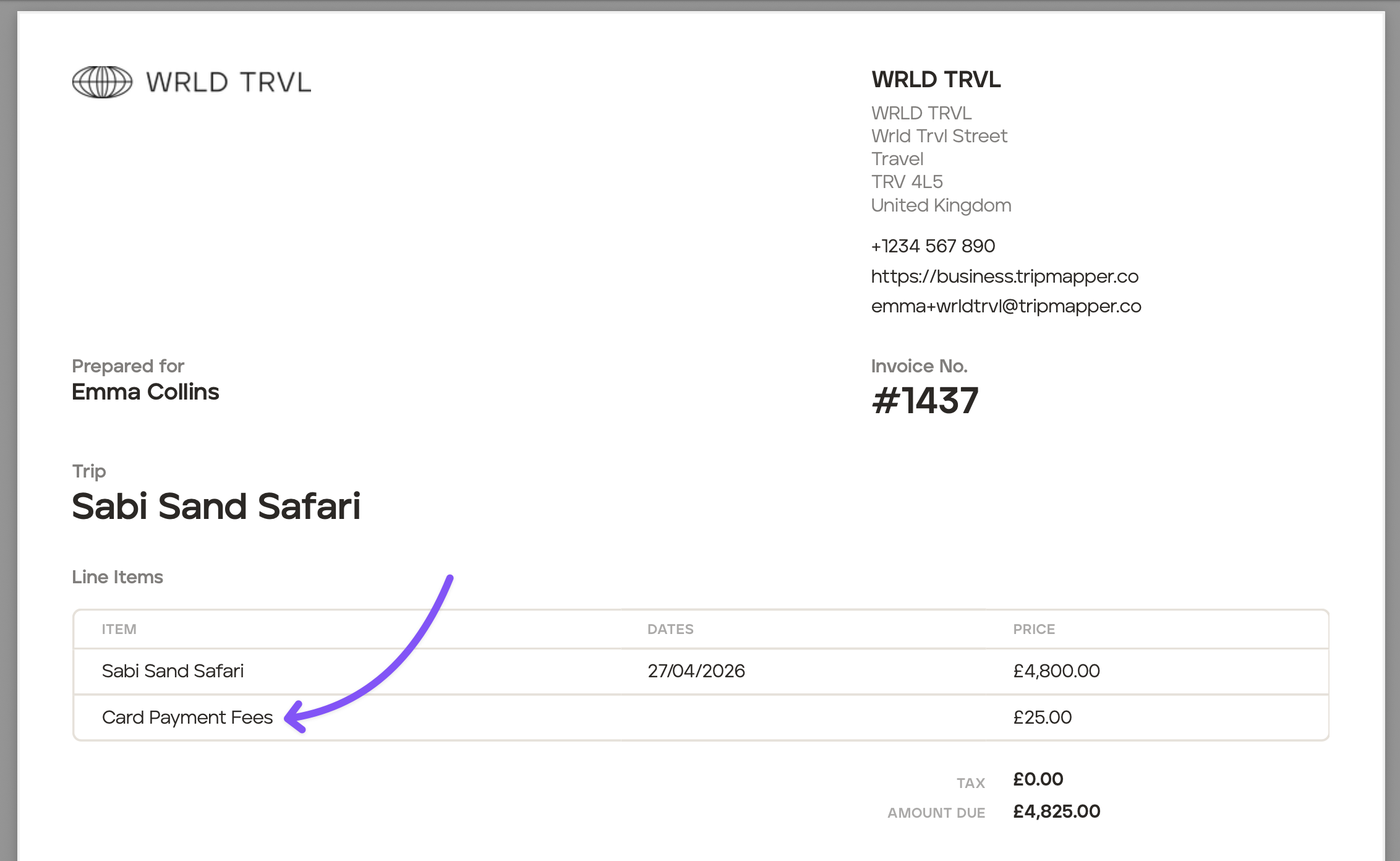
You can edit the invoice layout before sending (see the Invoice help articles).