Create a commission partner
Typically, travel agents earn a commission (usually a percentage) from service providers such as tour operators, hotels, cruise lines and airlines. The service provider pays the commission for the travel agent selling their product.
The TripMapper for Business Platform allows you to record your commission partners and the commission percentage.
To create a commission partner:
Click your avatar in the top right of the screen and select 'Settings.'
In the 'Business' tab click 'Commission Partners.'
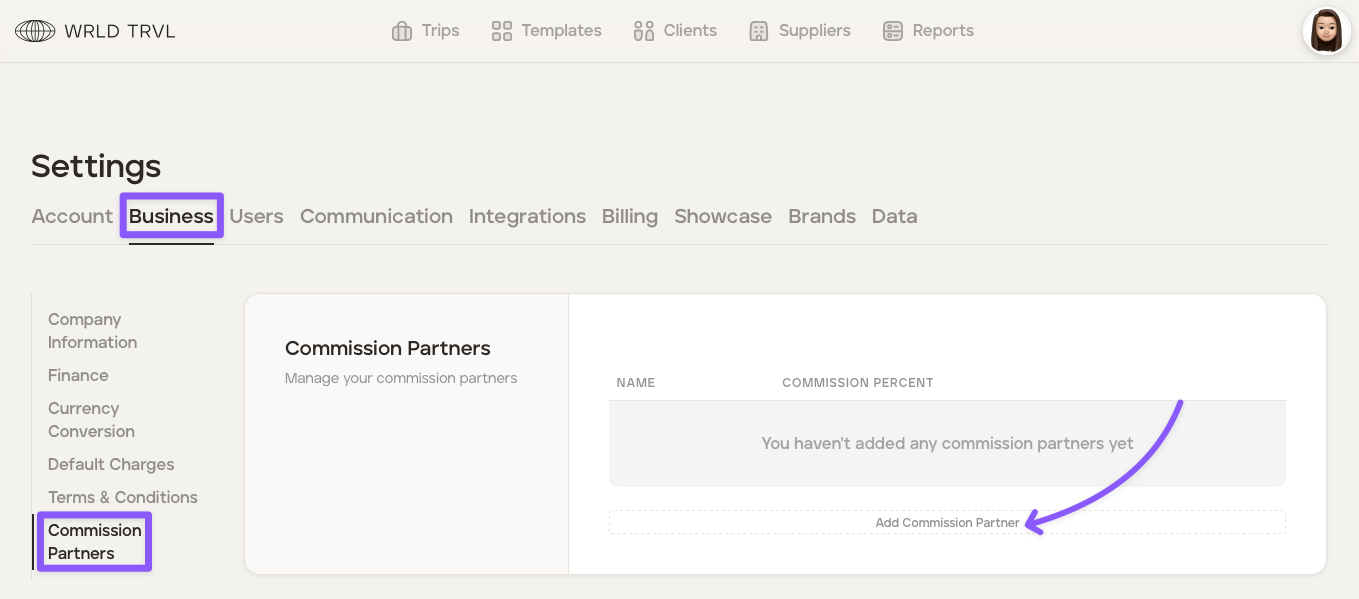
Click "Add Commission Partner."
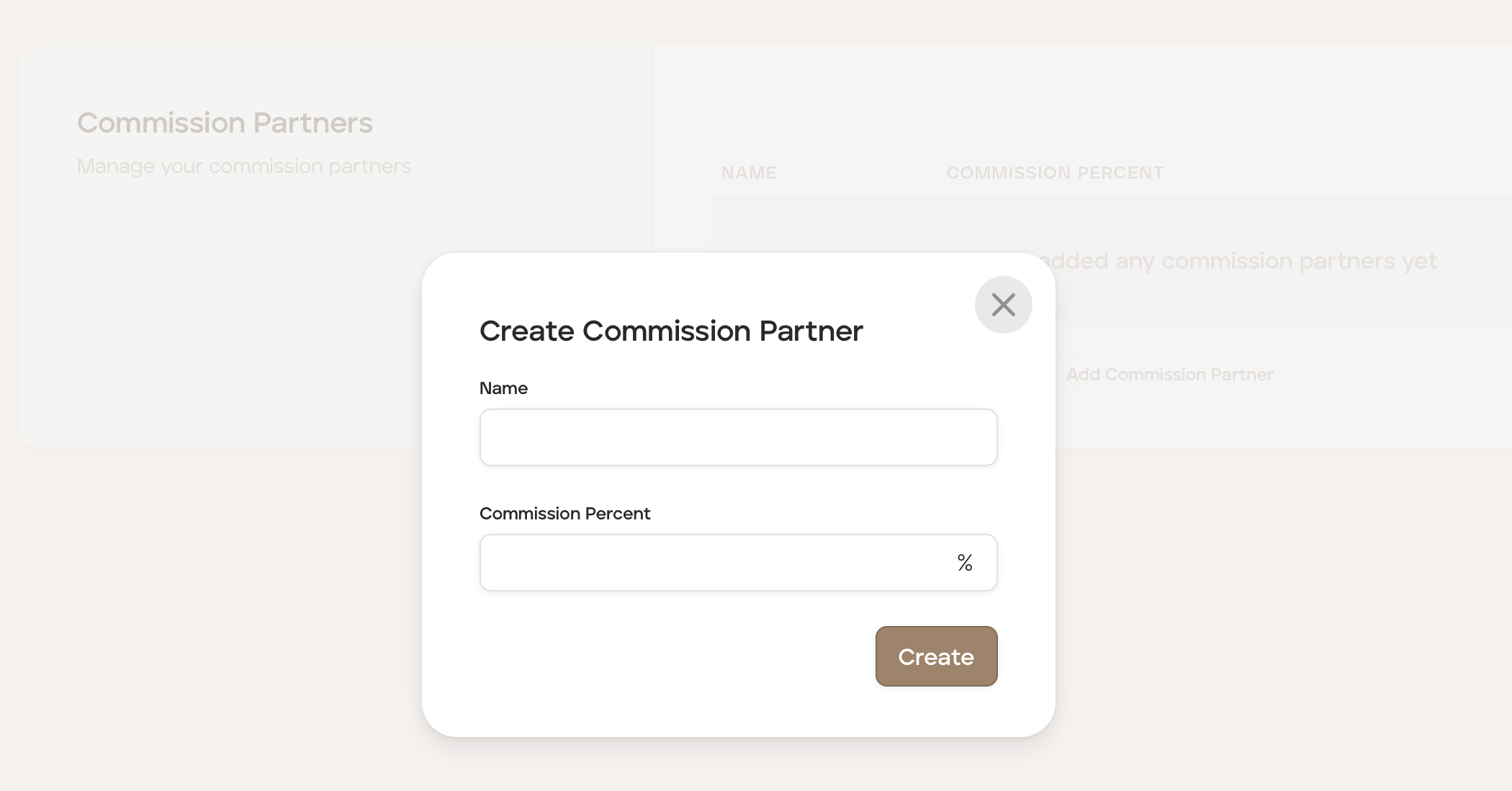
Add the commission partner name, commission percentage and then click the "Create" button.
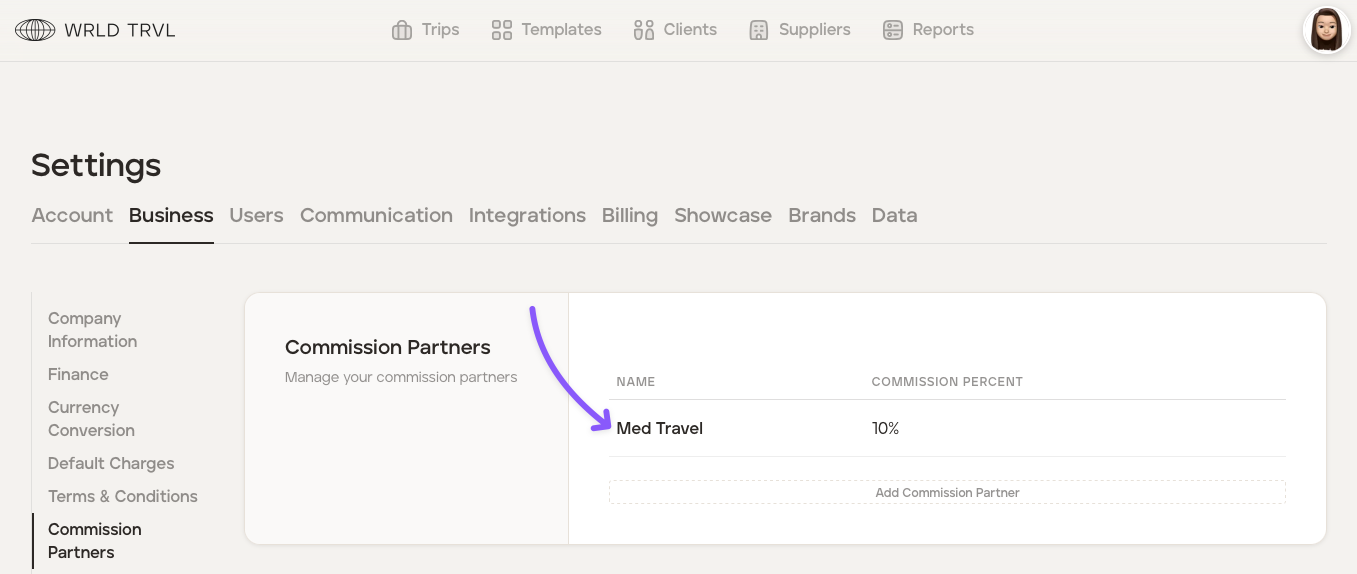
The commission partner has now been added.
How do you add a commission partner to a trip?
Once you have added a commission partner, you can record a commission partner against a trip. To do this, follow the steps below:
Select the applicable proposal or upcoming trip.
Click the 'Manage' tab.
Click the 'Costs' tab.
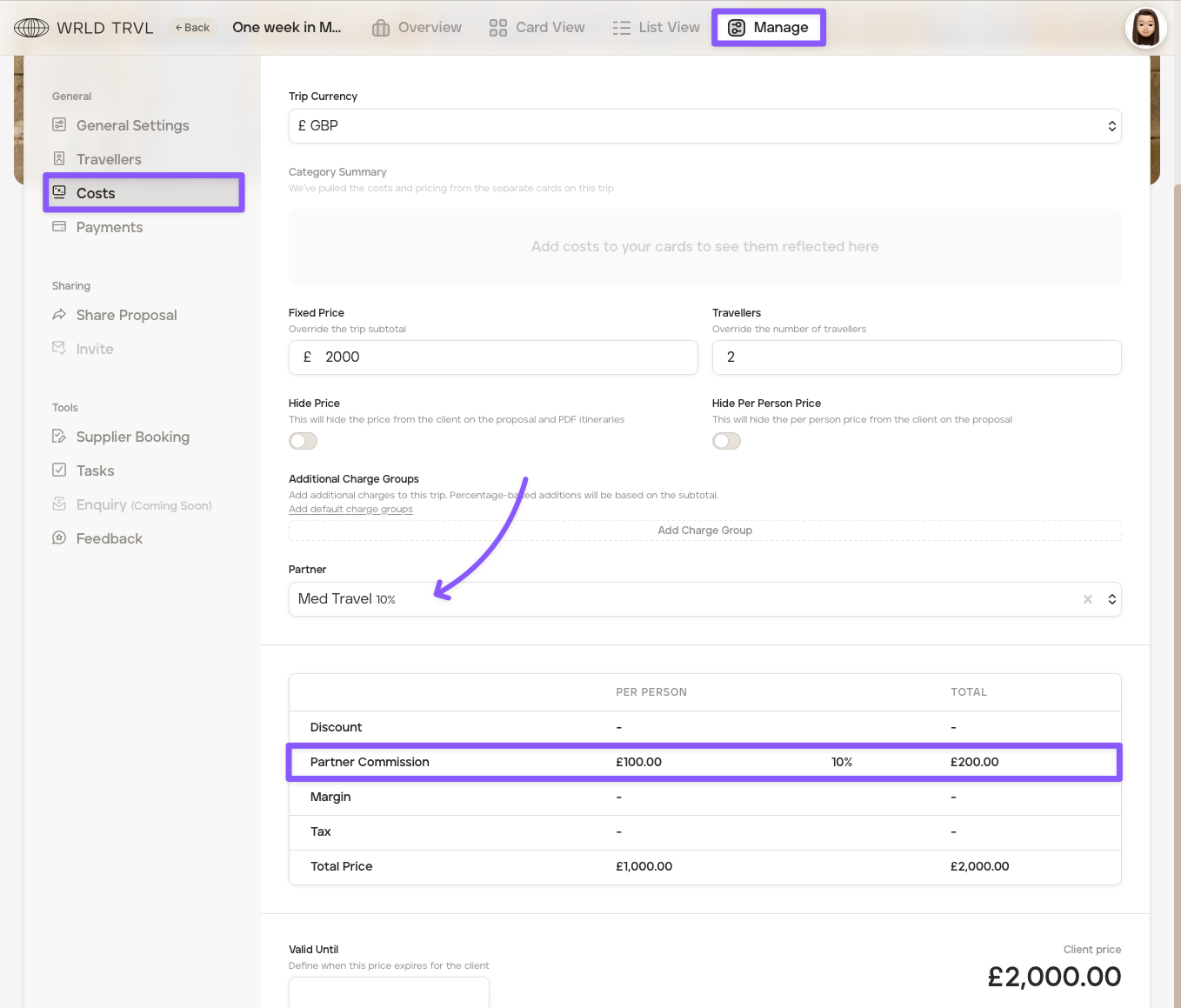
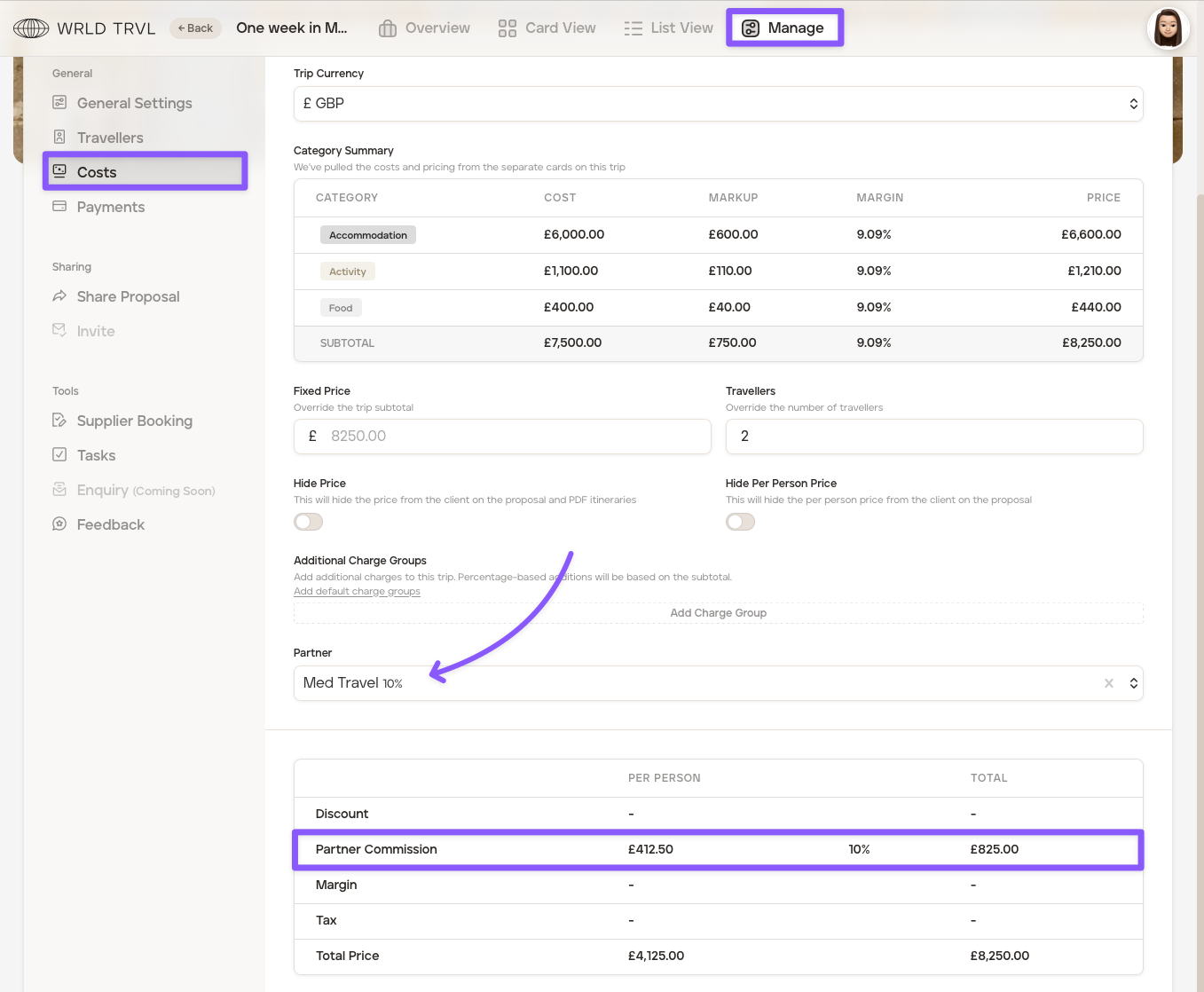
Scroll down to the 'Partner' dropdown menu and select the applicable commission partner.
The bottom table will calculate the total partner commission due.
Example - fixed price itinerary:
Example - individually costed itinerary items:
Archive a Commission Partner
To archive a commission partner:
Click your avatar in the top right of the screen and select 'Settings.'
In the 'Business' tab click 'Commission Partners.'
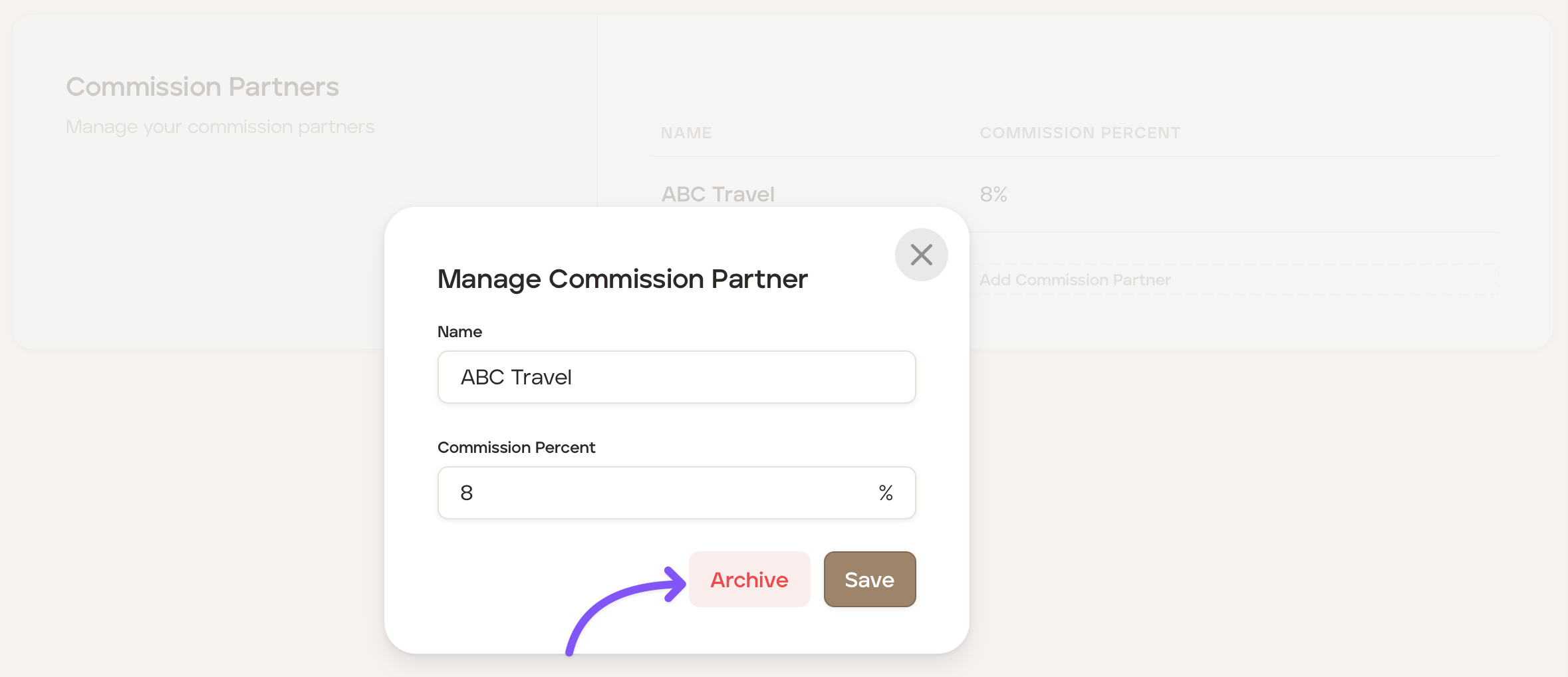
Click the applicable commission partner you wish to archive.
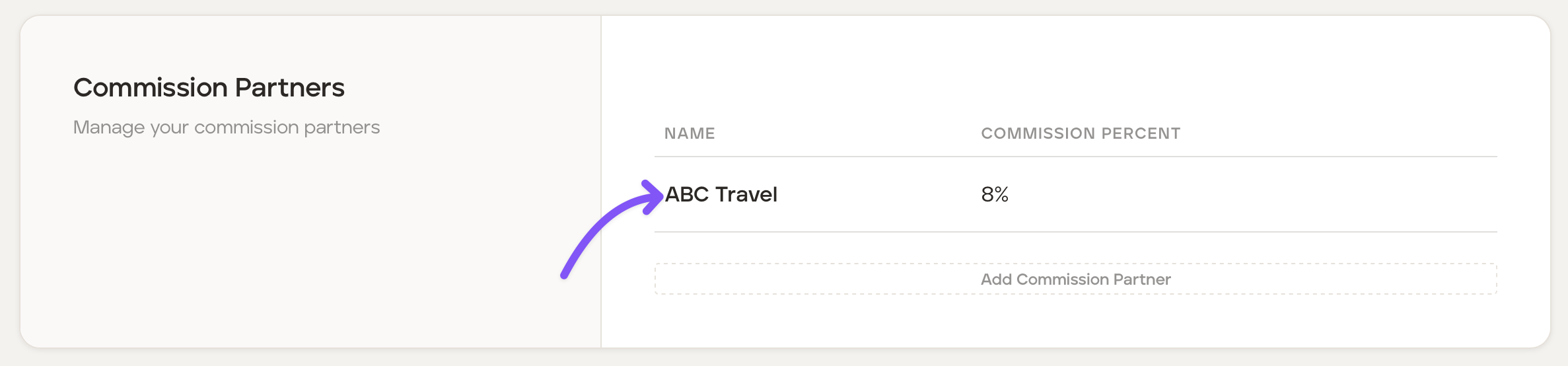
Click the "Archive" button to archive the commission partner.