

Linking supplier bookings to card status
When a card has a supplier product attached, the card's Status is kept in sync with the Supplier Booking tracker automatically. You don't have to remember to update the card after you've Reserved or Fully paid a supplier — the card reflects that.
The sync works in both directions:
when a supplier product itinerary card has a Status update, that update is reflected in the Supplier Booking tracker (which can be found in that trip's Manage settings); and
when a supplier product in the Supplier Booking tracker has a Status update, that update is pushed to the supplier product itinerary card.
Example where the card Status is marked as Booked, which then updates the Supplier Booking tracker:
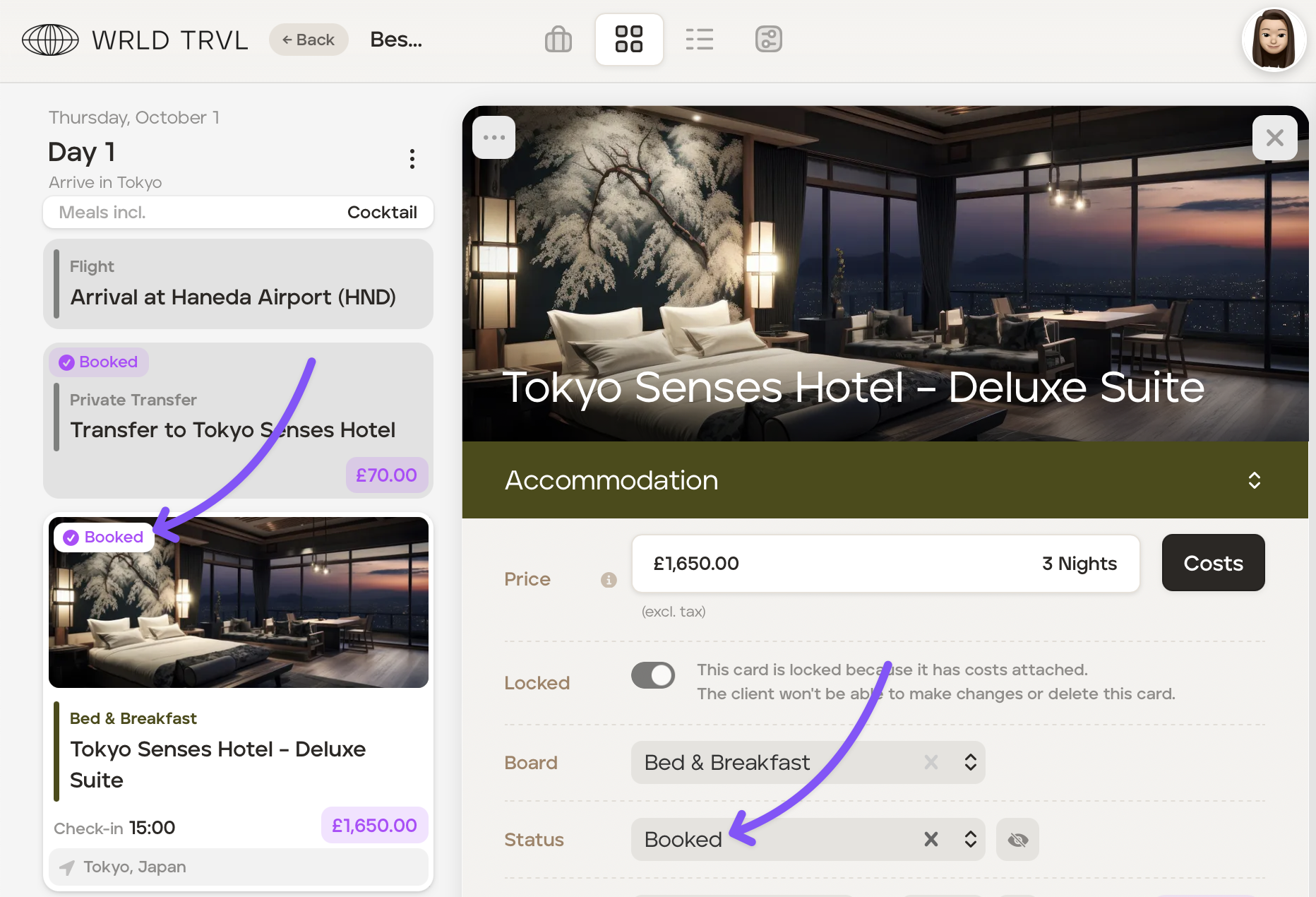

How the supplier booking tracker status pushes to the card
The itinerary card's Status is derived from the Booking status and Payment status set in the Supplier Booking tracker.
Supplier Booking tracker - Booking column:
In the supplier booking tracker, if the supplier product is marked Reserved in the Booking column, the itinerary card Status is marked Booked.
In the supplier booking tracker, if the supplier product is marked Pending or Requested in the Booking column, the itinerary card Status is marked To Book.
Supplier Booking Tracker - Payment column:
In the supplier booking tracker, if the supplier product is marked Fully in the Payment column, the itinerary card Status is marked Booked & Paid.
In the supplier booking tracker, if the supplier product is marked Partially in the Payment column, the itinerary card Status is marked Booked & Paid.
Changing the card status updates suppliers
You can also drive things from the itinerary card side. When you change a itinerary card's Status which is linked to a supplier product, the Supplier Booking tracker automatically updates:
Card Statuses:
In the itinerary card, if the Status is marked To Book, the Booking column in the supplier booking tracker is marked Pending.
In the itinerary card, if the Status is marked Booked, the Booking column in the supplier booking tracker is marked Reserved, and the Payment column is marked Pending.
In the itinerary card, if the Status is marked Booked & Part Paid, the Booking column in the supplier booking tracker is marked Reserved, and the Payment column is marked Partially.
In the itinerary card, if the Status is marked Booked & Paid, the Booking column in the supplier booking tracker is marked Reserved, and the Payment column is marked Fully.
Why is the booking-status dropdown sometimes disabled?
On the supplier booking tracker, the Booking Status select becomes read-only when Payment Status is Partially or Fully paid. This is deliberate — once money has been paid to the supplier, the booking is reserved, and so we lock the field.
To change the booking status in that situation:
In the supplier booking tracker, set the Status in the Payment column back to Pending or Unknown.
Set your applicable Status in the Booking column.
Set your applicable Status in the Payment column.