

Duplicating an itinerary
Duplicating a 'Template' Itinerary
To duplicate a template itinerary follow the steps below:
In the 'Templates' section, click '...' next to the applicable template itinerary.
Click 'Duplicate.'
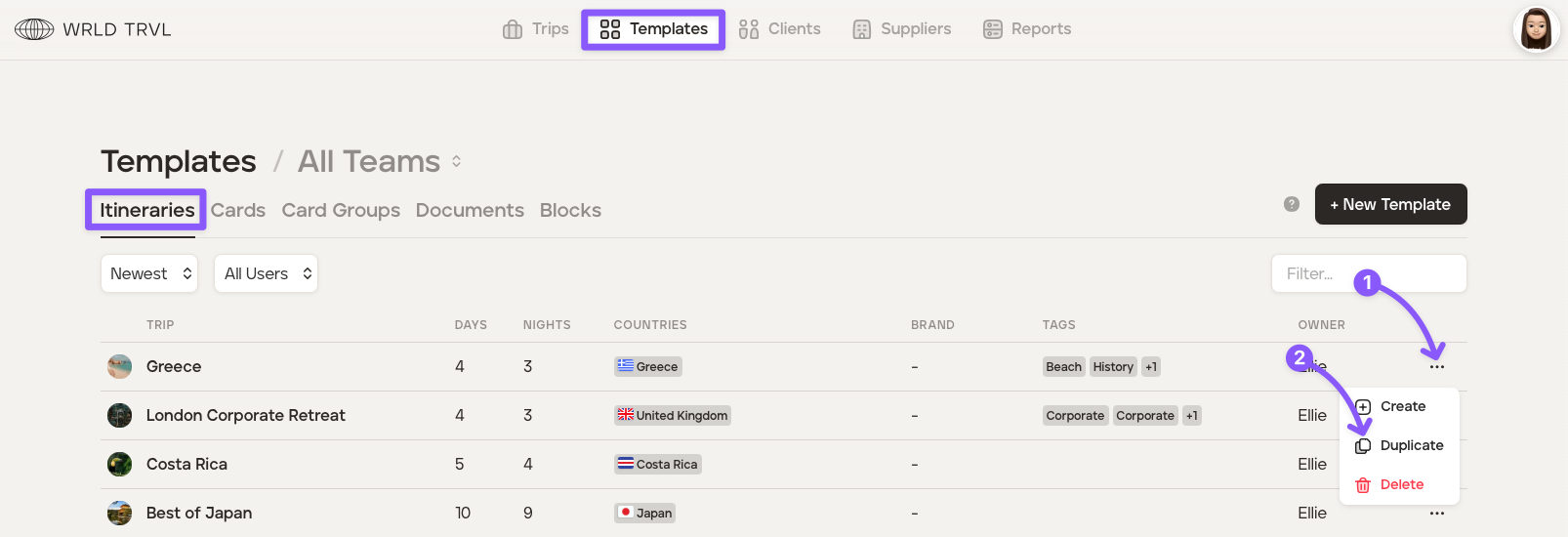
Once the template itinerary has been duplicated you can change the name of the template itinerary by selecting the duplicated template itinerary, clicking 'Manage' and changing the name under the 'General Settings' tab.
Scroll down and click the 'Save' button to save the amended name.
Make further changes to the newly created template itinerary as required.
Duplicating a 'Proposal'
To duplicate a proposal follow the steps below:
In the 'Trips' section click the 'Proposals' tab.
Click the 'List' icon.
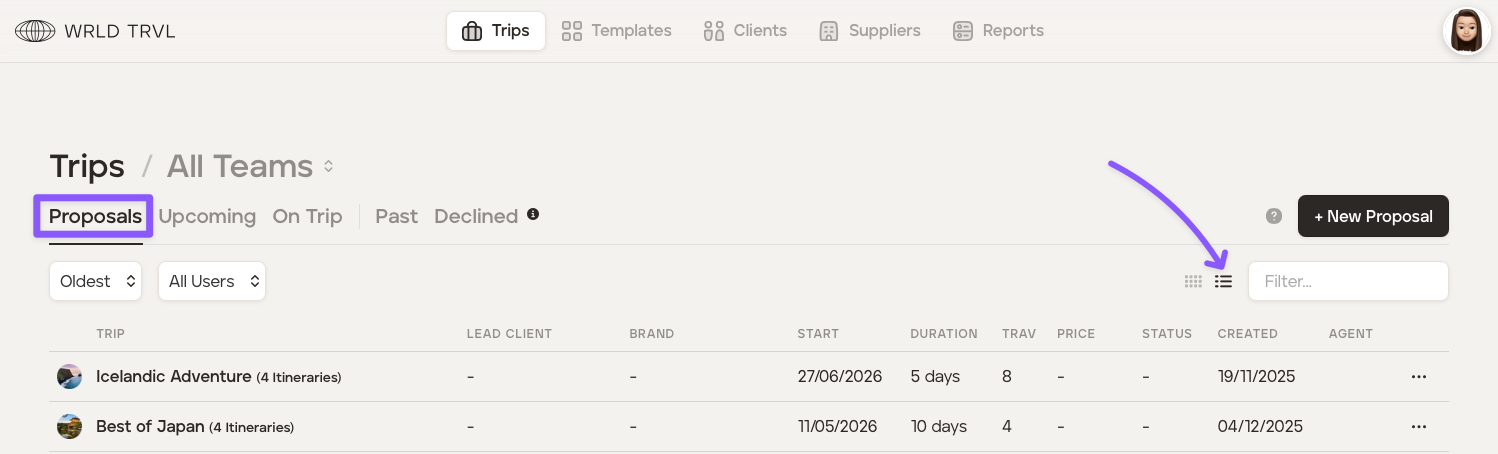
Next to the proposal you wish to duplicate, click the three dots and then click 'Duplicate' to duplicate the proposal.
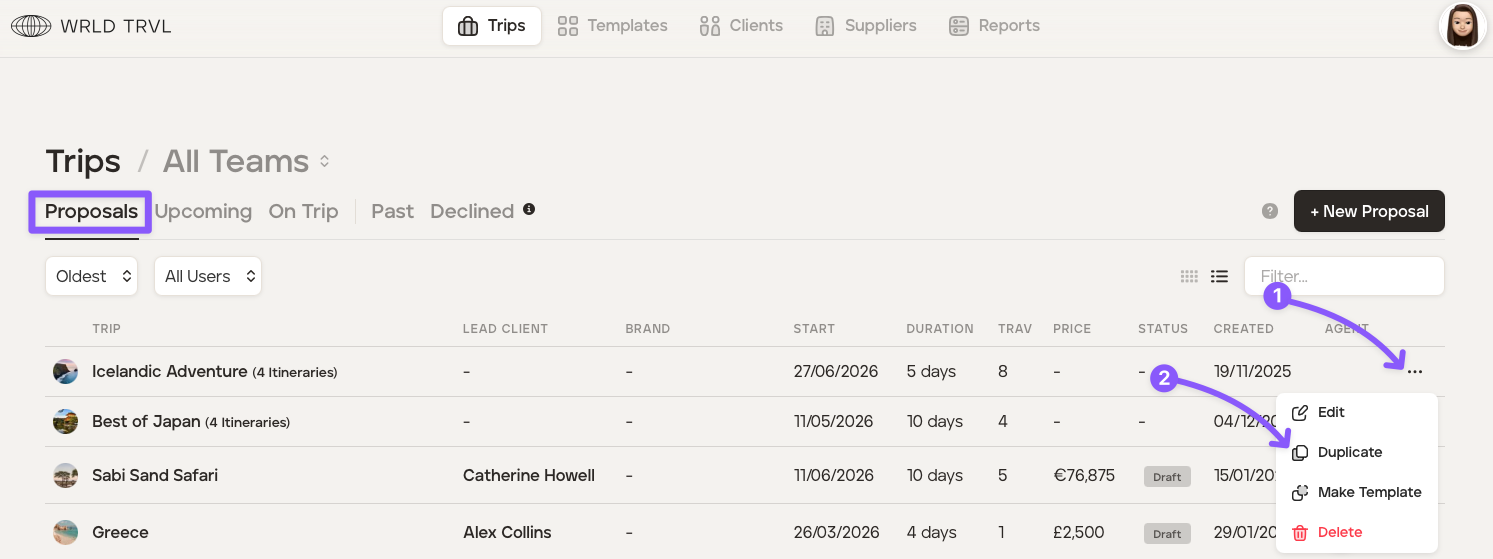
Once the proposal has been duplicated you can change the name of the proposal by selecting the duplicated proposal, clicking 'Manage' and changing the name under the 'General Settings' tab.
Scroll down and click the 'Save' button to save the amended name.
Make further changes to the newly created proposal as required.