

Choose bold or subtle card colours on 'Card View' layout
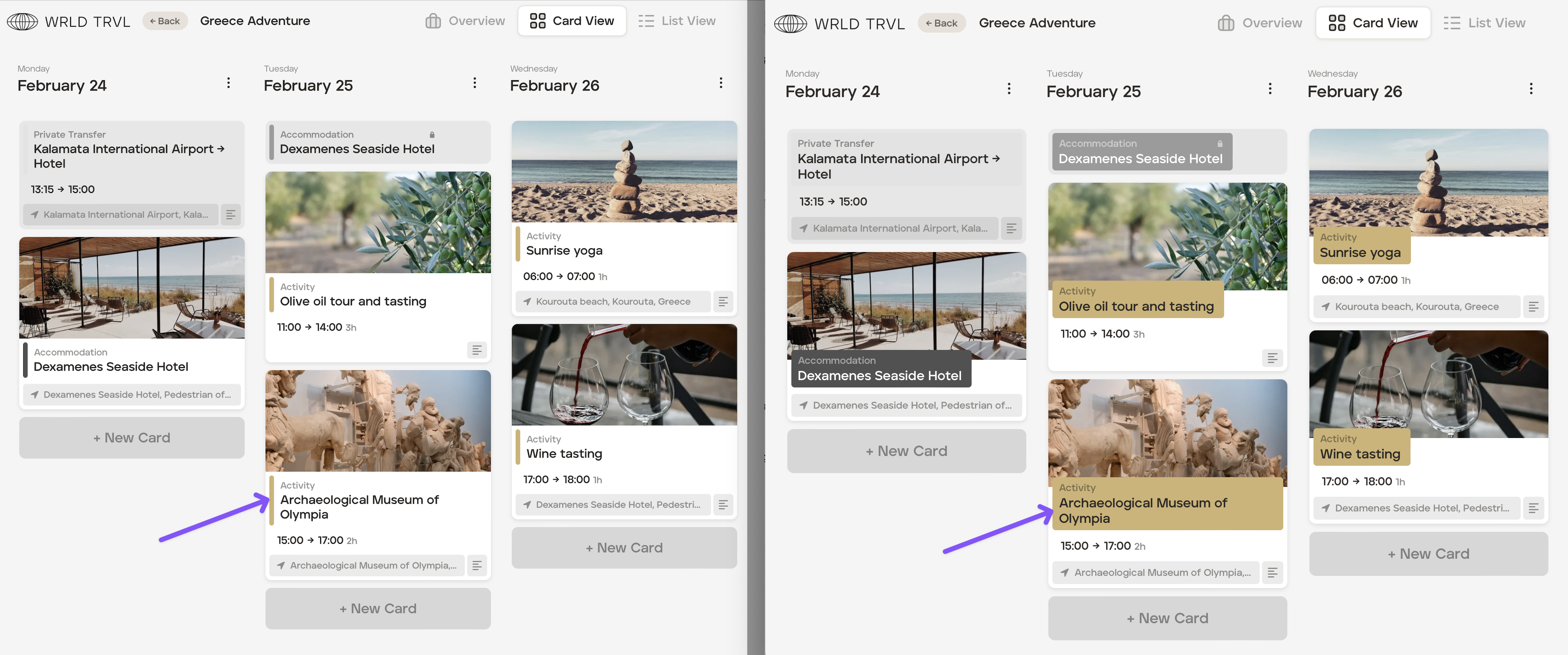
You can choose whether or not to show card category colours in bold when in the 'Card View' layout. Bold colours are the default setting for 'Card View', but to change to subtle colours, follow the steps below:
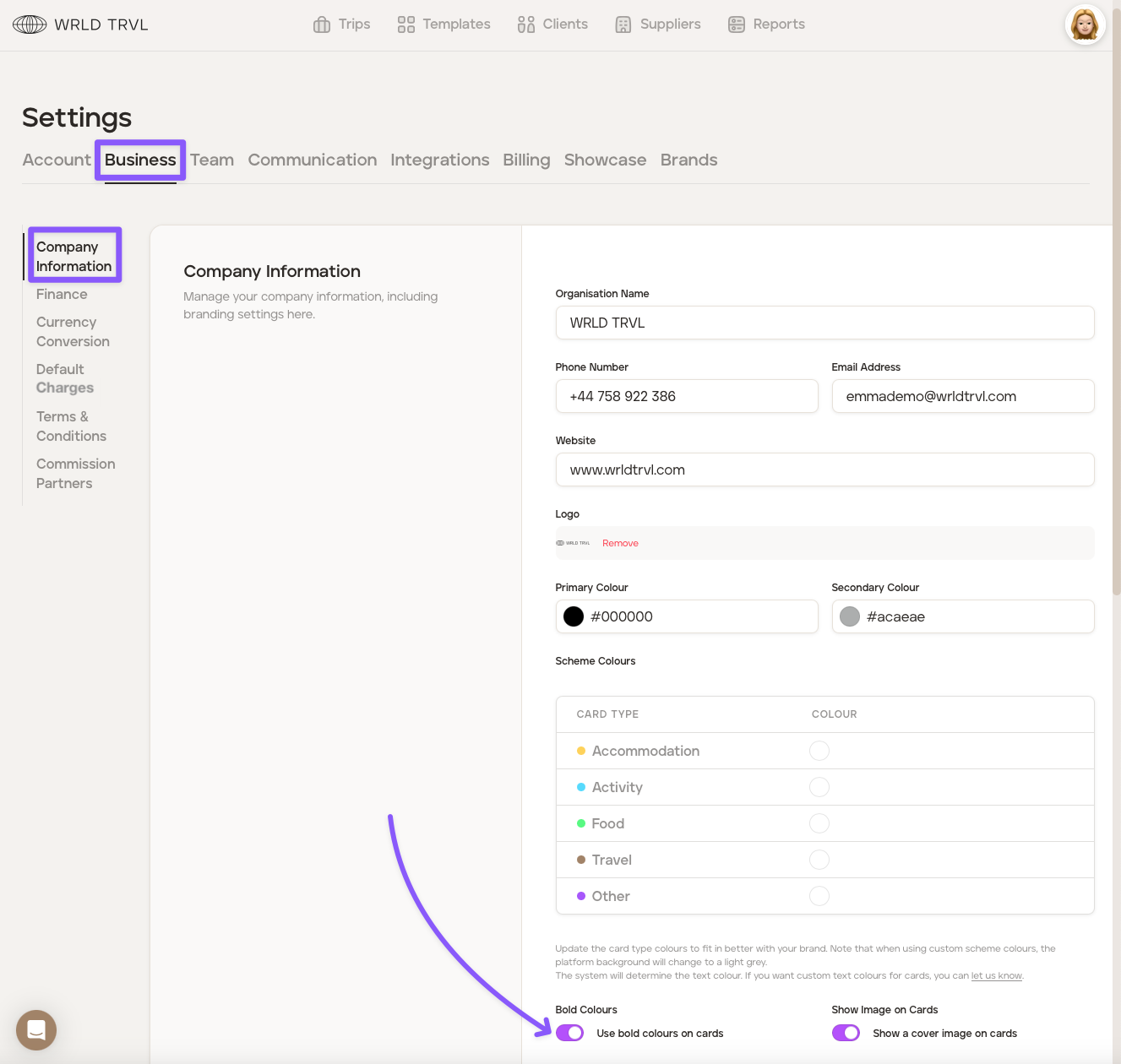
Click the avatar in the top right-hand corner of the screen.
Click 'Settings'.
Click the 'Business' tab.
In the 'Company Information' section turn bold colours on or off using the switch.
Scroll down and click the 'Save Changes' button.
Example: Card View without bold colours (left) and with bold colours (right)
Was this helpful?