

Set up a payment schedule for your clients
To set a payment schedule for your clients, follow the steps below:
Click the 'Trips' section and select the relevant trip.
Click ‘Manage’ in the top right of the screen.
Click the ‘Payments’ tab.
In the 'Who is paying' section, select who is paying for this trip. It can be a single individual or be split across a group. To add or edit who will be paying click '’+ Manage Payees'.
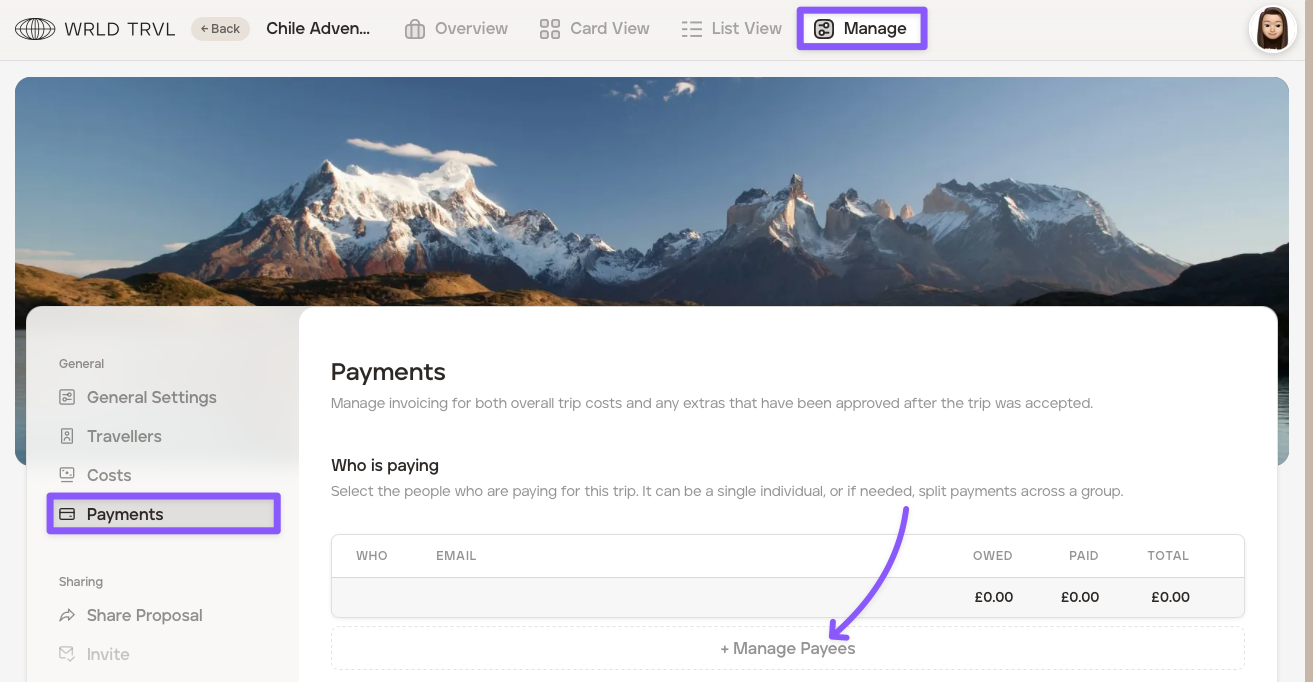
In the ‘Manage Payers’ section, your lead client is automatically available for selection. To confirm your lead client as a payer, tick the box next to their name; otherwise, leave the box unticked. Add any additional payers by clicking '+Additional Payer.'
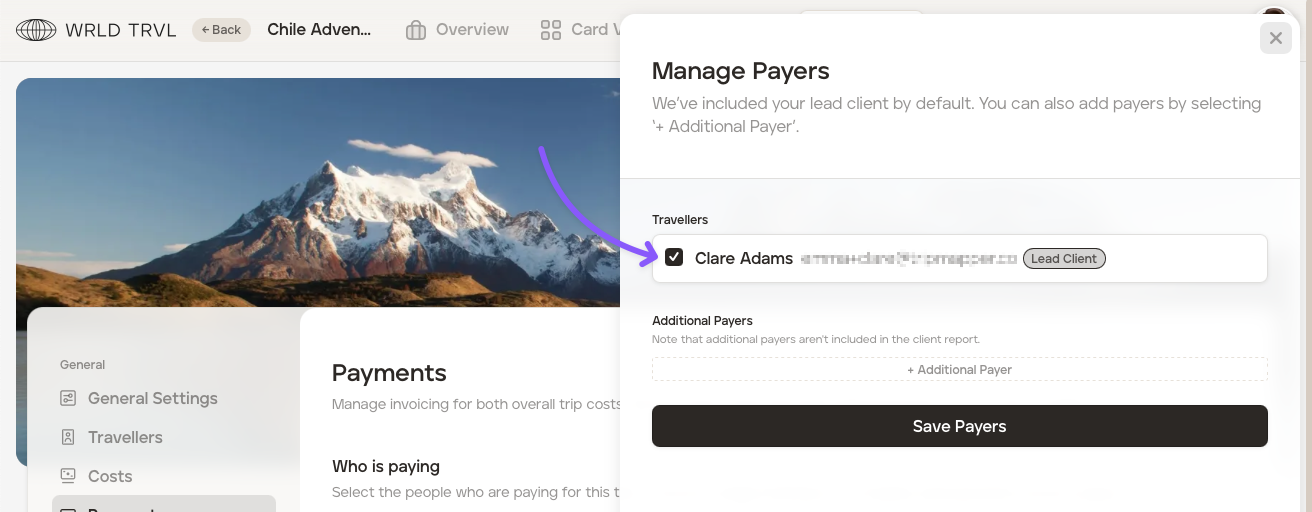
Click ‘Save Payers’ once the payer(s) have been added. The payer(s) will now show in the 'Who is paying' section of the Payments tab.
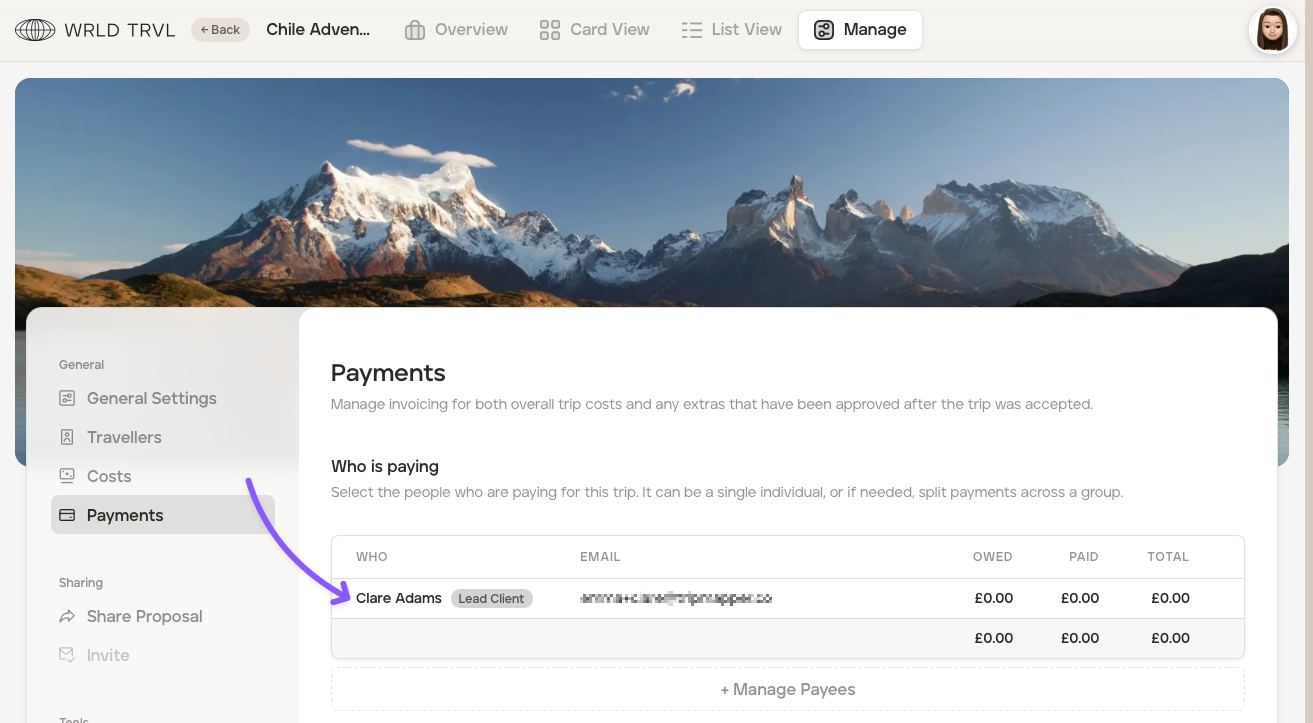
In the ‘Payment Schedule’ section, you can define how your trip instalments should be paid and by when. Click ‘+ Payment’ to start creating your payment schedule.
Add the following information:
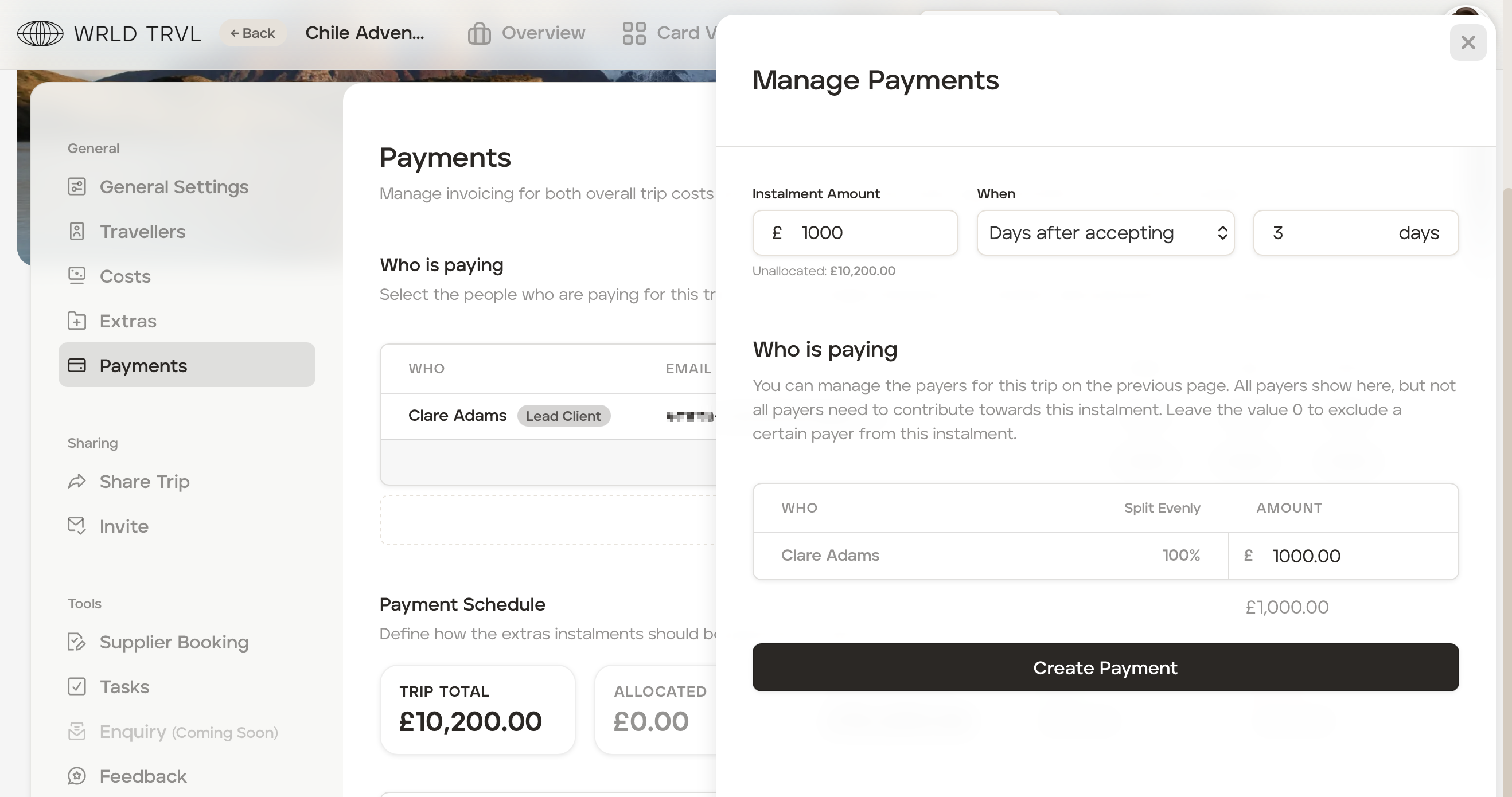
In the 'Instalment Amount' field, add the amount of your first instalment.
In the 'When' field, choose one of the following three variables in the dropdown menu to determine when this instalment is due:
Days after accepting
Days before departure
On a date
and add the number of days or the specific date in the empty field to the right.
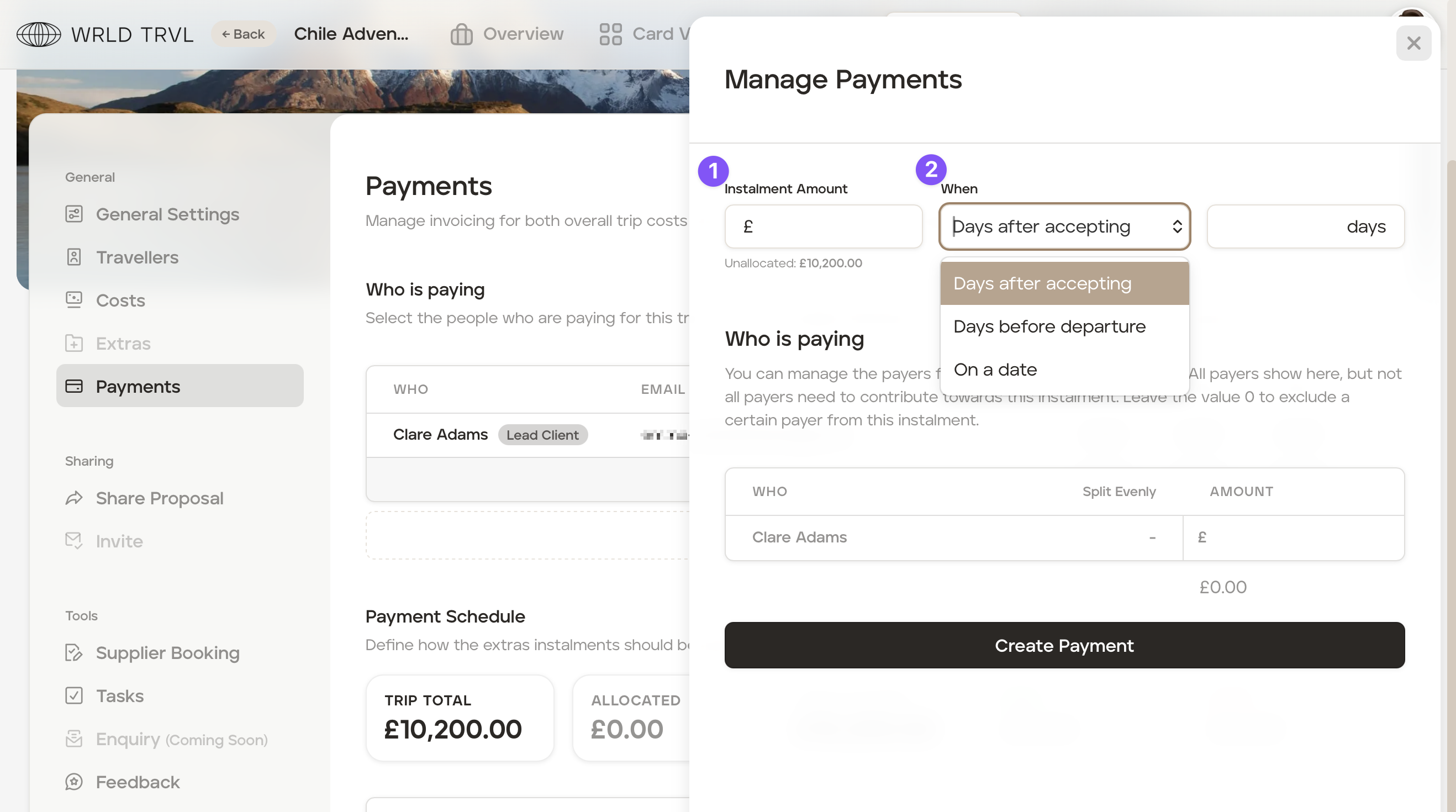
In the ‘Who is paying’ section, either:
add the amount in the ‘Amount’ column next to the payer or payers; or
click 'Split Evenly' to apportion the entire instalment to one payer or to evenly apportion the instalment between multiple payers.
Click the ‘Create Payment’ button.
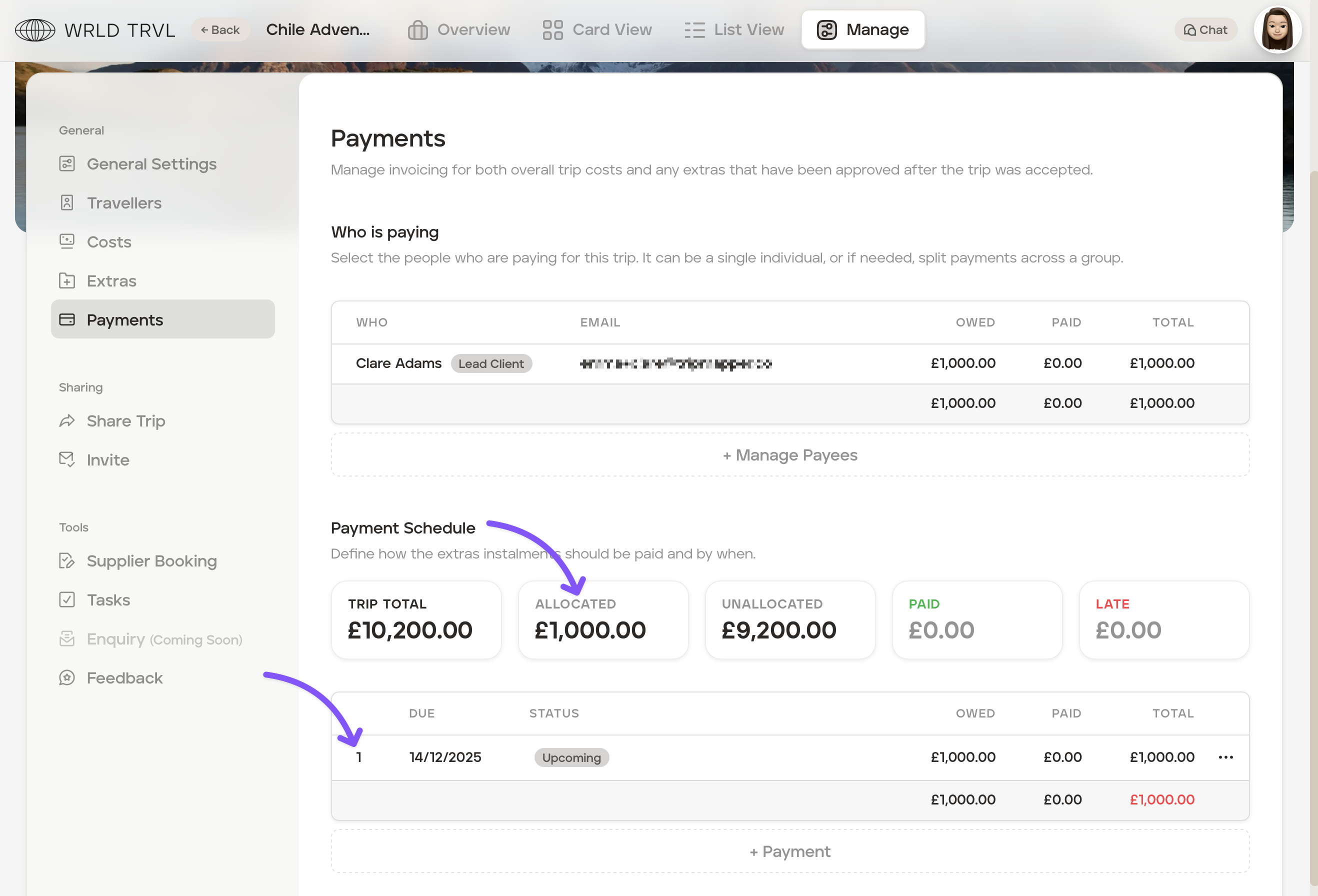
The payment will now be listed in the 'Payment Schedule' in the 'Payments' section. The total payment will show in red until it equals the total trip price.
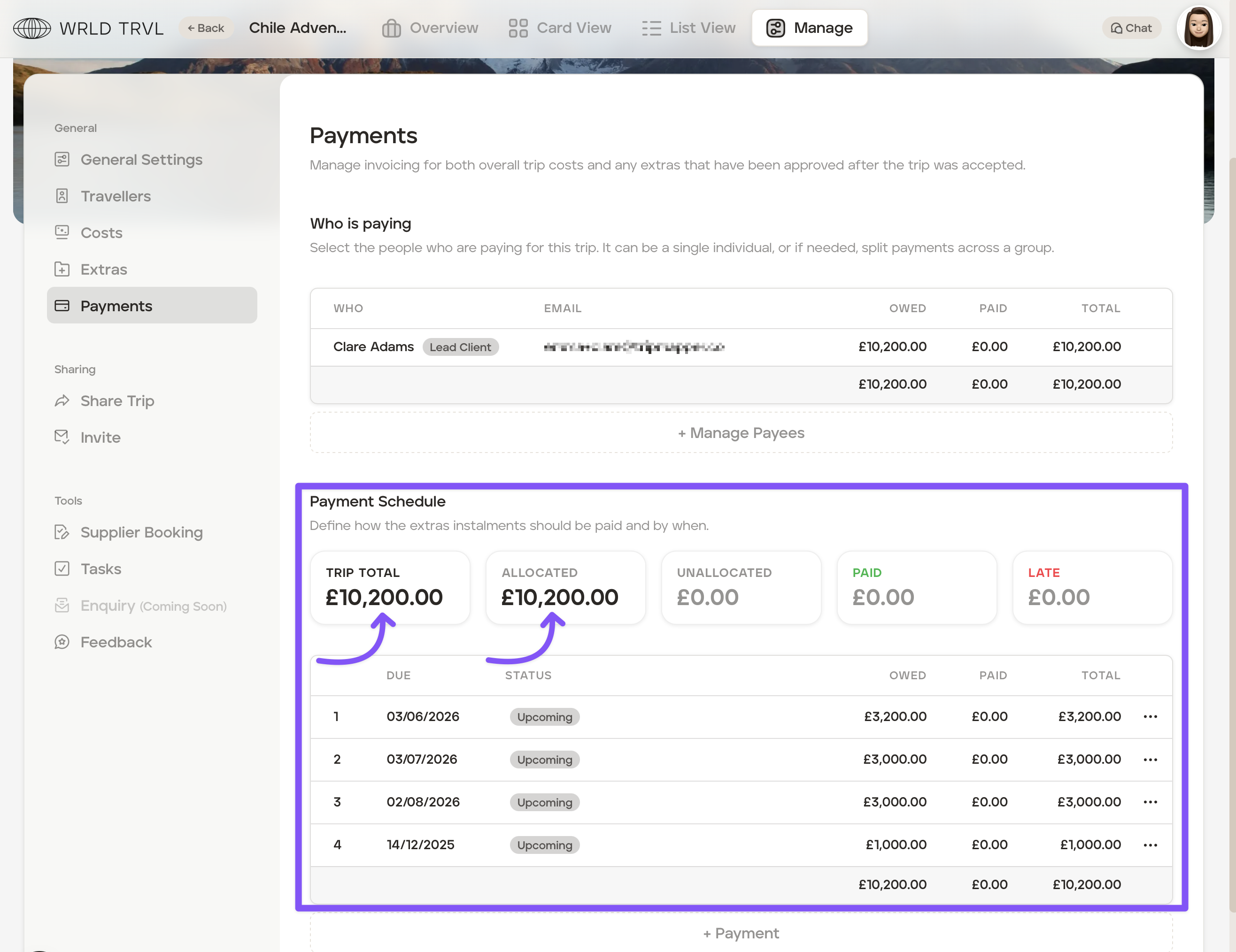
Repeat steps 7 to 11 above to add further payment instalments.
To include the payment instalments on your invoice, check out the relevant article below:
Send an invoice to your client (for a fixed price trip)
Send an invoice to your client (where prices have been added to individual itinerary cards)
To mark a payment instalment as paid if not using Stripe or using a combination of payment methods, check out the article below:
Marking a payment instalment as paid if not using Stripe or using a combination of payment methods